jennys13268985
Participating Frequently
September 26, 2018
Answered

Variable for next and previous slide name

  • September 26, 2018
  • 2 replies
  • 1162 views

Hello,

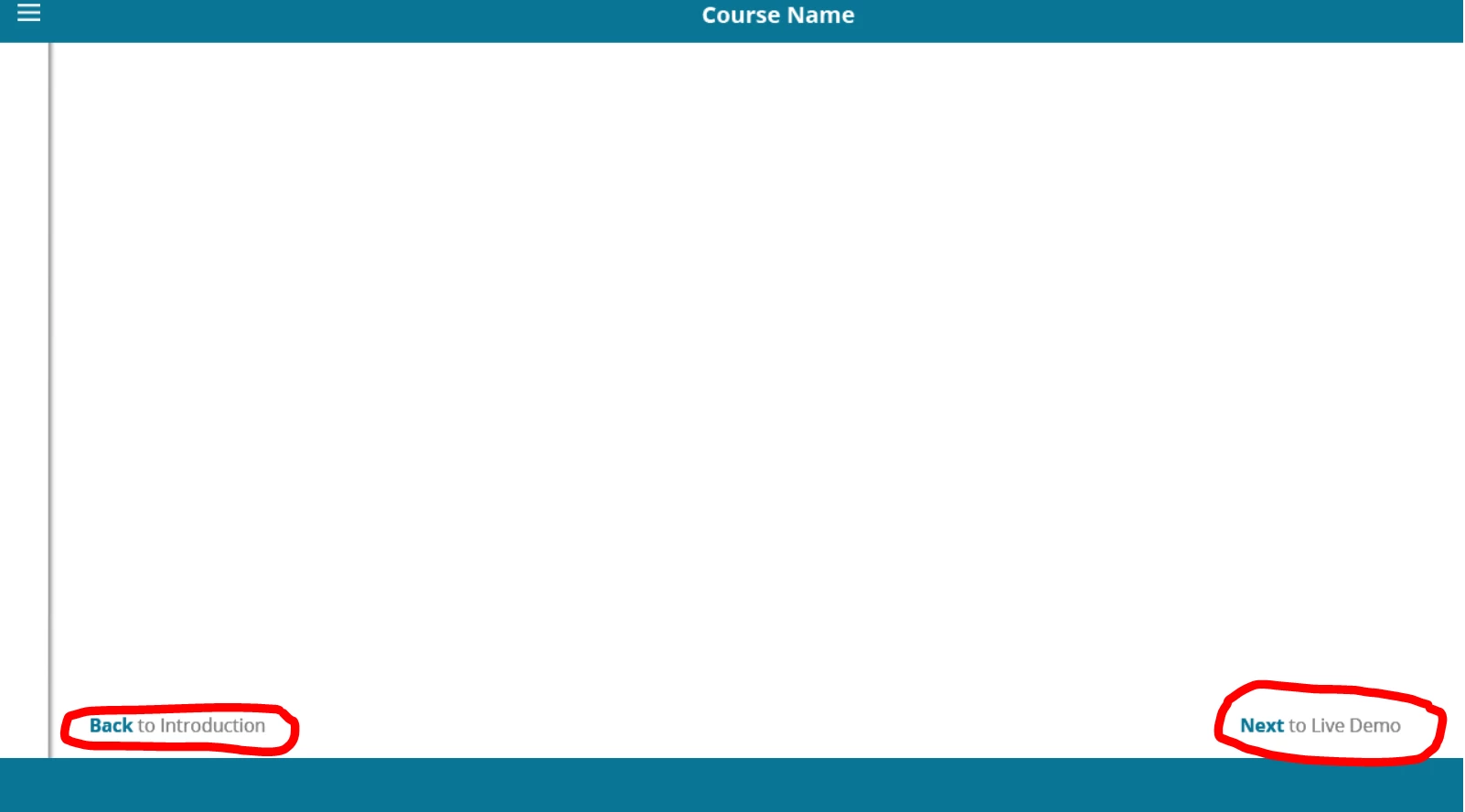
I'm creating a new template and I want to include the name of the previous and next slide for the navigation. (See the image)

Is there a way to define that as a variable (I found only a variable for current slide)? Or any other workaround?

Thanks a lot!

This topic has been closed for replies.
Correct answer TLCMediaDesign

Also, if you are going to go the route of external JavaScript you might as well use the lside enter listener and just have it happen behind the scenes. You would never have to use any action in Captivate then. You could even show and hide the text caption that holds the variable.

window.addEventListener( 'moduleReadyEvent', function( event )
{
interfaceObj = event.Data;
eventEmitterObj = interfaceObj.getEventEmitter();
initializeEventListeners();
});

function initializeEventListeners()

if ( interfaceObj )
{
     if ( eventEmitterObj )
  {
   eventEmitterObj.addEventListener( 'CPAPI_SLIDEENTER', function ( event )
   {        
    var getSlides = cp.model.data.project_main.slides.split(",");
    var idx = Number(window.cpInfoCurrentSlide);

    if ( idx === 1 )
    {
     window.previousLabel = "";
     window.nextLabel = cp.D[getSlides[idx]].lb;
    }
    else if ( idx === window.cpInfoSlideCount )
    {
     window.previousLabel = cp.D[getSlides[idx-2]].lb;
     window.nextLabel = "";
    }
    else
    {
     window.nextLabel = cp.D[getSlides[idx]].lb;
     window.previousLabel = cp.D[getSlides[idx-2]].lb;
    }
   });
   
  }
}
}

2 replies

TLCMediaDesign
Inspiring
September 26, 2018

Create 2 variables, previousLabel and nextLabel. You could create an Advanced Action and execute on Slide Enter of every slide or just execute the simple action on every slide. I prefer an Advanced Action. But just execute this JavaScript either way:

var getSlides = cp.model.data.project_main.slides.split(",");
var idx = Number(window.cpInfoCurrentSlide);

if ( idx === 1 )
{
window.previousLabel = "";
window.nextLabel = cp.D[getSlides[idx]].lb;
}
else if ( idx === window.cpInfoSlideCount )
{
window.previousLabel = cp.D[getSlides[idx-2]].lb;
window.nextLabel = "";
}
else
{
window.nextLabel = cp.D[getSlides[idx]].lb;
window.previousLabel = cp.D[getSlides[idx-2]].lb;
}

Inspiring
September 26, 2018

Aha! I knew there must be a way to parse for the slide names! Much easier than typing the whole array in.

TLCMediaDesign
TLCMediaDesignCorrect answer
Inspiring
September 26, 2018

Also, if you are going to go the route of external JavaScript you might as well use the lside enter listener and just have it happen behind the scenes. You would never have to use any action in Captivate then. You could even show and hide the text caption that holds the variable.

window.addEventListener( 'moduleReadyEvent', function( event )
{
interfaceObj = event.Data;
eventEmitterObj = interfaceObj.getEventEmitter();
initializeEventListeners();
});

function initializeEventListeners()

if ( interfaceObj )
{
     if ( eventEmitterObj )
  {
   eventEmitterObj.addEventListener( 'CPAPI_SLIDEENTER', function ( event )
   {        
    var getSlides = cp.model.data.project_main.slides.split(",");
    var idx = Number(window.cpInfoCurrentSlide);

    if ( idx === 1 )
    {
     window.previousLabel = "";
     window.nextLabel = cp.D[getSlides[idx]].lb;
    }
    else if ( idx === window.cpInfoSlideCount )
    {
     window.previousLabel = cp.D[getSlides[idx-2]].lb;
     window.nextLabel = "";
    }
    else
    {
     window.nextLabel = cp.D[getSlides[idx]].lb;
     window.previousLabel = cp.D[getSlides[idx-2]].lb;
    }
   });
   
  }
}
}

Lilybiri
Legend
September 26, 2018

I am not aware of a system varialbe storing that information. Have an idea about a workaround, will first try it out and create an article if it works. Maybe the JS experts will have another proposal?

jennys13268985
Participating Frequently
September 26, 2018

What did you think? Maybe I can try testing it?

Lilybiri
Legend
September 26, 2018

I will not answer your question here for two reasons

  1. I have to doulbe-check if my solution works really. Because it is linked with navigation, and the first release of CP2017 had many issues with that type of solutions. I am not testing my idea in CP2019. This workaround, if it is indeed working, may be functional in some release, not in all.
  2. I had many bad experiences in the past, where 'experts' did steal my ideas and 'sold' them as being theirs. This is very rustrating but apparently my feeling for ethics is not the same for everyone. Sorry about that. For that reason if I can get it to work, it will be published on my blog and on the portal of te eLearning community. Even then it is not a real author protection but at least I feel better.