Participating Frequently
April 9, 2019
Answered

Variable text incomplete

  • April 9, 2019
  • 1 reply
  • 1073 views

I have a help button at the top of all my pages (created on slide 1 and then timing set to Rest of Project). In the rollover state I have a text box which I want to display two variables, the learner's name, and different help text depending on which page the user is on. I'm using advanced actions to update this second help text variable whenever it needs to change. The issue is that even though the box is large enough, it never displays all the text.

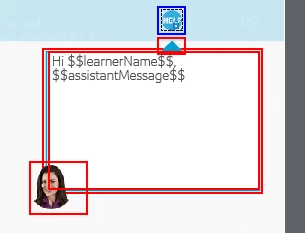
Here is the rollover state which includes a text caption of both variables.
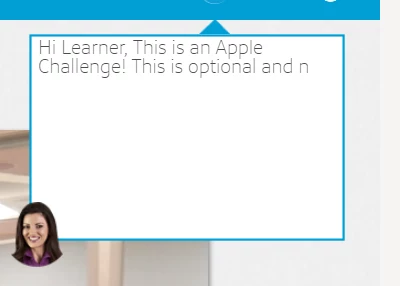
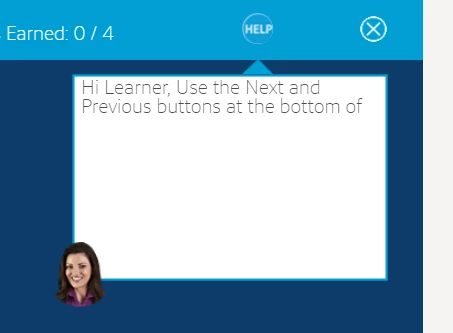
Here are the two different outputs which cut off both assistantMessage variables. Any suggestions on why this would be happening? I'm using Captivate 2019. Thanks!
This topic has been closed for replies.
Correct answer dan561

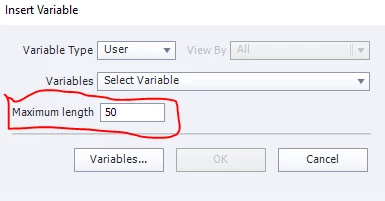
The default variable display length is 50 characters. Change the Maximum length to the number of characters needed (max 250, I believe). This length setting is only available when inserting a variable, however, so you will probably have to delete your variable placeholders from the text boxes and re-insert them.

1 reply

dan561Correct answer
Inspiring
April 9, 2019

The default variable display length is 50 characters. Change the Maximum length to the number of characters needed (max 250, I believe). This length setting is only available when inserting a variable, however, so you will probably have to delete your variable placeholders from the text boxes and re-insert them.

RodWard
Community Expert
Community Expert
April 9, 2019

It used to be 250 characters but it's now around 150 I think.

Lilybiri
Legend
April 9, 2019

You can also have a look at this blog post, explained how to dsplay the content of a variable and more tips:

Discover/Use Captivate's System variables - Part 1 - Captivate blog

Both other users gave you the correct answers. Number used to be 256 characters maximum.... has been decreased for some unknown reason.