

Vertical screen dimension in responsive projects
I just noticed this.
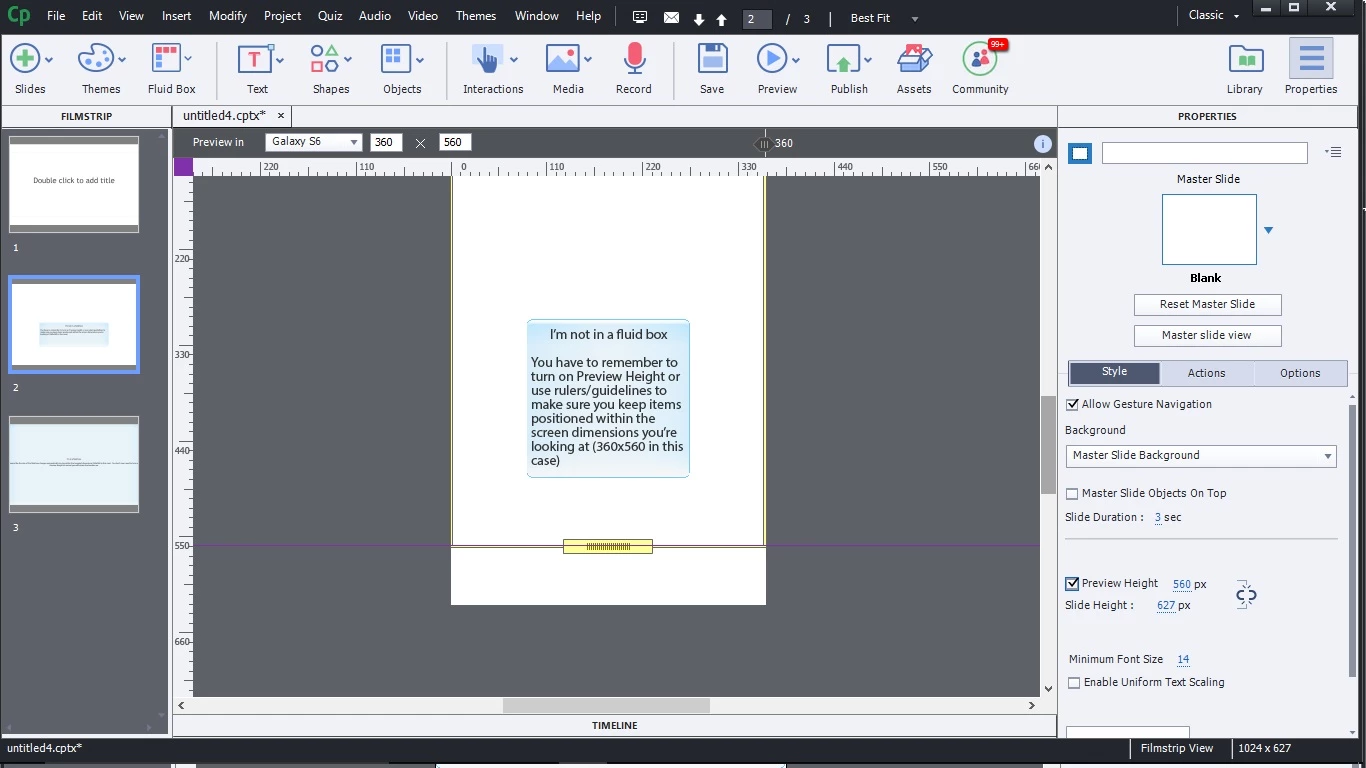
In a responsive project, as you cycle through the different preset screen sizes, the vertical dimension on Slide Height always stays at 627.
That means that if you're looking at a size for a smaller device like a Galaxy or an iPhone, the slide height shown is taller than what the device has. You have to turn on Preview Height in the slide properties or use rulers/guidelines if you want a constant visual reminder to not put objects outside the screen area, causing scrolling.
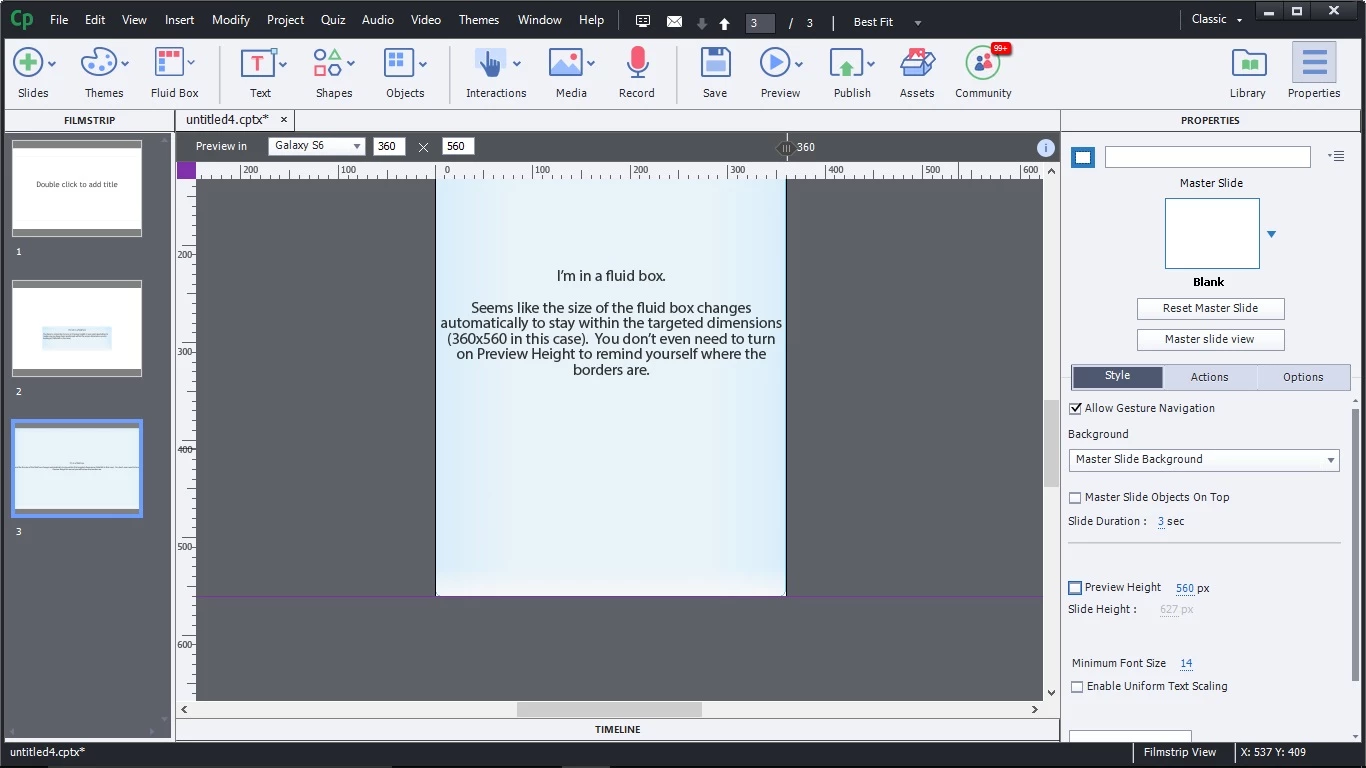
However, if you're using a fluid box, even if it's just a one cell fluid box, Slide Height is grayed out in the slide properties, and the preview height always matches the dimension of the device size you're looking at. This I think is really good. I recently designed some screens that were responsive, but without fluid boxes, and accidentally put some buttons below the 560 mark for Galaxy S6 (360x560). So essentially the buttons were 'below the fold' and caused scrolling on that device. It's nice to know that if you are using fluid boxes, you won't slop over the edges.
I'm posting about it here in case anyone else didn't notice that like me until it caused a lot of re-doing 


 AdChoices