
Participant
April 22, 2020
Question

Video created in Captivate 2019 will not play after publishing

  • April 22, 2020
  • 1 reply
  • 297 views

Hi,


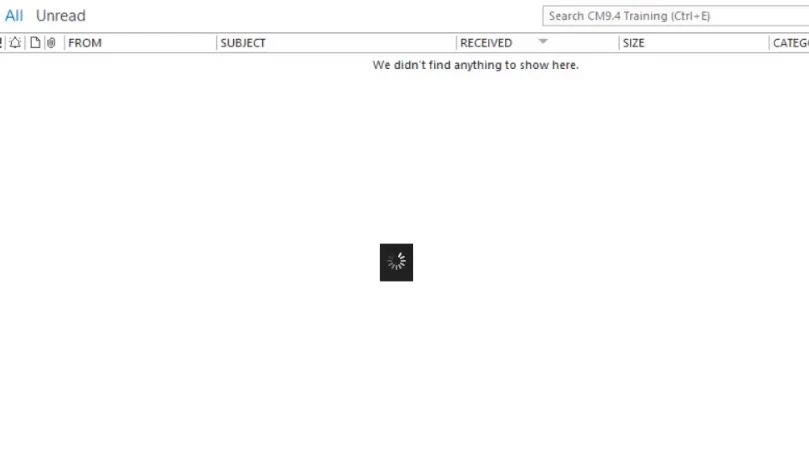
I created a blank project in Captivate 2019, then chose video demo from the slides menu. I created my video, which plays fine in preview, but when I publish it as Video it will not play. All I get is the first frame of the video with a revolving wheel (see image below).


Can anyone help me with this please?


Thanks


Michael
    This topic has been closed for replies.

    1 reply

    RodWard
    Community Expert
    Community Expert
    April 22, 2020

    Try uploading your content to a web server or LMS and test from there.  HTML5 content requires a web server environment.

    Participant
    April 22, 2020

    Hi Rod,

    Thanks for the reply.


    I published it as an mp4 so it should play straight from my PC without needing to be uploaded to a web server. I've created a number of videos previously and had no trouble until today.


    Cheers

    Michael

    RodWard
    Community Expert
    Community Expert
    April 22, 2020

    Something doesn't add up here.  I have not seen that particular loading animation as a default part of an MP4 video file. 

    So did you navigate to the MP4 publish folder location on your PC and just double-click the MP4 to view it?  Or were you trying to view the MP4 from within Captivate's preview options? 


    Are you working on the CPTX locally on your PC, or over a network?


    Have you tried viewing the MP4 via another app, e.g. something like VLC or Windows Media Player?