Known Participant
July 10, 2020
Answered

Video playbar appearing after first pass

  • July 10, 2020
  • 1 reply
  • 650 views

Hi team

I will be embedding a a couple of videos into captivate slides (@ one video per slide).

When the viewer is seeing the video for the first time, he should not be able to use the video's navigation bar to scroll forward or backward. But after seeing the video completely for the first time, the option to scroll the video forward or backward should appear. This applies to every video in each captivate slide.

How to do so?

Regards
    This topic has been closed for replies.
    Correct answer Lilybiri

    Lily, thanks for the algorithm!! I'm sure it will work like a charm. Yea, I perfectly understand why you emphasise on the progress bar.

    Requesting your kind support on the coding Lily. I'm quite out of touch on the actual coding part and your support will be of great assistance.

    Thanks in advance!!


    Best Regards


    That was the code.  OK, will put it in the Advanced Actions dialog box.

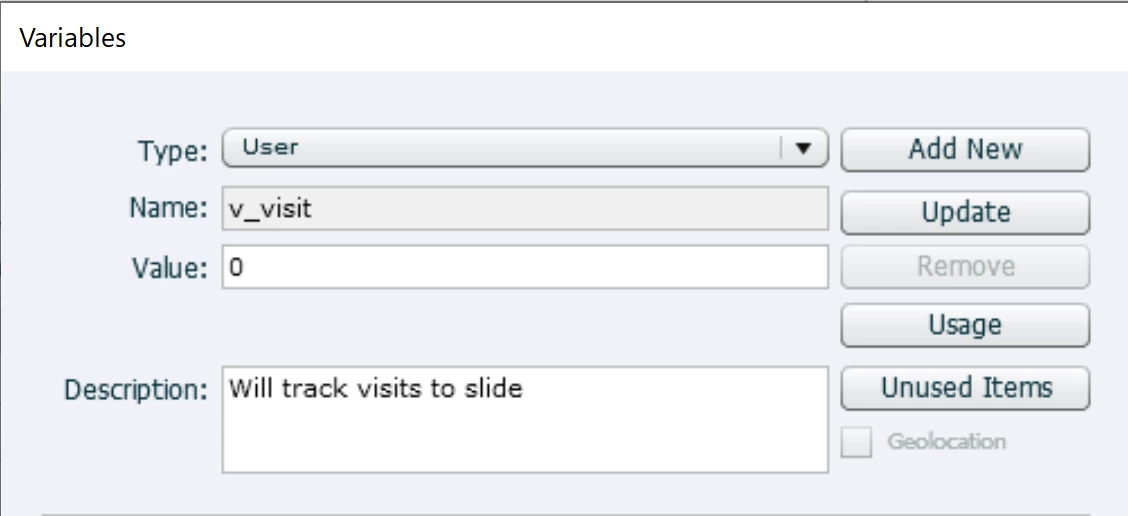
    • Define user variable v_visit


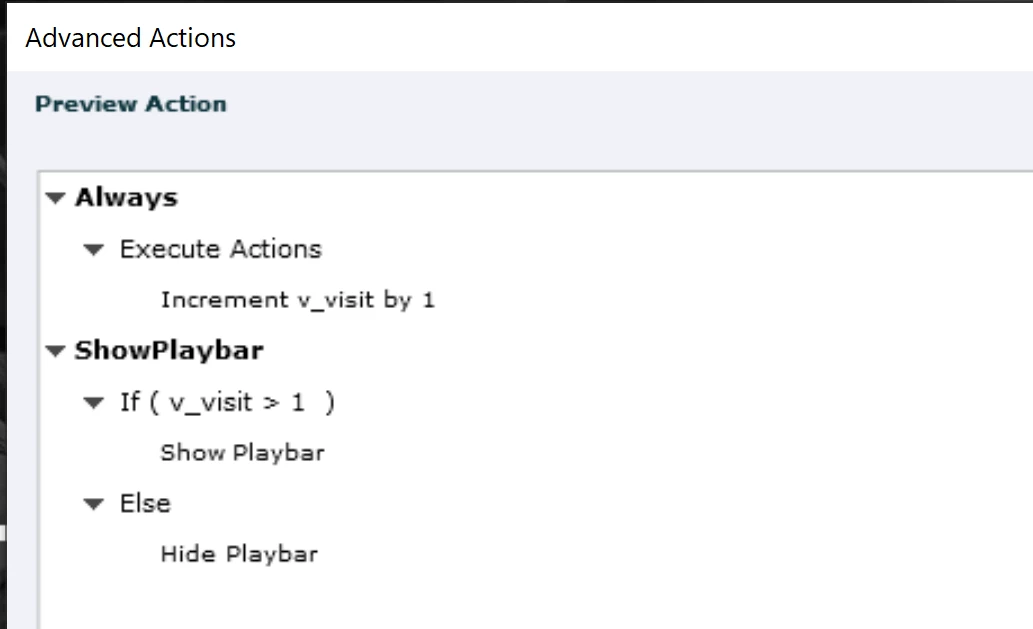
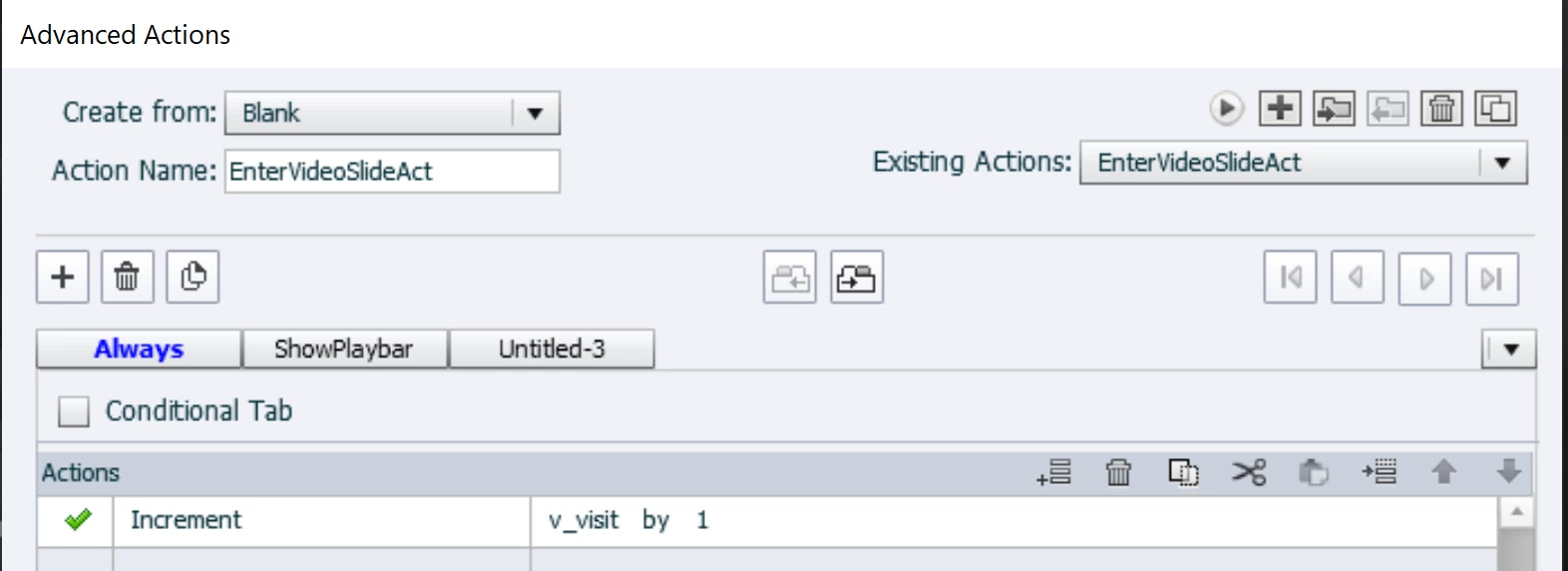
    • Create this advanced action:
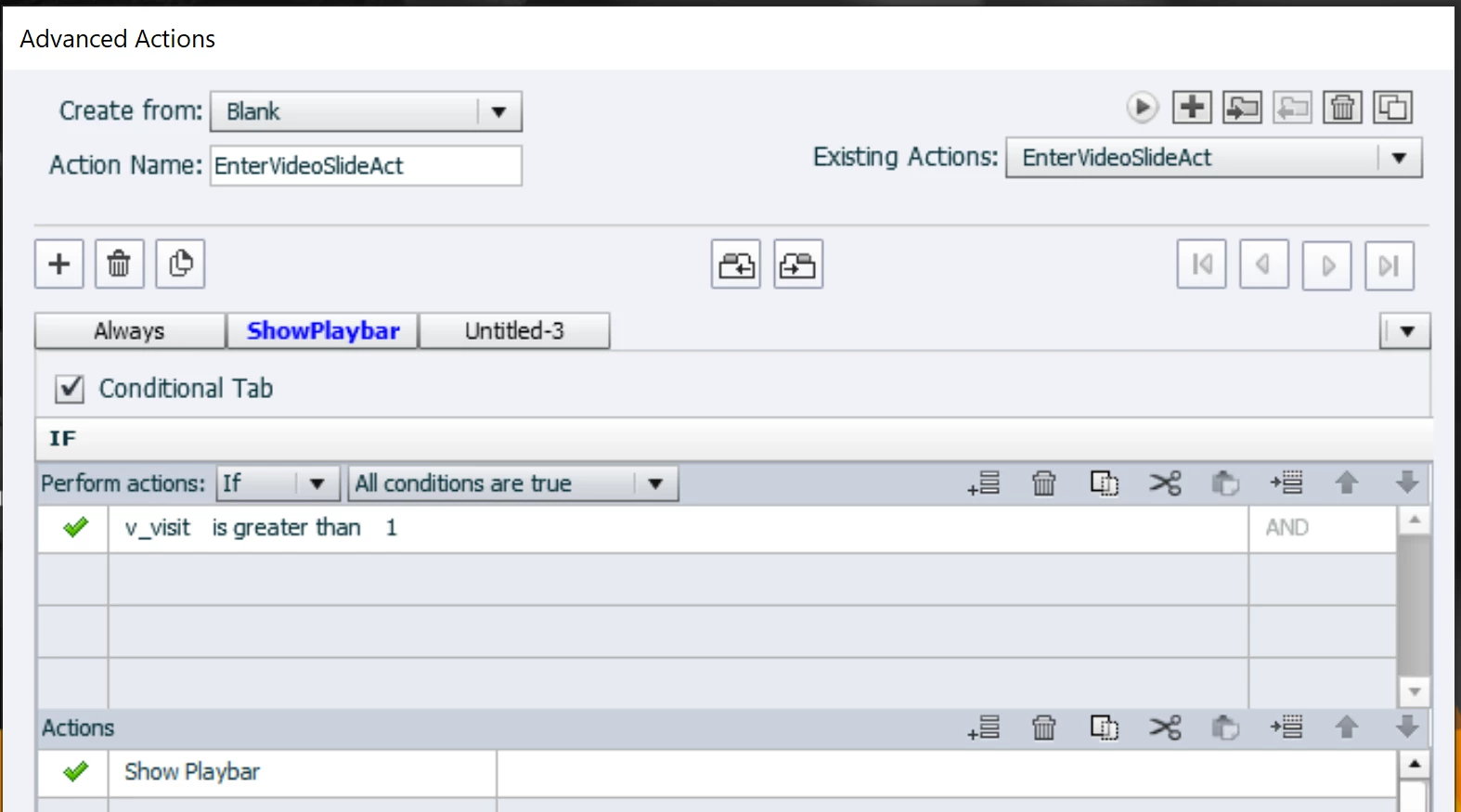
    • Above is the Preview, in the dialog box it looks like this for the first decision:
    • For the Second decision, THEN part:

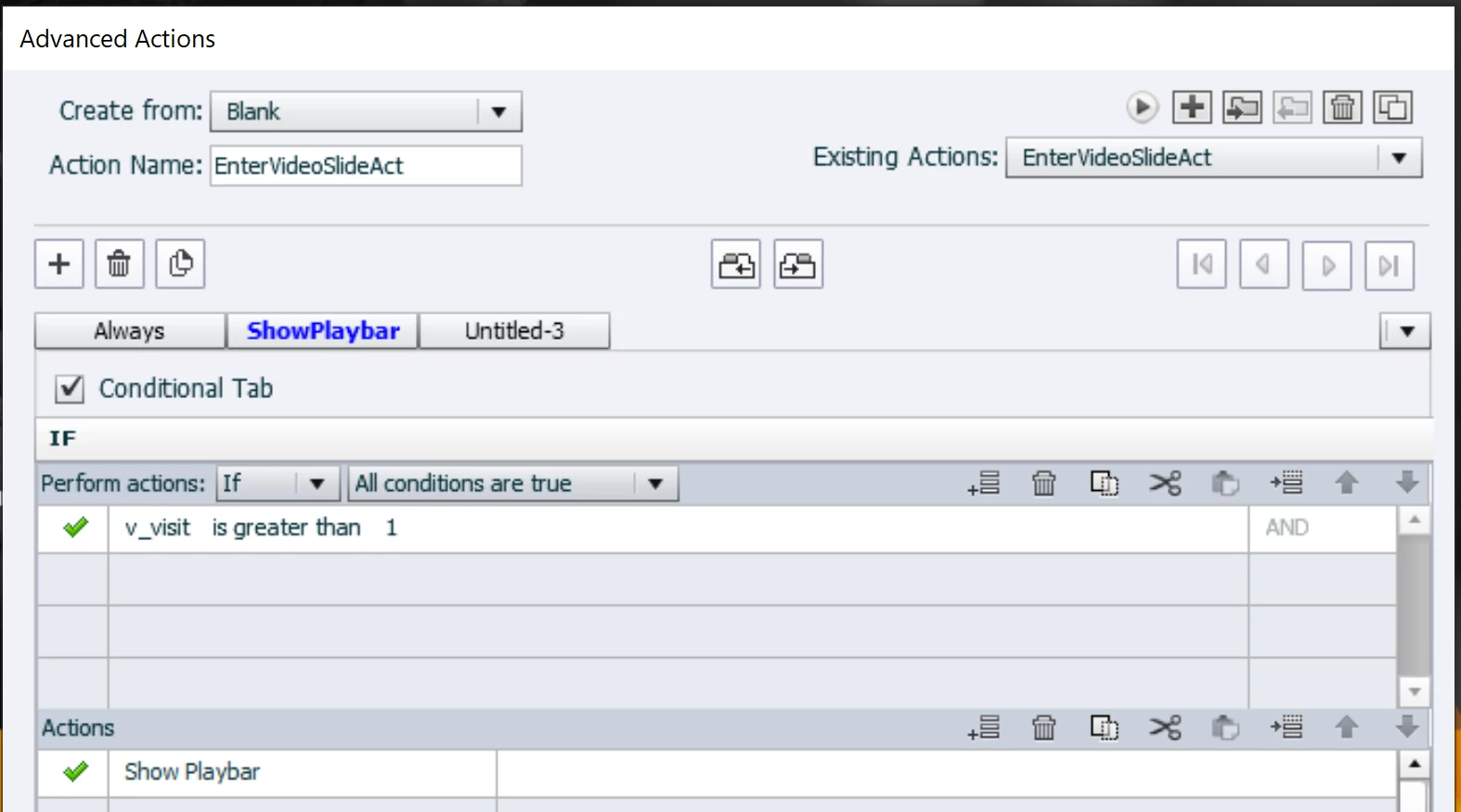
      and ELSE part:


    1 reply

    Lilybiri
    Legend
    July 10, 2020

    How do you insert the video? As event video or slide video?

    Known Participant
    July 10, 2020

    Hi Lily

    I go to Media and import the video. Not sure whether it is called an event video or a slide video.

    Lilybiri
    Legend
    July 10, 2020

    You have the choice in that dialog box, but I seem to remember that Event is the default choice.

    In that case your question has no answer, because Event video plays totally independent of the Captivate timeline. That is the reason why you don't need to change the slide duration, and that a dedicated control panel is added to the video. I think it is possible to detect the end of the video with JavaScript and use that event to show another objectt, but you cannot prevent the control panel from appearing. In HTML output, it appears when you hover over the bottom part of the video.

    To achieve what you want, you need to insert as Slide video. You will have to extend the slide duration to the duration of the video clip. Then you can add an action On Enter to show or hide the default playbar in Captivate. That action can be based on checking a user variable, which I will label v_visit. It would store the number of visits to that slide. If it is the first visit, the playbar should be hidden, else it will be shown. You need to increment the variable v_visit, which can also be done in that same action. If you need more info, let me know.