
QN Coaching
Participant
September 11, 2016
Question

Video Publishing Error

  • September 11, 2016
  • 2 replies
  • 263 views

Hey guys,

I really have a problem with my captivate

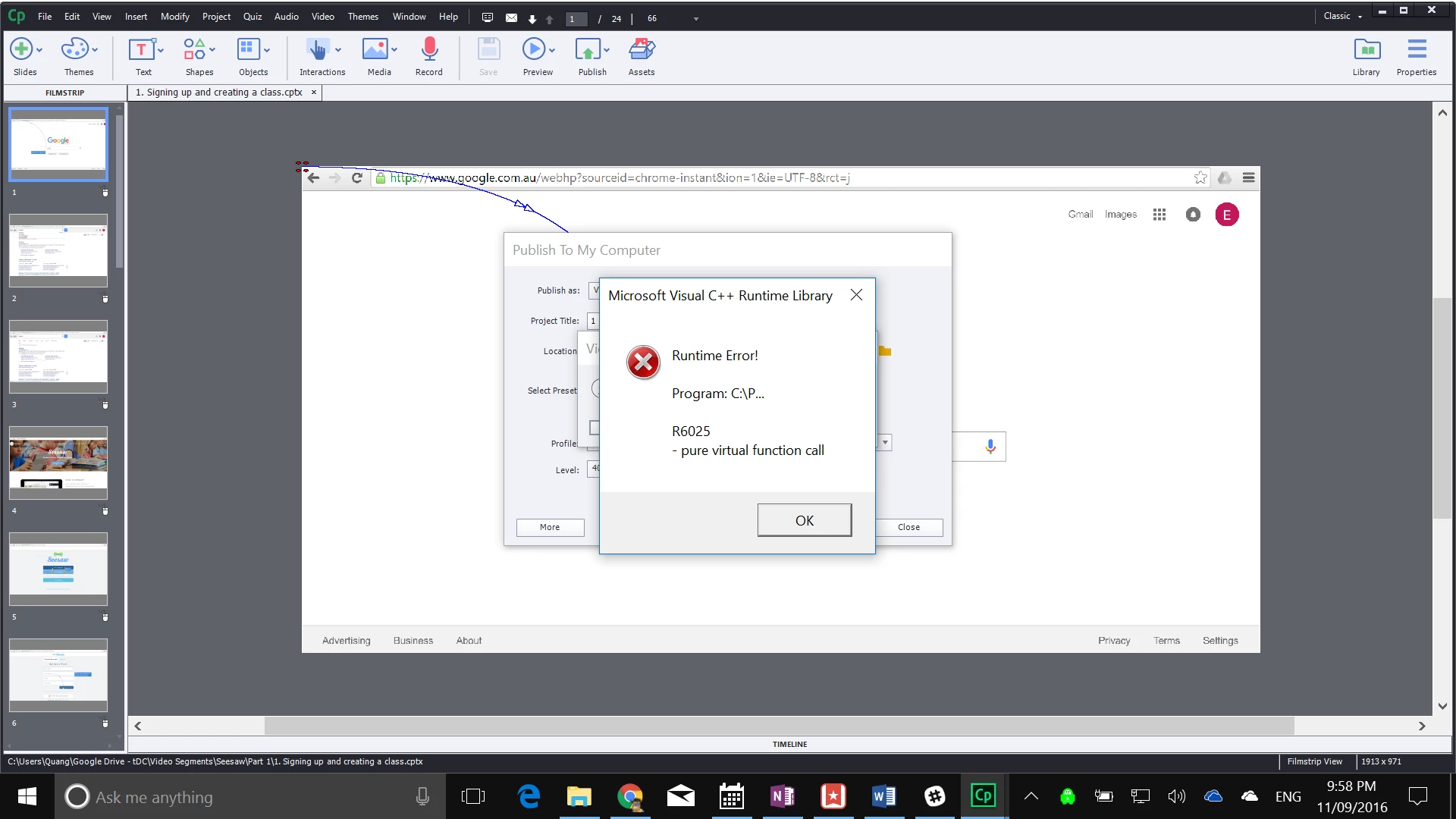
every single time i attempt to publish my video

the screen below pops up and cuts my video short

i have tried removing and reinstalling the program but to no effect

can someone please enlighten me why this is th case?

any help is appreciated as i am at my wits end

cheers

qsta
This topic has been closed for replies.

2 replies

Lilybiri
Legend
September 11, 2016

I suspect you are not using the latest version (9.0.2)? Can you Clear the Preferences, delete the Layouts and Sample Projects folders in Public Documents\Adobe\eLearning assets and install the patch? If  that doesn't help, Rick is pointing to the problem: corruption in the project. Since it is important to keep CP updated, I wanted to mention that last release.

Captiv8r
Legend
September 11, 2016

Have you tried with a different project?

My thought here is that it may be something specific to this particular project. So before troubleshooting further, try creating a new project and see if that publishes okay. If so, it means this particular project needs closer scrutiny. But if it happens with a new project, it means something needs closer inspection with this installation of Captivate.

Cheers... Rick