
Question
Virtual tours using Captivate
Can this be set up using Captivate?
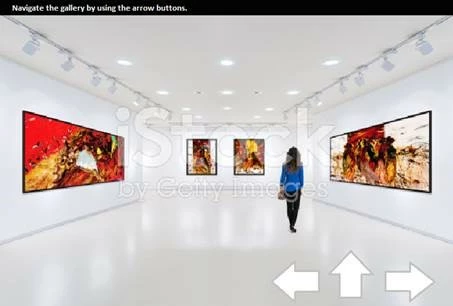
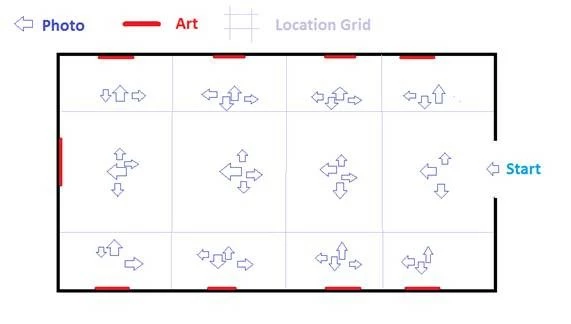
Each arrow is a point of view still image. Students could use arrow buttons on screen to turn to see different perspectives (really different slides) walk up and view the different art pieces in the gallery. In this case (9 art pieces on 3 walls – it could also have sculpture in the middle with no additional images) it would need to be 44 slides/photos, but technically ILO wise they are all duplicates of themselves with different images. It would be 3 buttons: turn left, turn right, move forward. An advantage of this method would be that if there was a statue in the middle area the students could look at it from 4 different angles.
 AdChoices