


Inspiring
July 4, 2024
Question

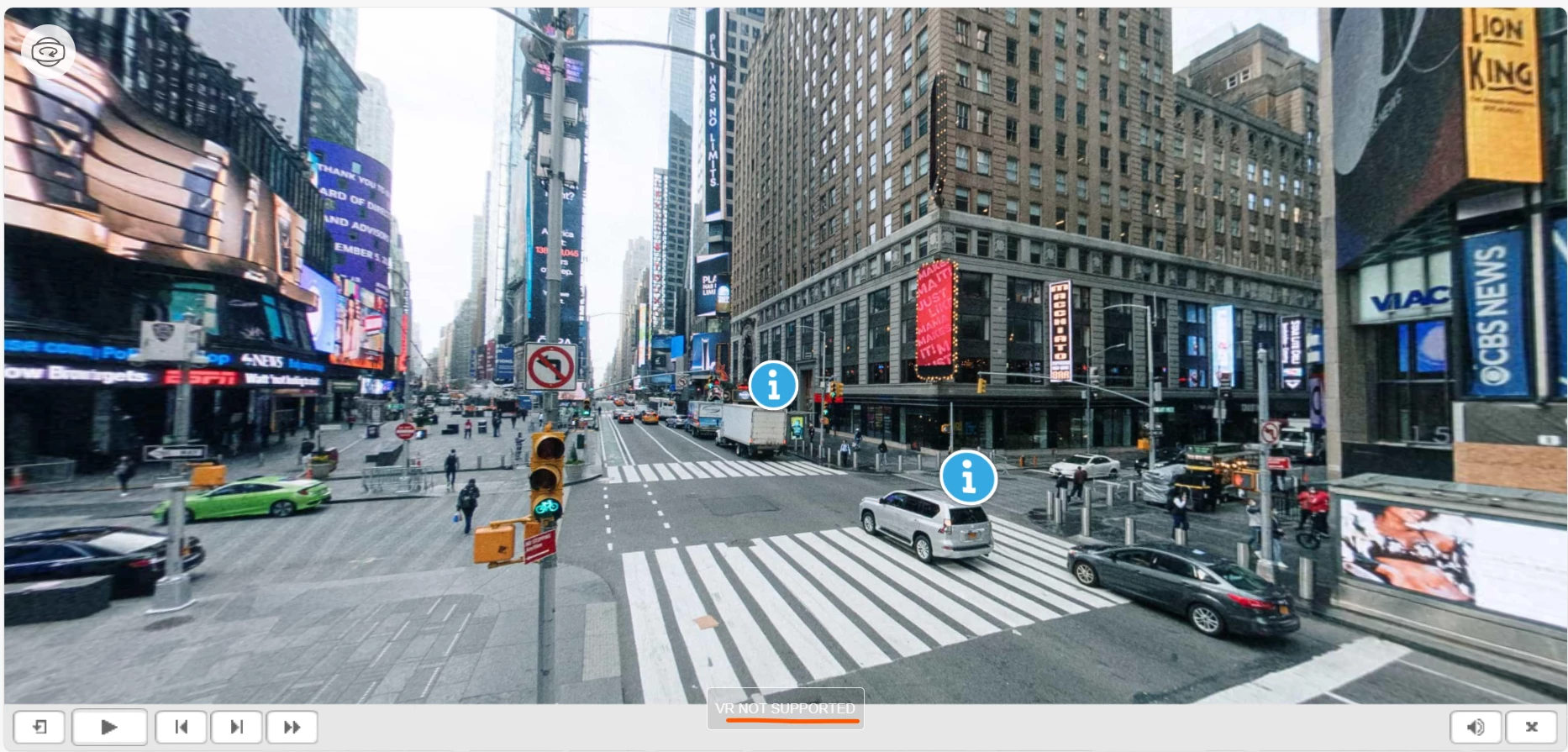
VR NOT SUPPORTED

  • July 4, 2024
  • 1 reply
  • 330 views

Hi,  

I am trying to create a VR project in Captivate. When I preview the project, I see the 'VR NOT SUPPORTED' text with a button. I am not sure why this is happening, how to remove it, or what it means.

Could you please help to remove that text along with the button?


I am using Captivate Classic 2019 - version 11.8.3.8.


Please see the attached image.
 

Thanks & regards, 

Velayutham S

    This topic has been closed for replies.

    1 reply

    Lilybiri
    Legend
    July 4, 2024

    Hmmm...  I just double-checked in that same version, inserted a 360 slide (one of the sample assets) and did not see the button you displayed. Can you check the same way, by using one f the examples? Which browser do you have as default browser?

    Inspiring
    July 5, 2024

    Hi, thanks for your response. 

    It is appearing again. 

    I am using the Edge browser. 


    Thanks

    Lilybiri
    Legend
    July 5, 2024

    Hmmm, forgot to ask about your version number, but also what you mean by Preview. You need to use Preview HTML in Browser (F11) if you have other methods available. It is the only Preview which is not using SWF technology. What happens when you publish and after uploading to a webserver?