
Participating Frequently
December 20, 2019
Question

VR video cuts when it loads the first time in Android

  • December 20, 2019
  • 2 replies
  • 1035 views

I am loading a 360 degree video generated from captivate in webview in Android. When I enter VR mode, the right half of the VR mode gets cut. Kindly refer Image 1. 
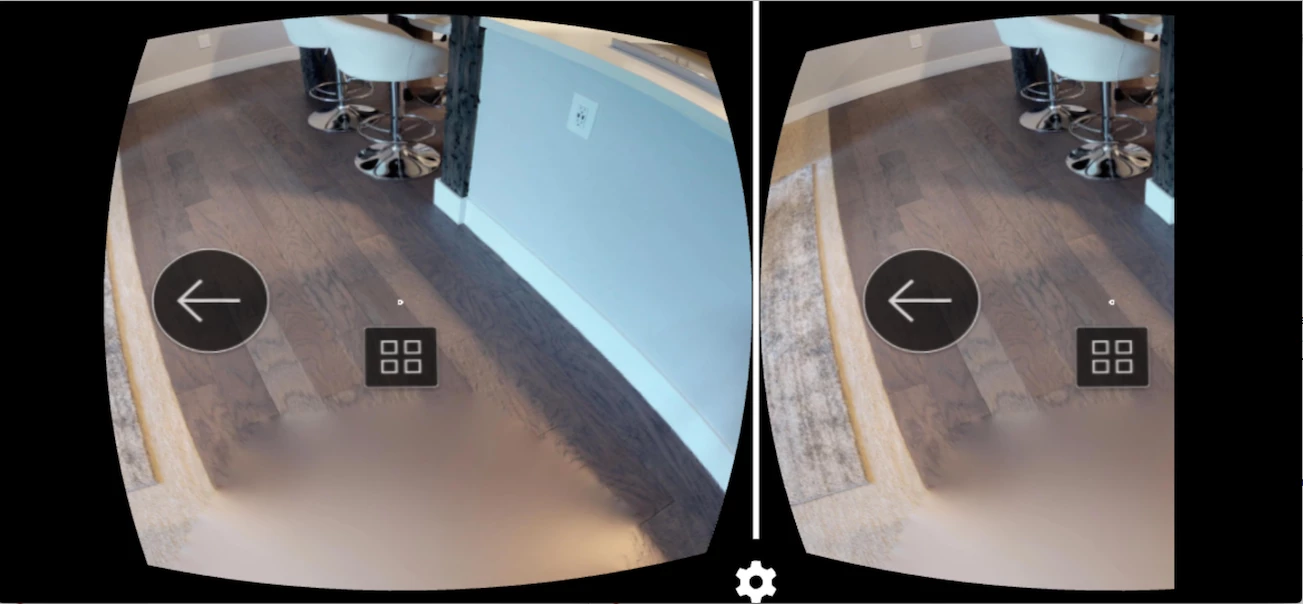
 

After this when I go in background mode and resume the app again then the VR video is loaded properly. Kindly refer Image 2.
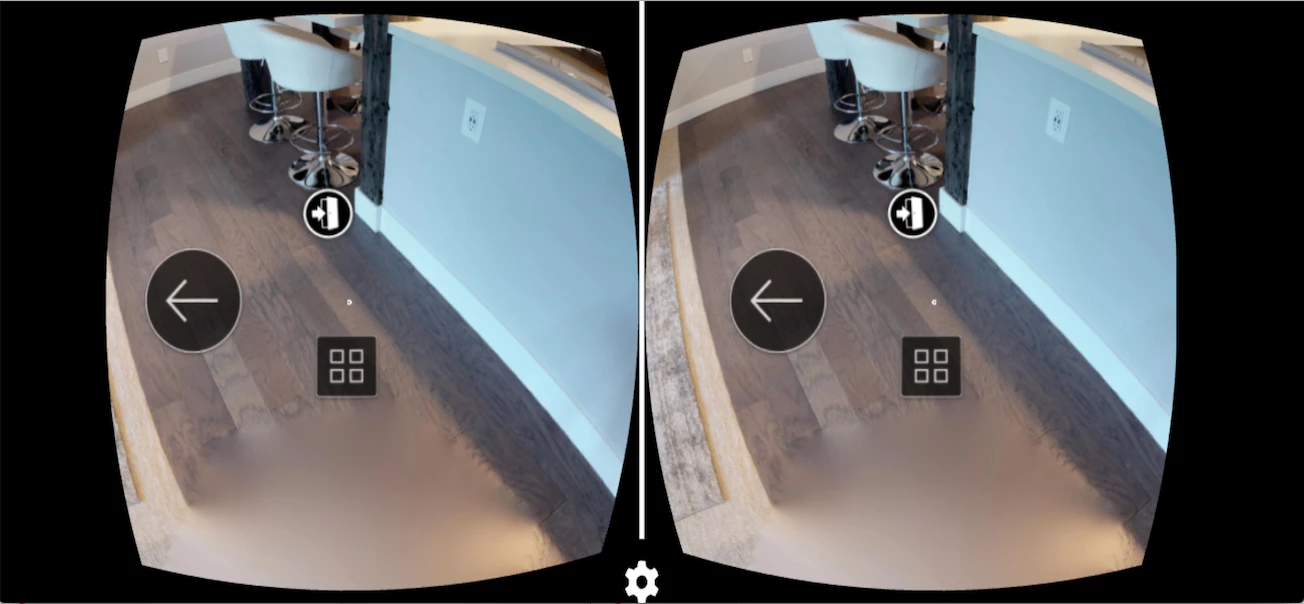
 

In iOS it is working fine but I think this issue still persists for Android. Kindly help. Thanks in advance.


Update:

I forgot to mention 1 thing about this is that earlier when I kept the width and height of webview as same as device screen width and height (resolution of phone greater than full HD), the video was rendering properly at the first time but then the problem was that in VR mode it didn't look as one video in cardboard. It looked like there was some distortion and video was in 2 parts, simply speaking I can see 2 dots at the center instead of one.
 
So I started reducing the width of the webview until it fixed this issue, which comes to around 1920. So I assume the video was created in 1920x1080 resolution. But then this problem started occurring.
This topic has been closed for replies.

2 replies

Lilybiri
Legend
December 22, 2019

Could you please indicate the version of Android, and the devices you tested on? 

Snehal911Author
Participating Frequently
December 22, 2019

Hi Lilybiri,

I've tested it in following devices:-

Redmi Note 7  Android version - v9 PKQ1.180904.001 MIUI - 10.2.11.0

Vivo V11 Pro Android version - 9

Oppo F7 Android version - 9


Lilybiri
Legend
December 23, 2019

Which app did you use to watch the VR? 

ls_rbls
Community Expert
Community Expert
December 22, 2019

Hi,


was this working before an update was applied?


is this happening with every file or just the one you're working with?

Snehal911Author
Participating Frequently
December 22, 2019

Hi ls_rbls,

The content was not created by us but by our partner and shared with us. So we are not really aware in which version of Captivate the content was created. And the partner is also on Christmas vacation. So that info will be available only after he comes back from leave.

Currently we have 2 test contents and it is happening for both of them.


ls_rbls
Community Expert
Community Expert
December 22, 2019

Hi,


You mentined that the VR content seems to be OK in iOS but not in Android. 


Is the VR content app the same in both iOS and AndroidOS?


I can think of two possible work arounds for Android:


  • access your Android device in engineer mode and calibrate the gyroscope


  • Or download from Google Playstore an app that doesn't require gyroscope to play VR content and see if the problem also manifests in that app