
marcosb29654850
Participant
April 26, 2017
Question

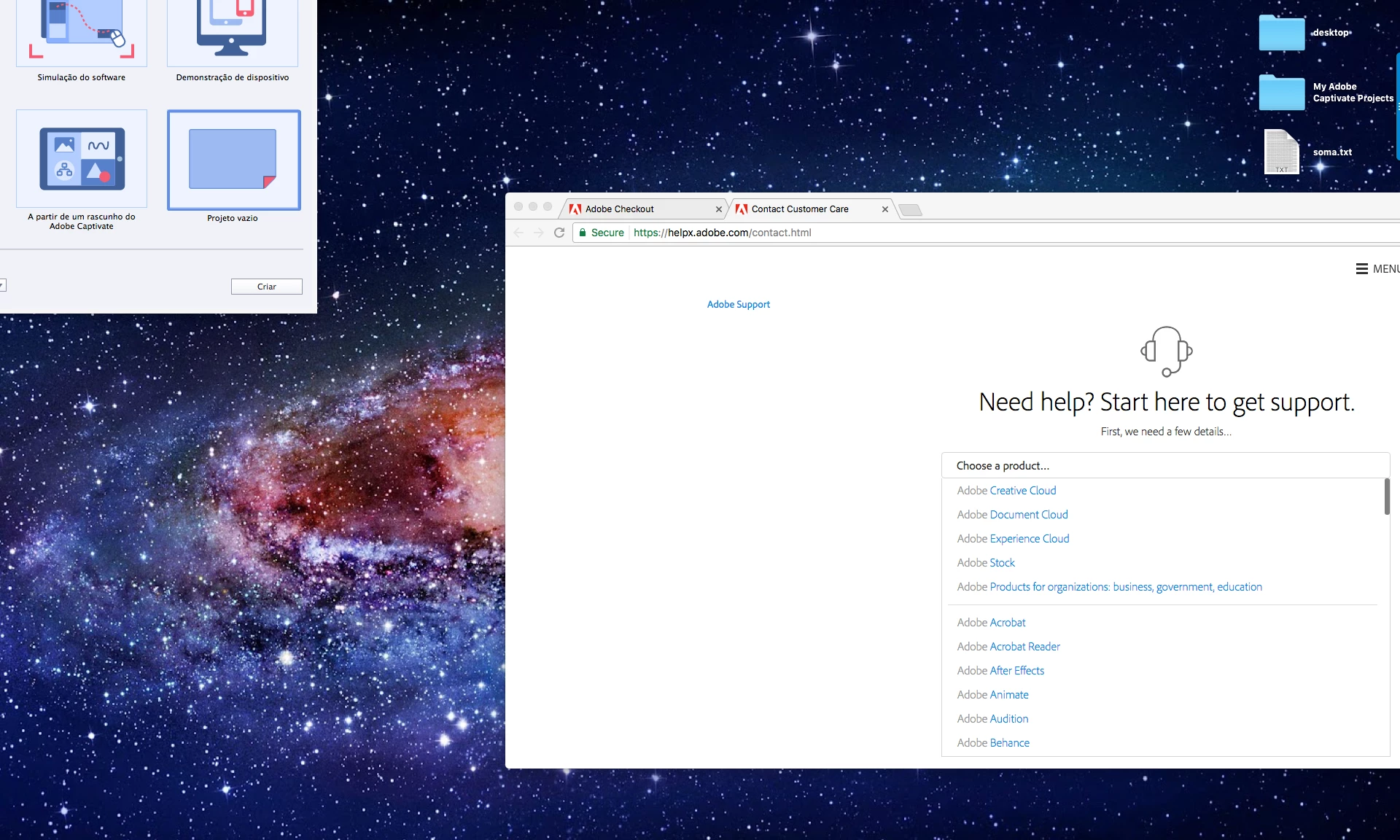
Welcome screen loaded in the top left-hand corner of my desktop
  • April 26, 2017
  • 2 replies
  • 305 views

When I start Captivate 2017 (10.0.0.192) the startup screen appears in the display's upper, left-hand corner.

When I select a project, the startup screen disappears. The Captivate menu is still visible, but the user interface disappears.

Things I have tried so far:

- Restart

- Running utility for cleaning preferences (CleanPreferencesMac [Applications > Adobe > Adobe Captivate 2017 > utils])

- Adjusting the resolution of the screen

- Zooming in/out

- Reinstalling the entire program more than one time

Does anyone have any idea or suggestion I can do for solving this issue ?

I'd appreciate your time for helping me.

Thanks,

Marcos

    This topic has been closed for replies.

    2 replies

    marcosb29654850
    Participant
    April 27, 2017

    Hi Aditya,

    No, I don´t have any different monitor configuration. Please, see my configuration in the attached file.

    It is worth pointing that the first time I installed Captivate 2017 I could use it succesfully. I even created 2 projects using video recording. Everything was going well and then Captivate started to behave like now. I have tried many different actions and I am running out of ideas. In addition, I have been evaluating the software, so I do not have license. Could that be the root cause of the issue ?

    Thank you very much for helping me.

    Marcos

    adtiwari
    Adobe Employee
    Adobe Employee
    April 27, 2017

    Hi Marcos,

       May I know if you have a dual monitor setup or any different monitor configuration ? What is the version of your MAC os?

    Thanks,

    Aditya