
Participant
February 10, 2016
Answered

"What's going on here?" error message and problems using Vimeo in Web Object widget

  • February 10, 2016
  • 1 reply
  • 1274 views

Using latest Captivate 8 on Windows 10. I have five 5-minute HD mp4 videos uploaded to Vimeo Plus account. I've used the Web Object learning interaction widget with the embed code from Vimeo on 5 blank slides in my Captivate project.  I've extended both the widget and slide time on the Timeline to a few seconds past the actual length of the Vimeo video. In between each video slide I've place one or two quiz slides. After publishing and uploading to a live website everything seems to work very well except that occasionally a video will stop part way through and the Captivate project will immediately advance to the next quiz slide. This is erratic. In testing with multiple users one person may get through all videos O.K. but the next may have 1 to 4 interruptions. When I've tested it online I find the same erratic behavior.

I've tried putting a "Continue..." button after the video on the timeline. Video may still stop playing after a couple minutes but the slide now continues until the button is reached on the timeline. So that didn't solve the problem.

In the Widget Properties of the Web Object there is a preview button:
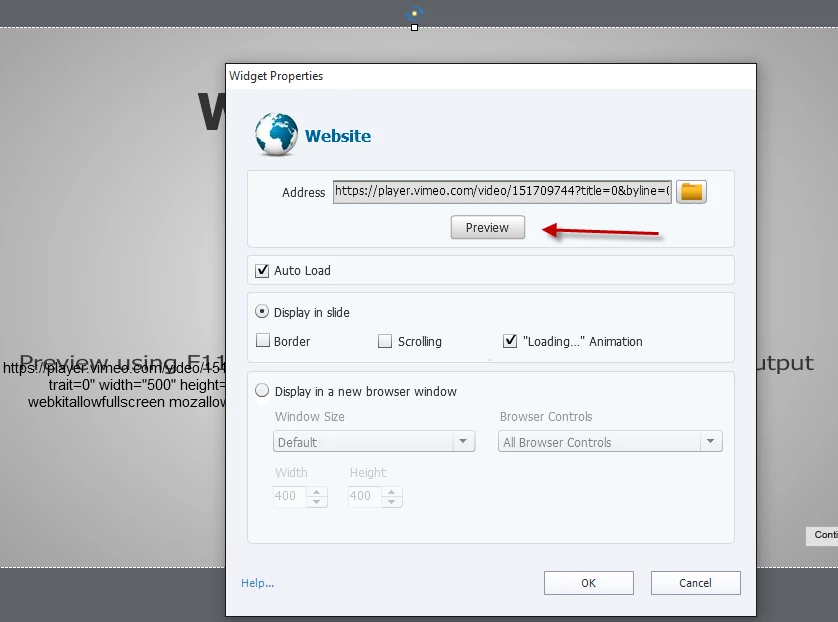
When I preview any of the 5 embedded videos I get this "What's going on?" message, however I can see the first frame of each video in the background and nevertheless it still seems to start o.k.
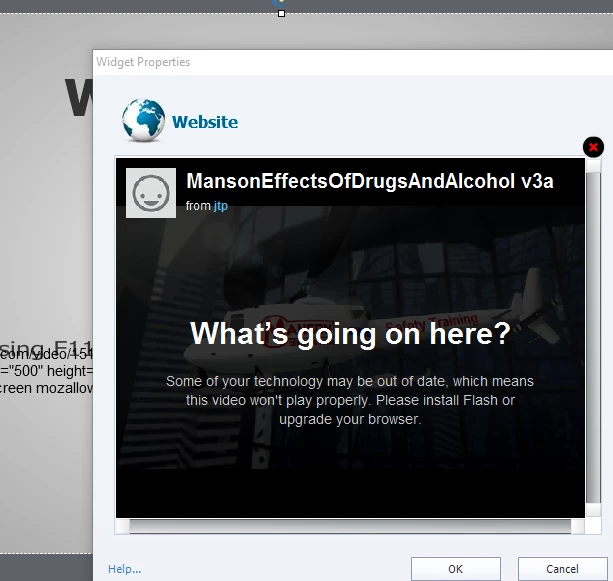
What does Adobe mean by "Please install Flash or upgrade your browser." I have Windows 10 which says I have the latest version of Flash Player. I also have Adobe Edge Animate installed.

Any help with correcting this problem would be greatly appreciated. I know I can simply insert the 5 videos into the project timeline and it will work, however these are large HD videos and with 2 or more users accessing at the same time we get some bandwidth problems. I thought that using Vimeo to stream the video contents would solve the bandwidth problem but having the videos cut-out midway is not acceptable. Has anyone else had good luck with using Vimeo in this manner? Are there some other methods I can try?

Thank you,

Tom

This topic has been closed for replies.
Correct answer mohanadas

Hi Tom,

Why not try the native Web object (under Objects) which comes with Captivate 8? Also, may I know if you are publishing to SWF or HTML? Can you also share a screenshot of your slide Timeline?

Thanks,

Mohana

1 reply

TLCMediaDesign
Inspiring
February 10, 2016

One thing. There is no reason to extend the timeline. The video's are completely independent of the Captivate timeline.

That doesn't look like an Adobe message, looks more like a Vimeo message.

What's the v3a?

pooljtAuthor
Participant
February 10, 2016

That's good to have confirmed. I originally tried it without extending the timeline but thought that might be causing the problems.

If the Vimeo is completely independent of the Captivate timeline, then Captivate must sense when the Vimeo video is finished in order to for Captivate to advance automatically to the next slide. So if there is a premature break or pause in the transmission of the Vimeo video, would that explain why Captivate is advancing to the next slide?

TLCMediaDesign, I've read all your replies in helping others with problems with linked videos and you obviously have lots of experience and expertise with using videos.. Would you recommend a completely different approach to handle large video files that would be more stable?

The "v3a" just identifies "version 3a" of that particular video.

Thank you.

TLCMediaDesign
Inspiring
February 10, 2016

Captivate really doesn't have any idea when the video in a WebObject is done. It's probably advancing because there isn't any interactive object pausing the slide.

The bottom line with video is to compress them as much as you can. We do 480p, since that is about the largest 16:9 format that will fit in an interface. We get the bitrate down to 1500-2000 kbps.

I posted a video html page in another thread, I would try that and see if it helps. It's basic, but there are a lot more options you can include such as asking canplaythrough before playing the video.

Or if you must use Vimeo, try their embed code in a webpage of your won.