
Answered
What to do if Captivate 3 does not work with Windows 7
We use Captivate 9 for new eLearning courses; however, I still have Captivate 3, 5, 7 and 8 on my PC because some of our eLearning courses were built in those earlier versions of Captivate, and I may need to view them or update them in the earlier version, due to time constraints.
The problem is that our new PCs have Windows 7, and Captivate 3 gives error messages related to Flash Player, including these: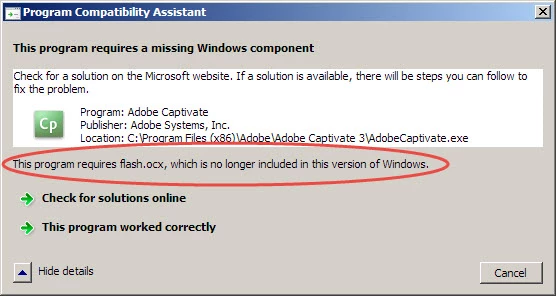
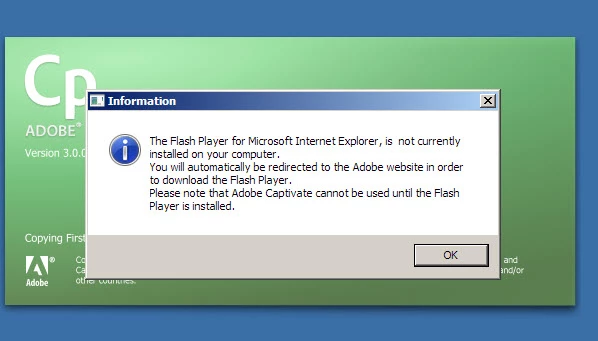
So what is the best way to update a course developed in Captivate 3?
Should I open it in Captivate 5 and save it in 5, and then open the 5 version in Captivate 9?
Thank you!
Jan
 AdChoices