
Inspiring
September 15, 2015
Answered

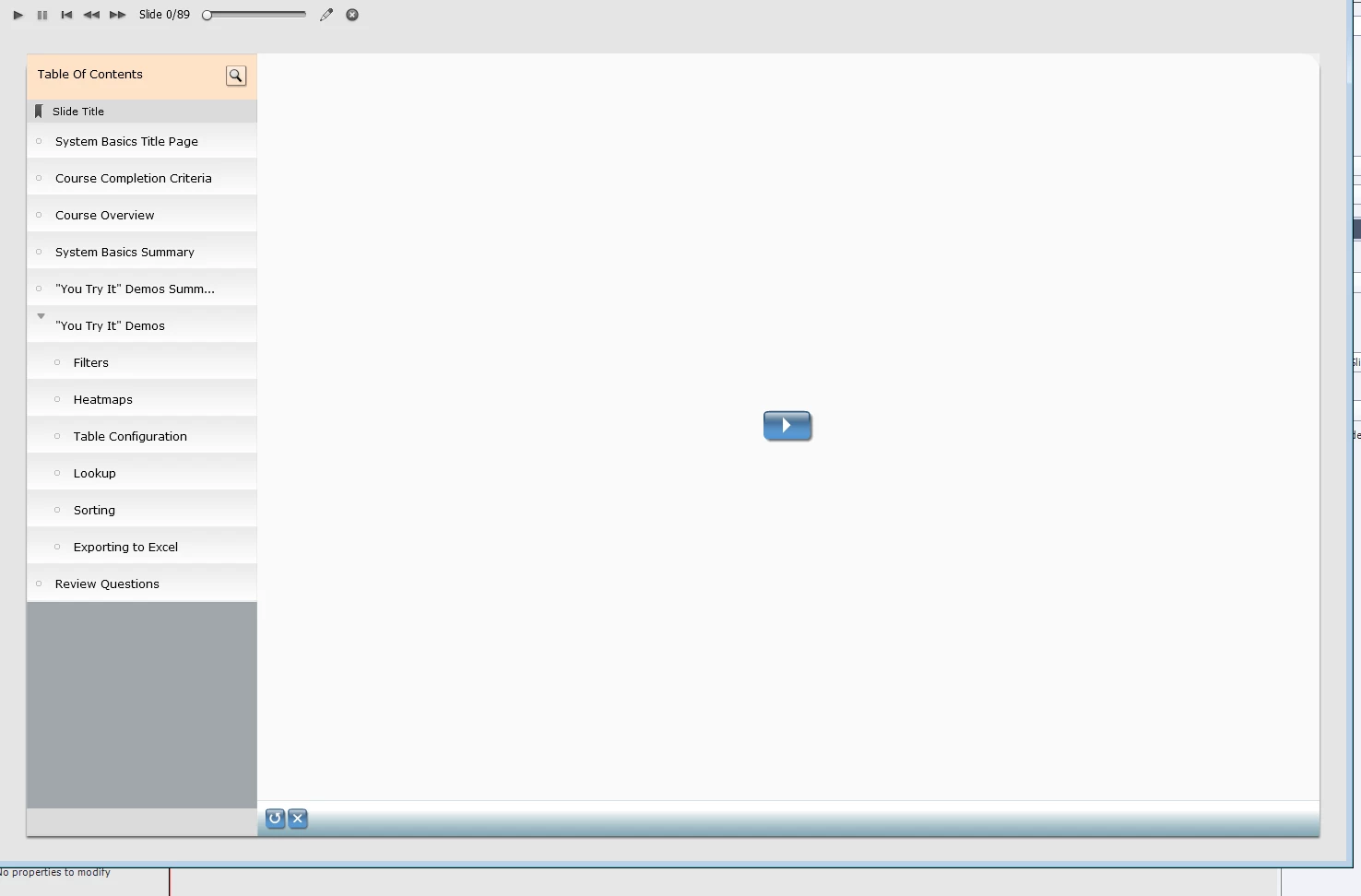
When I include a Table of Contents in my project and preview the project, it always starts with a blank slide that contains a "Start" arrow. That's fine, but I really want it to start with the first slide in the deck. How do I change that?

  • September 15, 2015
  • 1 reply
  • 243 views

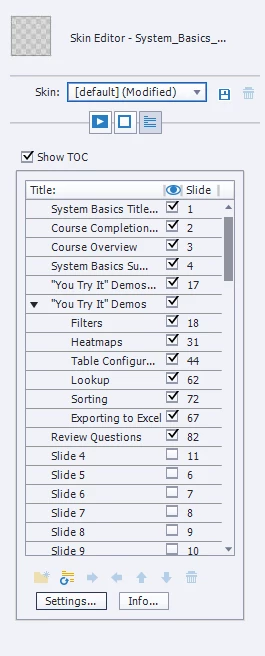
The Captivate TOC suggests that the first slide should be "System Basics Title Page". But instead I get the screen below. You have to click the arrow to start the course. Not terrible, but I'd prefer to just have it start with my first slide. Ideas?
This topic has been closed for replies.
Correct answer Lilybiri

If it is not HTML  you have to leave AutoPlay checked. Normally SWF-output supports AutoPlay. Check Preview in Browser instead of Preview Project.

1 reply

Lilybiri
Legend
September 15, 2015

HTML output? Automatic Playing is not allowed on some devices, hence that Play button.

You can choose an image to show behind that play button (maybe that first slide, take a screenshot). Go to Preferences, Project, Start and End. Uncheck AutoPlay and with the browser icon you can browse to the image that will be shown as a poster image.

Inspiring
September 15, 2015

No, not HTML output. Already unchecked autoplay. I'll try your suggestion about the first slide. Thanks.

Lilybiri
LilybiriCorrect answer
Legend
September 15, 2015

If it is not HTML  you have to leave AutoPlay checked. Normally SWF-output supports AutoPlay. Check Preview in Browser instead of Preview Project.