Participant
February 19, 2015
Answered

Where is certificate widget

  • February 19, 2015
  • 1 reply
  • 332 views

I have used adobe captivate 7 previously and it had a nifty certificate widget, but when I installed adobe captivate 8, I noticed that the widget is not listed in the widget gallery.I searched for certificatewidget.swf and it can't be found. I don't have access to 7 anymore. Do I need to download something extra to get that widget back?
    This topic has been closed for replies.
    Correct answer RajeevAdobe

    Hello,

    Welcome to Adobe Forums.

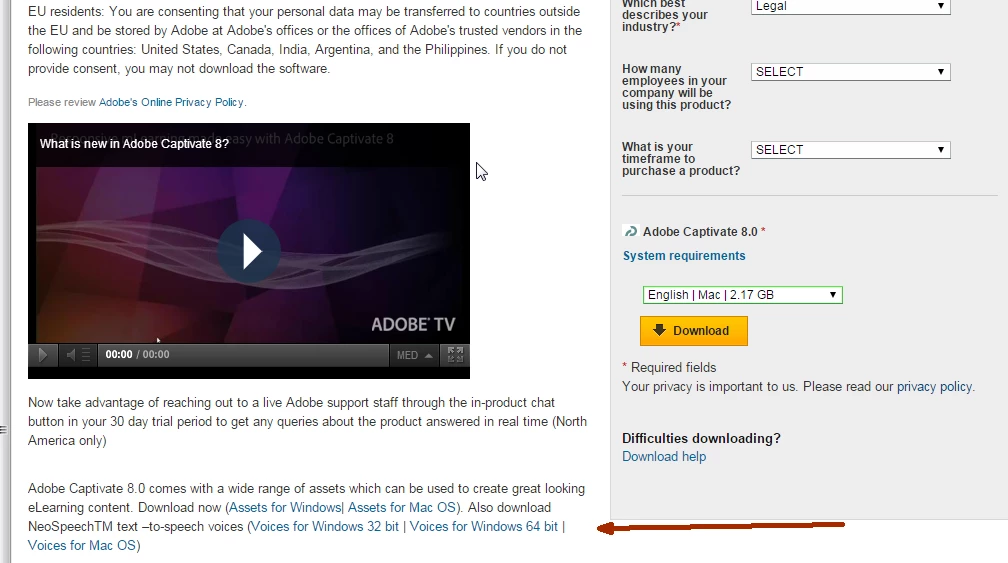
    You need to download eLearning assets and install them separately. You may download the eLearning assets from the link mentioned below. You have to sign in with your Adobe Id when you click on the link.


    https://www.adobe.com/cfusion/tdrc/index.cfm?product=captivate


    After installation you will find the Certificate widget in Learning interaction.


    Please let me know if that works.


    Regards,

    Rajeev.

    1 reply

    RajeevAdobe
    Adobe Employee
    RajeevAdobeCorrect answer
    Adobe Employee
    February 19, 2015

    Hello,

    Welcome to Adobe Forums.

    You need to download eLearning assets and install them separately. You may download the eLearning assets from the link mentioned below. You have to sign in with your Adobe Id when you click on the link.


    https://www.adobe.com/cfusion/tdrc/index.cfm?product=captivate


    After installation you will find the Certificate widget in Learning interaction.


    Please let me know if that works.


    Regards,

    Rajeev.

    Participant
    February 19, 2015

    Thank you. That answers my question.