Inspiring
February 11, 2018
Answered

Widget text in CP 9 cut off

  • February 11, 2018
  • 1 reply
  • 650 views

Hi,

maybe this is an issue already discussed many time but I still need advice.

I have imported slided from a responsive project into a standard scalable one in CP 9.

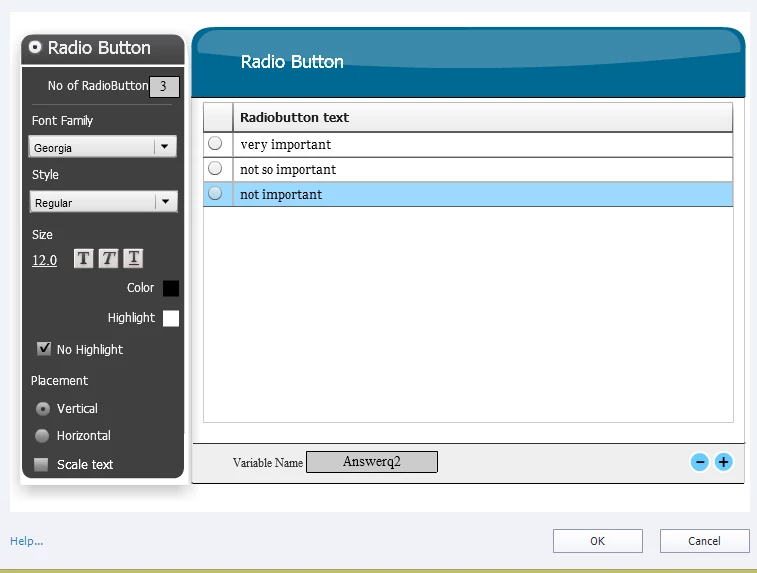
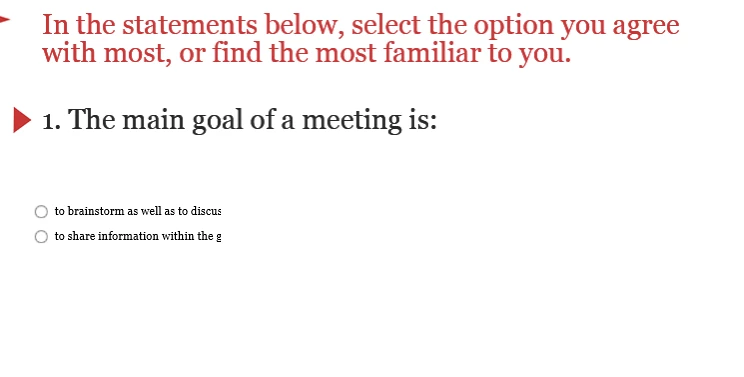
Everything works fine apart from the widget texts that are cut short. The text is not that long also.

There seems to be no connection to font size or whether "scale text" is switched on.

I don´t get it...!

I know you all don´t like widget but as I have used them...I need some help!
    This topic has been closed for replies.
    Correct answer nikolausm82011740

    You can resize the interaction. Did you use the Refresh widget after resizing it?


    Apparently this is an issue that others have too.

    CP9 and Radio Button Widget no displaying in HTML5 when published

    Eventually I created an advanced conditional action. That was 5 times the work but it looks better and works as it it should.  

    1 reply

    Lilybiri
    Legend
    February 11, 2018

    I use that Radiobutton widget often (look at my blog).  Maybe the issue was due to the fact that you copied from a responsive project to a non-responsive project. In the past I had issues when using copy/paste for widgets, even warned about that work flow.

    Inspiring
    February 11, 2018

    That means i have to redo the widfets, right?

    The whole copy thing was a last ditch effort.