


Inspiring
October 22, 2021
Question

Wired prroject,

  • October 22, 2021
  • 1 reply
  • 163 views

I am using the pre-installed Wired project in Captivate 2019.

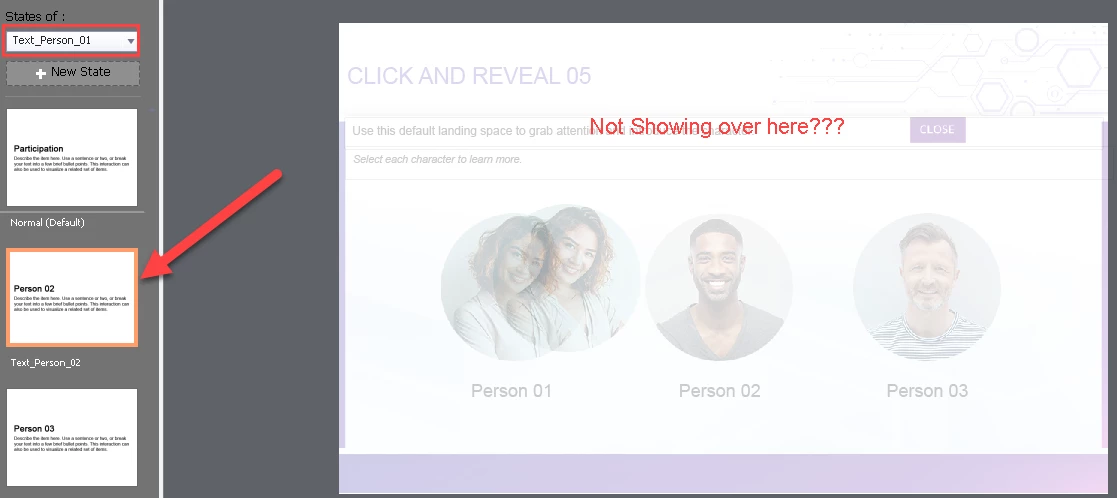
I am attempting to modify the states of text_person_01 on Click and Reveal 05 slide.  On the film strip I see what I expect but the workspace is blank. I can't figure out how to edit the text.  


All assistance is appreciated.


Thanks T
 

    This topic has been closed for replies.

    1 reply

    Lilybiri
    Legend
    October 22, 2021

    I have answered the same question recently (but cannot find it).

    This is a bug (I logged it, but got no feedback). If you insert that slide as Ready-to-go slide from the project, you cannot edit the text in the states. It is a very weird bug but I found a workaround:

    • Open the project Wired as project
    • Find the slide 'Click and Reveal 05' and copy it to the clipboard from the Filmstrip
    • Switch to your project, go to the Filmstrip and paste the slide
    • You will see that you are now able to edit all the objects in the states. I am talking about the text captions, both the main caption and the added text caption (red border).