


Inspiring
October 2, 2020
Answered

YouTube videos not loading in Captivate

  • October 2, 2020
  • 1 reply
  • 4923 views

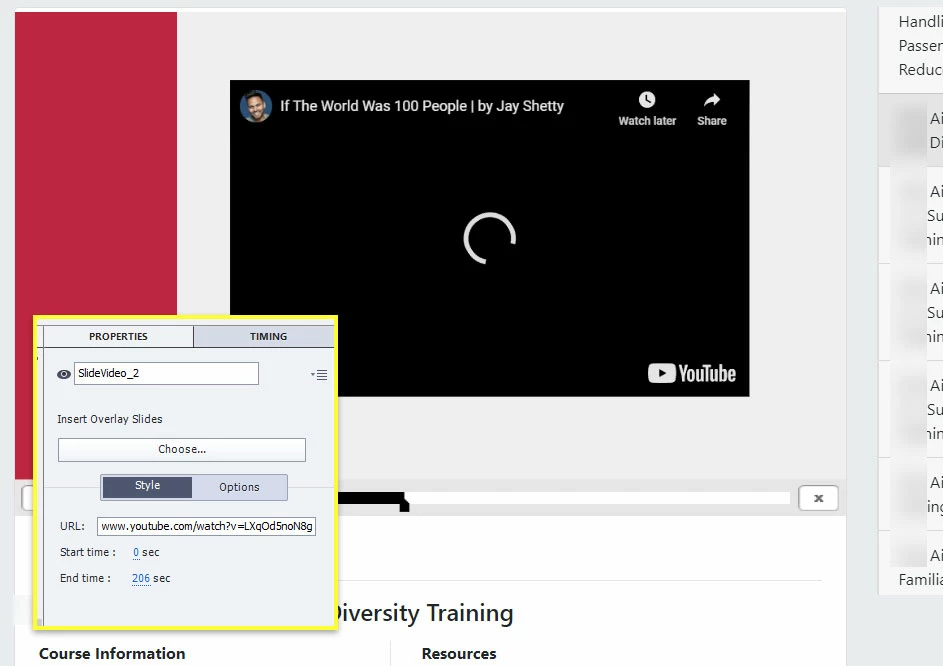
We usually don't link to YouTube videos in our training, but we have a client that needs us to link to one. It works when I run it locally, but once in the LMS, it just shows that it's loading and never plays.


Any ideas as to what is going on? Here's a screenshot of the videos and the Captivate Properties panel for the video. I am not using overlays.
 

This topic has been closed for replies.
Correct answer RodWard

YouTube detects when its content is being played from a different domain and usually blocks it.  When you are just playing it locally from your own PC, that's not a problem.


Check with YouTube about their permissions with this kind of usage.

1 reply

da_texasAuthor
Inspiring
October 2, 2020

Forgot to add I'm using Captivate 2019 Version 11.5.1

RodWard
Community Expert
RodWardCommunity ExpertCorrect answer
Community Expert
October 2, 2020

YouTube detects when its content is being played from a different domain and usually blocks it.  When you are just playing it locally from your own PC, that's not a problem.


Check with YouTube about their permissions with this kind of usage.

da_texasAuthor
Inspiring
October 2, 2020

Yes, that explained it. This YouTube video is not owned by the client - it is a person with many subscribers who probably does not want their video used without consent.