
Participant
October 12, 2010
Question

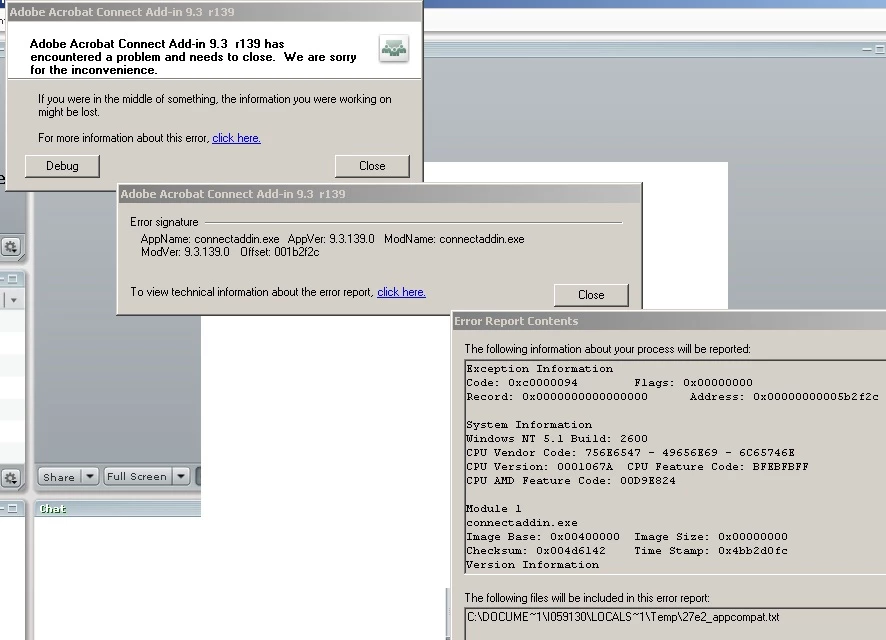
Adobe Acrobat Connect Add-in 9.3 r139 has encountered a problem

  • October 12, 2010
  • 1 reply
  • 1305 views

Hi all,

We have an end user who is having issues using the Sharing function within the Adobe Connect Meeting Room. No matter what option he tries he always receives the below error message.

He has already re-installed the connect add-in as well as the flash version he is running. I noticed there are quite a few people who are experiencing this issue however I can't seem to find  any resolution or any indication as to why this error is occuring.

Any information you can provide would be great.

The below is the details of his system and account:

Win 7 64 Bit

Browser IE8 and Flash version is 10.1.85.3

Adobe Connect 7.5 | cibbectaddub 9,3,139,0

Gina
    This topic has been closed for replies.

    1 reply

    Participant
    October 31, 2010

    Just a tip for anyone who is also experiencing this issue.

    We have managed to identify a Virtual Video Camera software that is included in the Skype 4.0 bundle when you install.

    During a testing session with our client, I had noticed that when the user went to configure who Flash settings, as soon as she clicked the Web Cam option it had frozen the screen with the same error message.

    You won't be able remove this program from Add/Remove programs, you will need to manually uninstall the program from Start >> All Programs >> Virtual camera >> Uninstall

    This has fixed the issues for users who are running WinXP/Win7 32 & 64 Bit

    Hope this helps