
Adobe Connect 8 - poor quality video, glacially-slow support
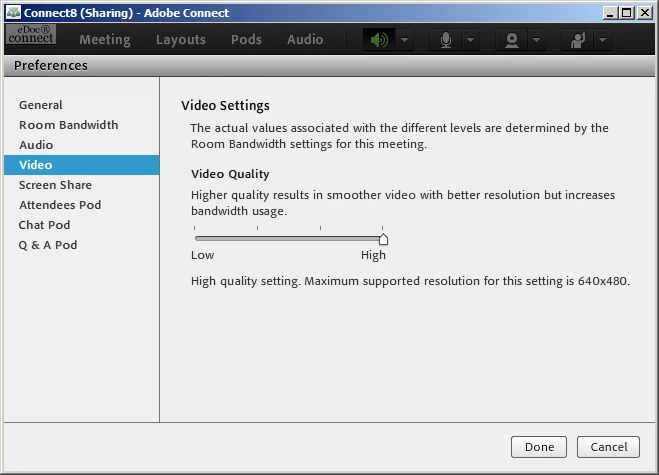
Monday I upgraded our Adobe Connect server from version 7.5 to the new version 8. This new version at the highest quality settings displays video at 640x480, which was considered high-resolution back when Quicktime was released in 1991, but nowadays that's pretty low-resolution considering the plethora of 1080p tv's on the market and computer monitors going over 2560x1600. We had better performance for sharing video under the Adobe Connect 8 preview than under the final version, and I'm wondering why there's no granular control over user roles (participant, presenter, host) in relation to video quality settings.
I've called Adobe Enterprise Support on multiple occasions the past 3 days, and nobody there has been able to answer our questions regarding the limited quality of videoconferencing through Adobe Connect. They keep saying that they'll call me back but it's clear that 1) they don't have an answer and 2) my call doesn't strike them as being an important complaint. We're an enterprise customer who has spent well over $50,000 on this product for licensing up to 50 rooms hosted on our own server. So obviously, this is an important issue that we want resolved quickly, not slowly.
We used to use a third-party utility called Master Video Control - http://ed-apps.com/ - which would allow the host to set the quality of video feeds granularly (as per in my first paragraph).
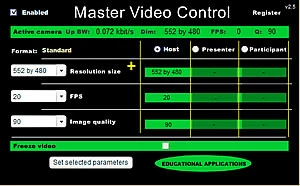
This tool is broken by the upgrade to version 8, and frankly, if this capability were built into version 8, we wouldn't need a third party tool. There's no reason for Adobe to not add this functionality into their base product. The fact that Standard and High settings look identical (640x480) makes it difficult to understand what the difference is between the two settings.
Does anyone from Adobe answer questions on these forums? That's my hope.


 AdChoices