June 11, 2014
Question

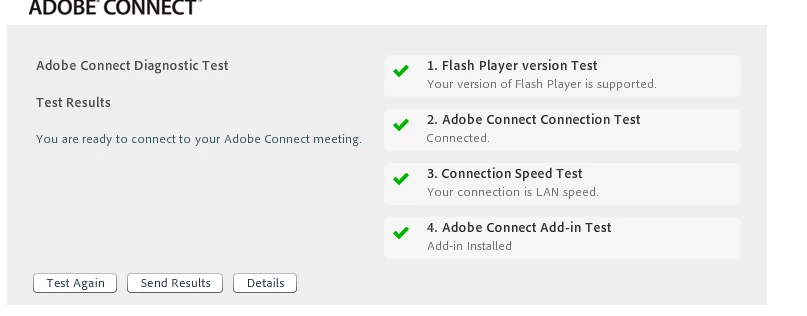
Adobe Connect crashing during webinars..issues with network connectivity, although the test says there is no problems

  • June 11, 2014
  • 2 replies
  • 702 views

Hi

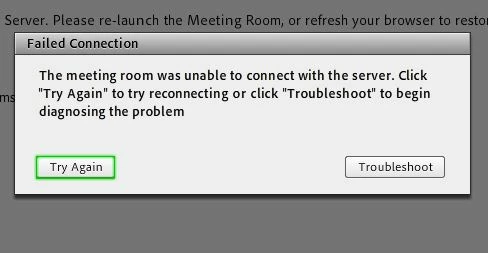
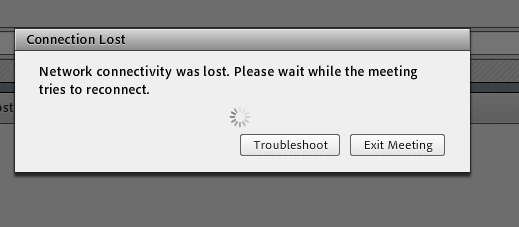
I continue to have issues with Adobe Connect whilst running webinars. The issues are intermittent (as in, I ran two webinars last week no problem, but today huge issues), I have actually purchased a new laptop as I thought my one was failing, but the issues continue. They range from network connectivity issues, to not being able to access the Adobe server, yet the participants don't have the same problem (and they are in the same office). I have tried this on a number of different laptops and locations now, as well as Chrome, Firefox and IE, and all present the same issue. I'm now wondering whether it is actually my profile.

Attached are screen shots to illustrate what the issue is.

Please help, as this is extremely stressful when I am in a webinar, as well as being embarrassing!

Thanks

Deahne
This topic has been closed for replies.

2 replies

June 19, 2017

I have a similar issue. It works 50% of the time. It passes all requirements, passes pre test but fails on multiple computers throughout my work.

June 20, 2017

Some further details...

All required add-ons are installed. It usually remains (freezes) on the "Connecting" screen when it fails. The confusing part to this is that it will work half the time. This is also occurring with other organizations. Please help!

Jorma_at_Knox
Legend
June 11, 2014

It sounds like a network issue. You say you have connected in different locations, did you connect in a location where others were not having the issue? Could your IT staff work with you to identify why you may be having connectivity issues?

If everyone was experiencing the problem, then I'd be inclined to say it was an issue with your Connect account, but being isolated to you, it seems like the problem may be local. Sometimes wireless routers get overwhelmed in busy environments, and may cause some individuals to see temporarily lost connectivity. Other times it may just be a wireless router going bad. If you are hard wired, then it may be router that is beginning to fail. Be sure that when you test other locations, you are connecting to different hardware.

Since you are running the add-in, I don't believe the browser should make any difference.