
Question
Adobe Connect Desktop App Room Links Invalid
Hello,
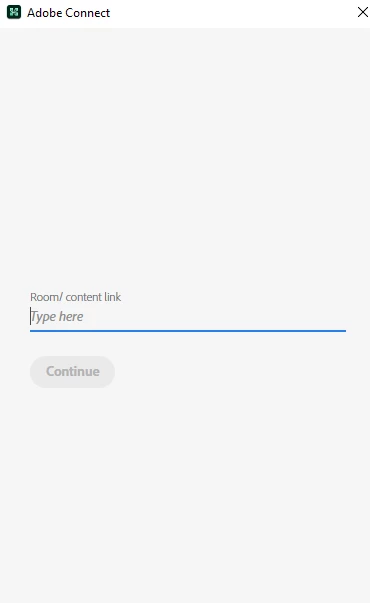
I'm having an issue with the desktop app for Adobe Connect. When you normally open the application, it launches the welcome screen to Join a Room, and view recent and favorite rooms. This is not working on the desktop app, it works perfectly fine on the phone app. The Room Link will give me "invalid link," it's not invalid, it works from a browser or my phone. Also the recents and favorites tab area does not appear on the desktop app. I've tried 3 different PCs and all with the same result and after downloading the most current version. Has something happened/changed with the desktop app? Not sure what's different, especially since the phone app works. Thank you!


 AdChoices