Participant
March 7, 2013
Answered

Adobe Connect Desktop - just doesn't download recordings any more...

  • March 7, 2013
  • 1 reply
  • 1140 views

Hi all,

Has anyone had issues since the upgrade of this?

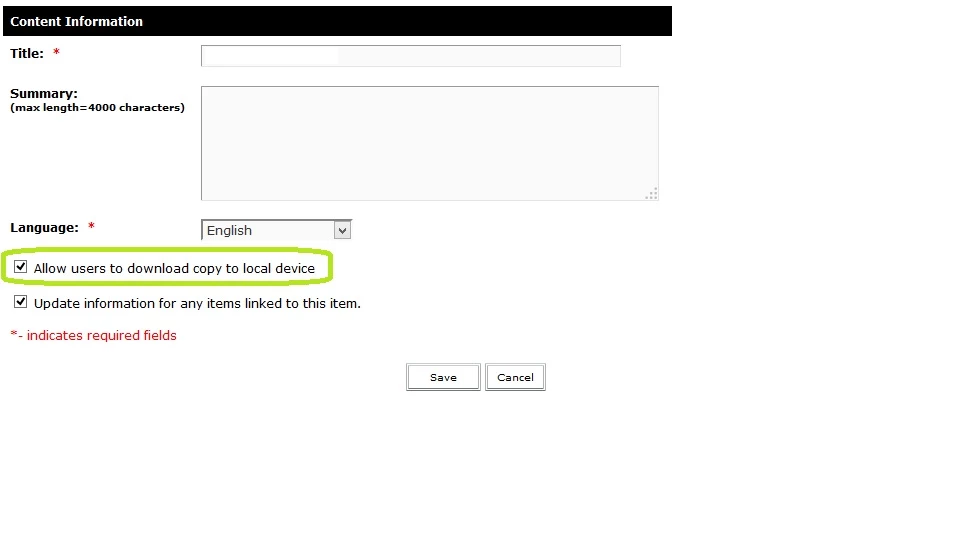
I have made the recordings downloadable in all places thru the adobce connect admin area, but when using the desktop client evcewn though i am able to search for the file i am not however able to download it.

The recording does appear in the download queue but does not initiate. This is just unacceptable.

Part of the service is to be able to playback the meeting recordings and while i know i can do this online, it would also be useful to USE ADOBE'S PRODUCTS TO VIEW ADOBE'S BESPOKE RECORDINGS (Since they are not available in any other downloadable format, wouldn't midn so much if it just worked for once without issues.)

Add this to the whole "Adobe Presenter - the worlds most unstable and bugged out piece of software ever"

Come on Adobe, whats happening to your stuff?!?

This topic has been closed for replies.
Correct answer Jorma_at_Knox

Adobe Connect Desktop is no longer supported with Connect 9. However, it should still work. Also, be sure that the recording has been set to allow local downloads.

1 reply

Jorma_at_Knox
Jorma_at_KnoxCorrect answer
Legend
March 7, 2013

Adobe Connect Desktop is no longer supported with Connect 9. However, it should still work. Also, be sure that the recording has been set to allow local downloads.

Participant
May 21, 2013

Sorry for my lack of knowledge, but...

When I download a recording with Adobe Connect Desktop, where is the file saved?  Can I get a single FLV file after this proccess?

Thanks for your help

Jorma_at_Knox
Legend
May 21, 2013

You need to use the Make Offline option to get an FLV video version. Record that at the highest resolution possible for the best quality.

The location of the files that are downloaded by the Connect desktop application is discussed here: http://forums.adobe.com/message/5225125#5225125