
Participant
April 22, 2020
Question

Adobe Presenter Score and Feedback Text Very Small

  • April 22, 2020
  • 3 replies
  • 686 views

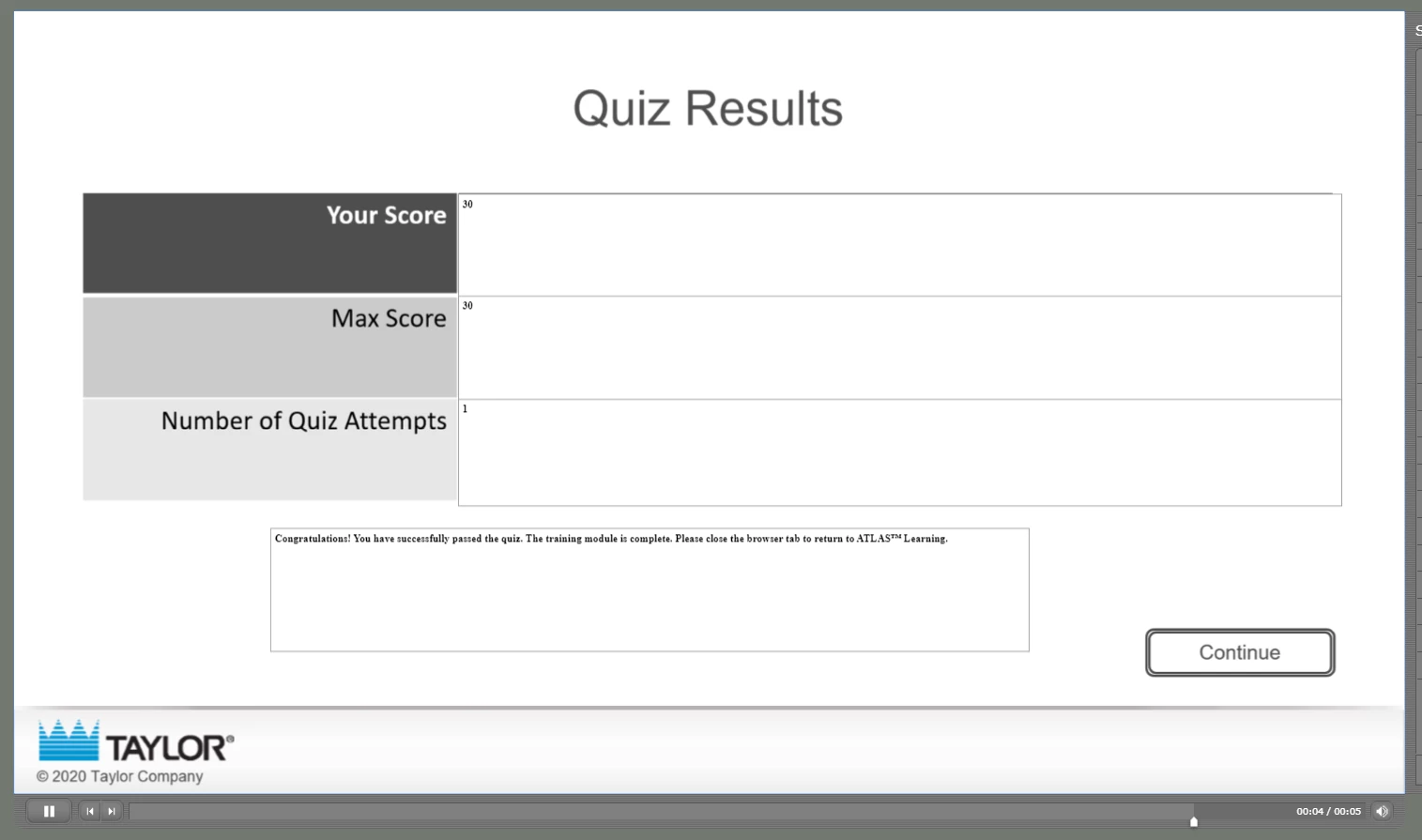
I have a presentation I created with Adobe Presenter that includes a quiz. After the user completes the quiz, the score is displayed along with the appropriate results message (passed or failed). The presentation is scoring correctly and displaying the correct message, however the text is so small it's pretty much illegible. I checked my PPT slide, and the score text on the slide is the same font and size as the label text (i.e. "Your Score). I can't figure out why it's displaying like this. Can anyone advise?
 

    This topic has been closed for replies.

    3 replies

    Participant
    April 1, 2021

    I'm having the same issue. Were you able to find a solution?

    Participant
    January 5, 2021

    I am having this same issue.  Did you ever find a solution?

    lisam98238824
    Participant
    January 5, 2021

    No!  In fact, after a decade+ of Presenter, I switched to iSpring Suite and will NEVER look back.  It takes a fraction of the time to create training courses now because I'm not dealing with the many annoying bugs I've wresteled with over the years.  It's more costly, but will save you in the end.  Far superior!  Good luck!

    Participant
    January 5, 2021

    Thanks!  I will look into iSpring Suite.

    Jorma_at_CoSo
    Legend
    April 22, 2020

    Could be an issue with the conversion of the font when the presentation is converted to HTML.


    I'd try a different font and verify the Appearance settings in the Quiz Manager for Connect. If something like the answer or message font is extra small there, it could be the cause.


    hj0119Author
    Participant
    April 27, 2020

    This appears only to be happening when exporting to HTML 5. I tried changing the font and making the size really big. It doesn't make any impact. My quiz font settings are set for Arial, and the font on that page in the file is also Arial. I can see that the font shown on the screen is a serif font, so it's not even reading the correct font. Any further suggestions?


    Participant
    June 16, 2020

    I am having the same exact problem.  Did you ever figure it out?