
Breakout Room Audio Using Integrated Telephony Adapter <PGI/>
Hello -
Hopefully this hasn't been covered - I didn't find anything in my search.
Using Adobe Connect 8, I am operating with the PGI integrated telephony adapter (not universal voice). This allows me to have learners join through VOIP or by having the meeting call their phone and keeping them 'integrated'.
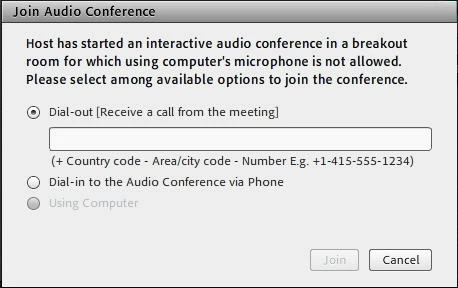
All had been working well until I started doing breakout rooms. From my research, when I put people into breakout rooms they are supposed to join PGI supported mini audio conferences. Unfortunately that is not happening, and I am getting the prompt below. I started fiddling around in the compliance settings etc. but was not able to get it working. Basically when I put learners into a breakout room they get kicked out of the audio conference with the only option being to join by phone. Then when I bring them back into the main room they have to rejoin the audio conference. Quite the clunky process with large numbers of virtual learners - anybody have any experience with this that can comment? I thank you in advance.


 AdChoices