
Participant
June 22, 2021
Answered

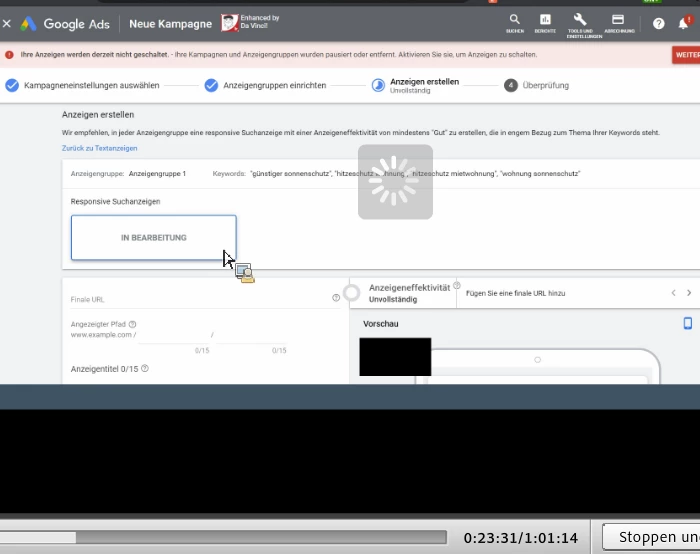
Buffering sign while Screenshare

  • June 22, 2021
  • 1 reply
  • 285 views

Hi @9264381,

we regularly download the recordings of our adobe connect sessions. as soon as a screenshare is involved, you can constantly see a "buffering sign" in the recording. Can anyone help with that or knows why this keeps happening?

Thank you in advance,
Esra


This topic has been closed for replies.
Correct answer Jim Drane2

Hi Esra,

 I have experienced this too, If I click on the pause button a few times at the very beginning of processing the offline recording, right when the screen is being shared, I can usually get it to disappear and not have it on the offline recording.

I hope this helps you.

Thanks,

Jim

1 reply

Jim Drane2Correct answer
Participant
June 22, 2021

Hi Esra,

 I have experienced this too, If I click on the pause button a few times at the very beginning of processing the offline recording, right when the screen is being shared, I can usually get it to disappear and not have it on the offline recording.

I hope this helps you.

Thanks,

Jim

Esra5FB7Author
Participant
June 23, 2021

Hi @Jim Drane2,

wow thanks for your quick reply.
Your advice really helped us - it works now without the buffering!
Thanks a lot.

Best regards,

Esra

Participant
June 25, 2021

I am glad I was able to help.


Adobe Connect~Is this on the list of bugs to get resolved in the next release?

Thanks,

Jim