
Can I upload PowerPoint directly into Connect without using Adobe Presenter?
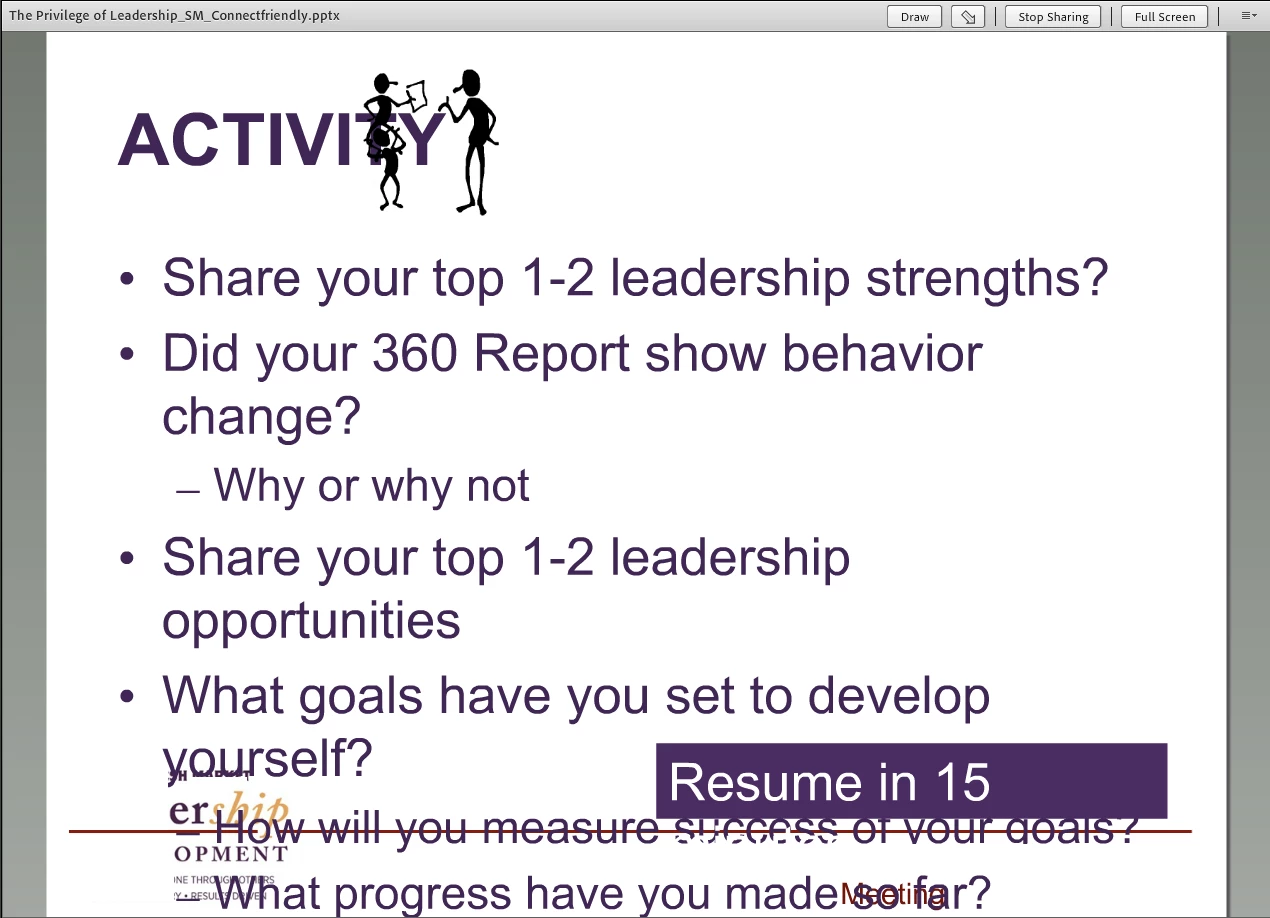
I have a PowerPoint file (.ppt as well as .pptx) and the slides are fairly simple - mostly bullet point lists in Arial or Calibri font (nothing wild and crazy). When I upload the content directly into the Connect envrionment, the formatting of the slides (in the share pod) is all wacky. Instead of it sizing the slides to fit the share pod, the bullet points go down past the bottom of the pod and cannot be read.
I was told that the only solution to this is to purchase Adobe Presenter and publish my PowerPoint files (using Presenter) into Adobe Connect. That is not an option for me at my company. It seems like uploading a simple PowerPoint should be a basic feature of Connect without having to download/purchase Presenter licenses. Maybe I'm wrong. Below are a few images in case this is not making sense. If anyone has advice, PLEASE let me know. I cannot possibly using connect for virutal training if slides look the way they do below. Thanks!
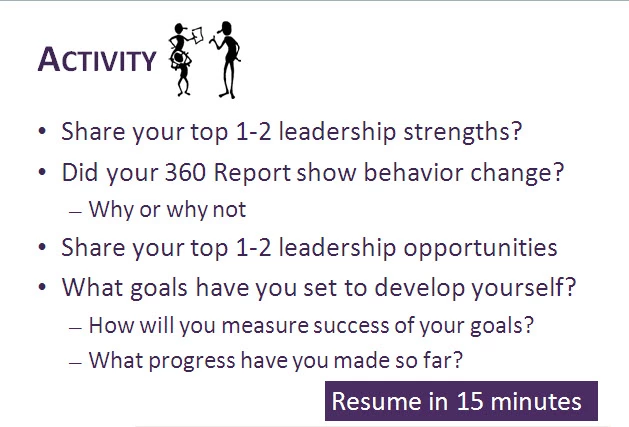
The first image is the PowerPoint slide
Here is what it looks like in the Share Pod:


 AdChoices