
October 12, 2011
Question

Connect doesn't load

  • October 12, 2011
  • 1 reply
  • 1048 views

One of our users is experiencing a problem where trying to enter a room pops up an small, empty window, but the room never loads:
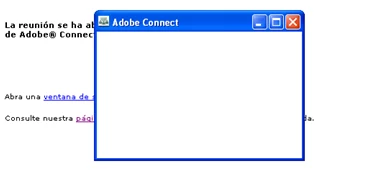
Initially, we had him go to the non-https url, which worked (see http://www.connectusers.com/forums/cucbb/viewtopic.php?id=3441).  But now, neither url is opening the room for him.  I had him uninstall and reinstall flash, but the problem persists.  Any idea on how to fix this?

Thanks

    This topic has been closed for replies.

    1 reply

    Known Participant
    October 12, 2011

    Hi jk3us,

    This looks to be related to the Adobe Connect Addin.  Take the meeting room url you are using (I will use an example for this response) say, http://meetings.adobeconnect.com/meetingroom1 and add this to the end of it...

    ?launcher=false

    So, your url would look like this:

    http://meetings.adobeconnect.com/meetingroom1?launcher=false

    This will bypass the addin from launching (the popup window) and will launch the meeting right into the browser window itself.

    October 13, 2011

    This will also happen if your firewall is blocking port 1935. Check with IT to make sure port 1935 is fully open to everyone. The other option is to implement SSL and force all traffic over port 443.

    I would also check the Windows firewall on that machine if this appears to be machine specific. There is some networking issue here.

    Also, when you uninstall Flash you should clear the browser cache as well. Reinstall Flash and re-install the Adobe Connect Host Add-in from connectusers.com.