
Downloading a Connect recording directly (i.e. not streaming)
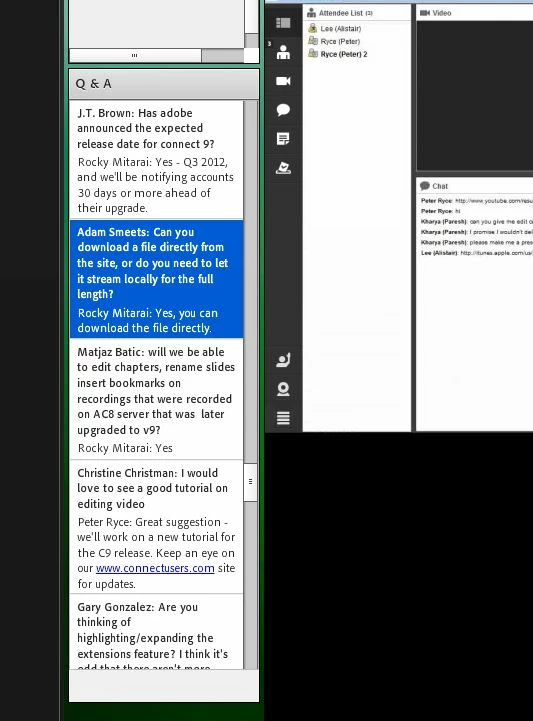
According to a public 'Welcome to Connect 9' recorded webinar, one can now download recording directly without having to stream them in real time to the local workstation:
(it's in the Q&A section about 2/3 of the way down -- screenshot attached)
However, I cannot find any way to do this. There is still the 'Make Offline' option, but that just starts the local streaming. I tried using 'Edit' first and then clicking 'Save', but that also just started streaming. I also tried using the 'download=zip' URL hack that I'd read about on other sites, but that just saved a zip file full of decompiled Flash bits. I created a short 1 minute recording for testing, and none of the FLV files in the zip download were playable in VLC. I thought maybe Connect Desktop had something, but no direct download was available there either.
Am I missing something?
Mike


 AdChoices