
Hardware Recommendations for Cameras and Accessories
Hi,
I'll introduce myself by saying I'm an IT guy for a local fire department in the Columbus Ohio area. We have multiple buildings and it sometimes becomes difficult at times to do basic training. If we bring the guys to one building for training, we risk the community by leaving the other fire stations unmanned. As if this alone isn't an issue, they are constantly getting runs and leaving during training. Shift changes and vacations also add headaches to the mix.
Adobe Connect actually handles all of these headaches fairly easy. Our training sessions usually consist of a speaker and a powerpoint presentation. With the Adobe Connect system we can train and leave our guys at the stations. With the recording option if one or more of our departments get a run, we can simply record the session and they can watch it when they get back. If a guy is out sick, he can join from home or again watch a recorded session.
All of that is good, but where to start with the hardware if your hosting Adobe Connect in house? In hopes that it might help some of you with your hardware decisions, I'd like to share what we have in place. Also make note that we were on a limited budget, but what we purchased works really well for our configuration.
For our Server, we purchased an Entry-Level IBM, Xeon 2.4 GHz with 12GB Ram and (3) 150GB 10k RPM Drives, Server 2k8
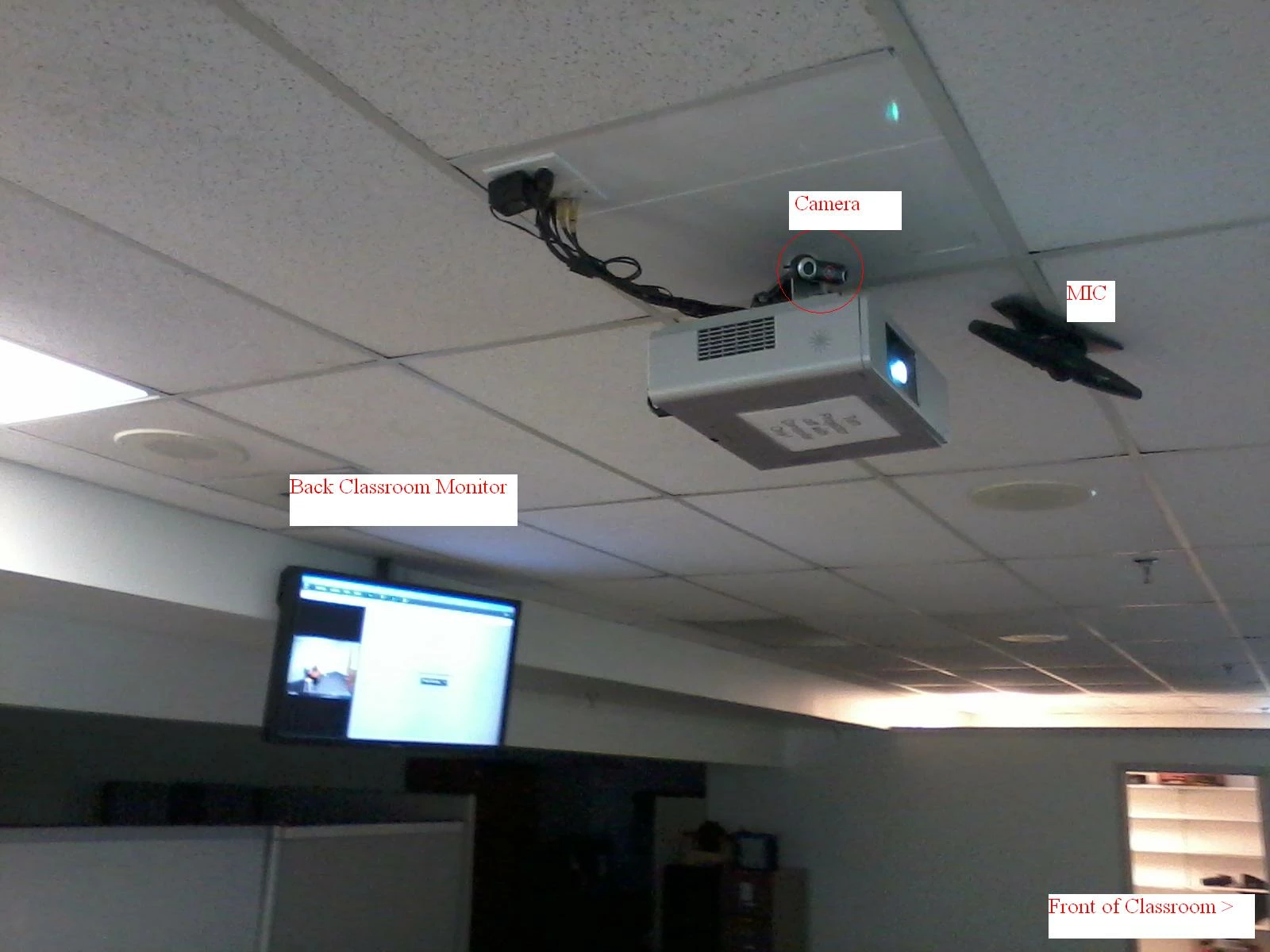
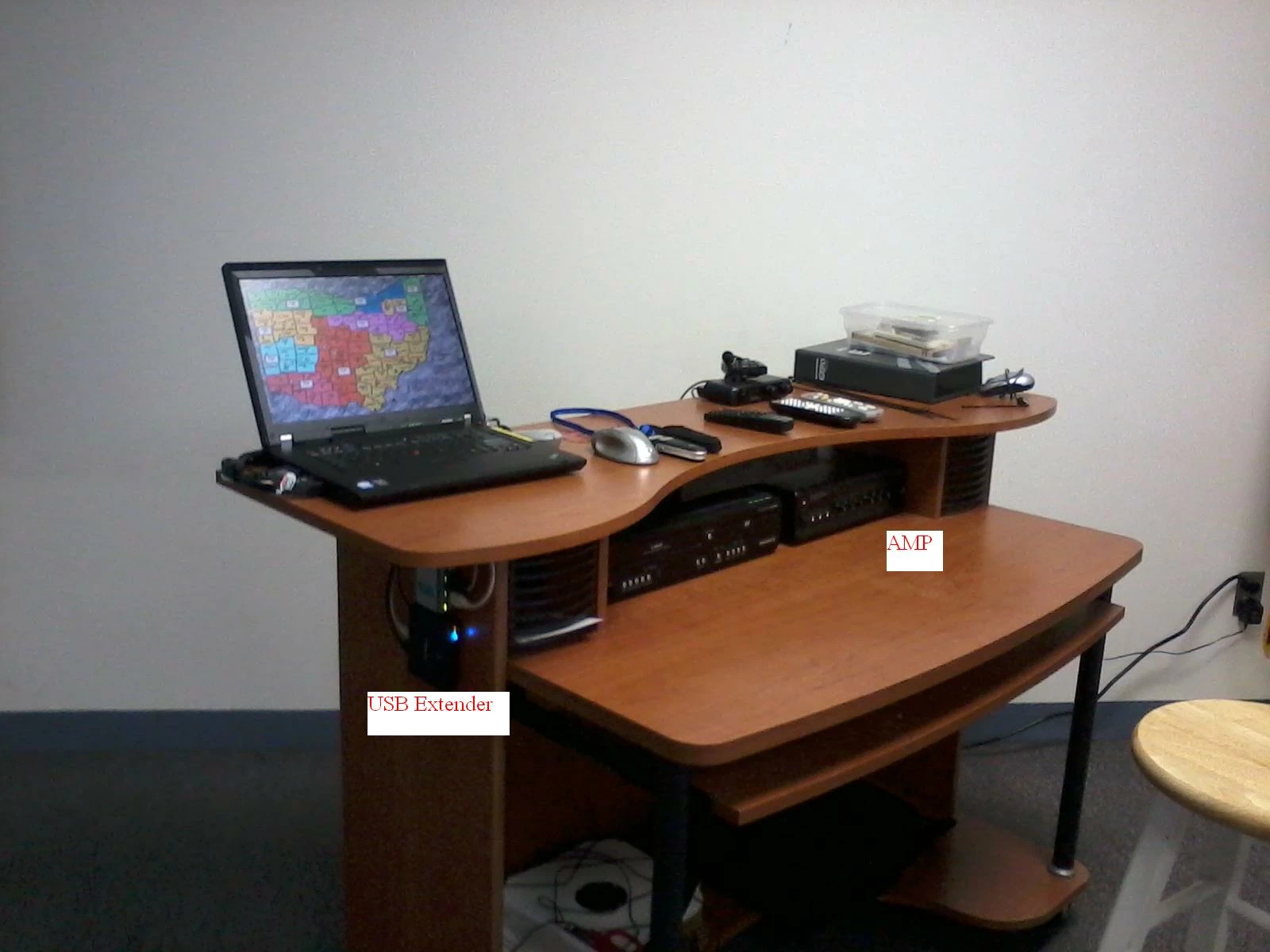
We reconfigured an existing laptop with a second video card (USB to VGA) and mounted a 42 in monitor in the back of the room. Using Rapid Run Extension cables we are able to display the Adobe Connect program on the back monitor so the presenter can watch the camera images.
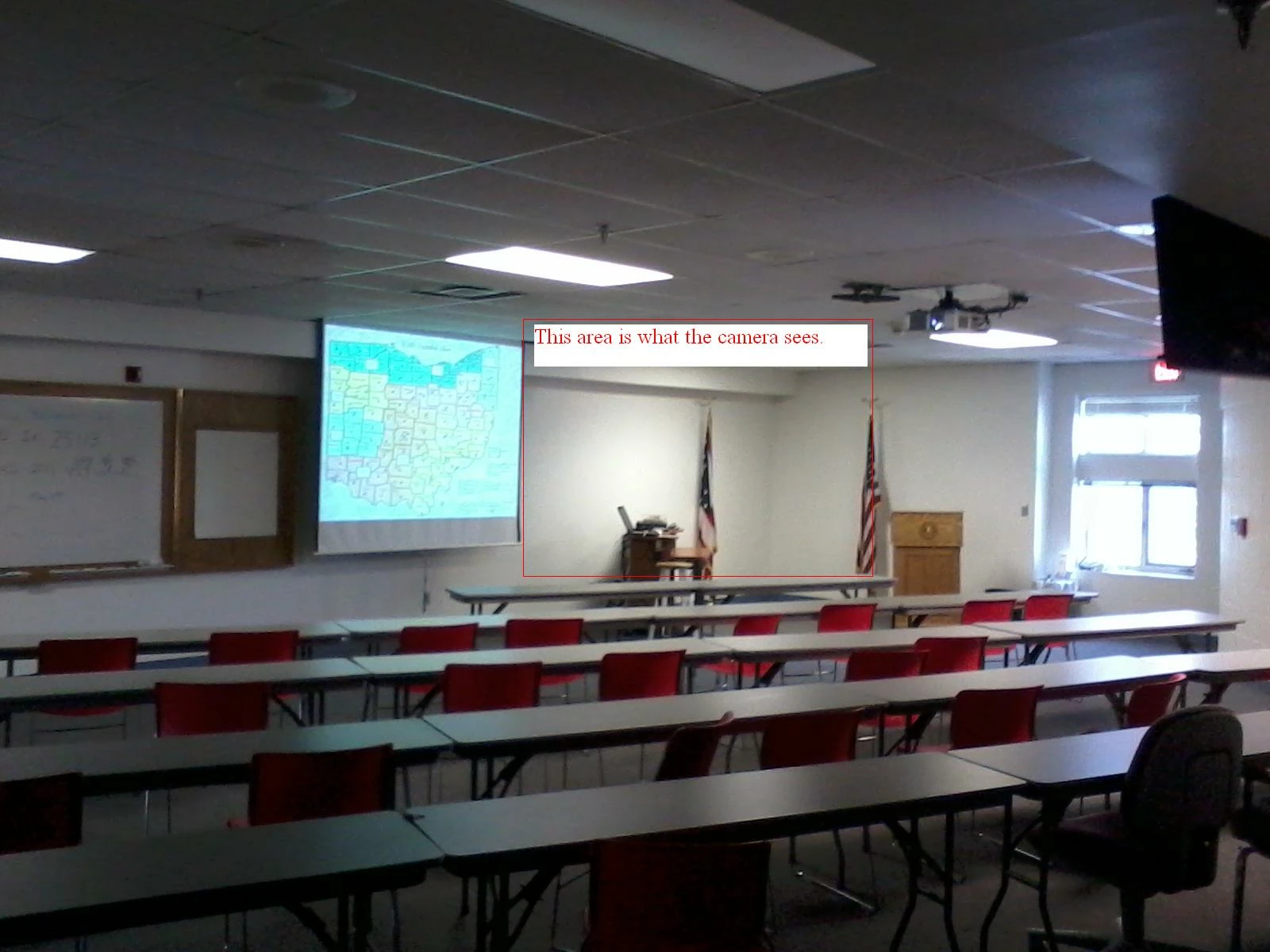
For cameras, we are using USB Logitech Pro 9000 Webcams, they are fairly cheap and have a nice picture. If you load the Logitec software you can also take advantage of zoom and zoom and pan. To mount them far away in some of our training rooms, we used USB over Cat 5/6 Extenders by Startech (P/N usb2002ext2). <-- They allow USB devices to be extended over 300ft if needed.
An absolute must in our main training room was a good microphone. We splurged and purchased a Dual Voice Tracker from the emicrophones website, and I must say you can hear a pin drop in the room, well worth the extra money. The microphones built into the Logitech Pro 9000 Webcams were adequate enough for our smaller training rooms.
For sound in our main training room, we used existing ceiling speakers and an inexpensive amp purchased from Radio Shack. As an added unexpected bonus, when the presenter is speaking his voice also echoes through the ceiling speakers so everyone in the room can hear him clearly.
Here are some pictures I took earlier to give you an idea how we configured our main training room. The other training rooms just have one projector, and a camera mounted on the wall facing the classroom, so the presenter at the main facility can see them.
Hopefully this gives you ideas on how you can configure your own training rooms. I'd like to see how some of you guys have configured your training rooms as well.


 AdChoices