Thanks. We appreciate you taking the time to learn the usage of these forums. While the day-to-day actions should be intuitive, for broader guidelines and usage tips, you can also refer to http://forums.adobe.com/community/guidelines.
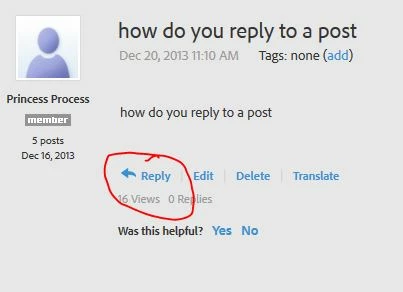
Reply button on the post I want to reply on is grey and I can't click on it? Having issues with not being able to Save As or Save As Copy on photoshop and illustrator, please can someone direct me to an answer?
Chances are the post you want to reply to is closed for some reason. Could be that the answer was provided and no further discussion is needed. Could be that it is an old thread (say from nearly 10 years ago) and it is really relevant to reply to. I'd suggest you just go to the Photoshop or Illustrator forums and make a new post with your question, or search for other post there that possible have your question and an answer.
This forum is for Adobe Connect, a virtual meeting and eLearning platform. And this thread is very old.




 AdChoices