



Introducing the Resources pod in Adobe Connect 12.11
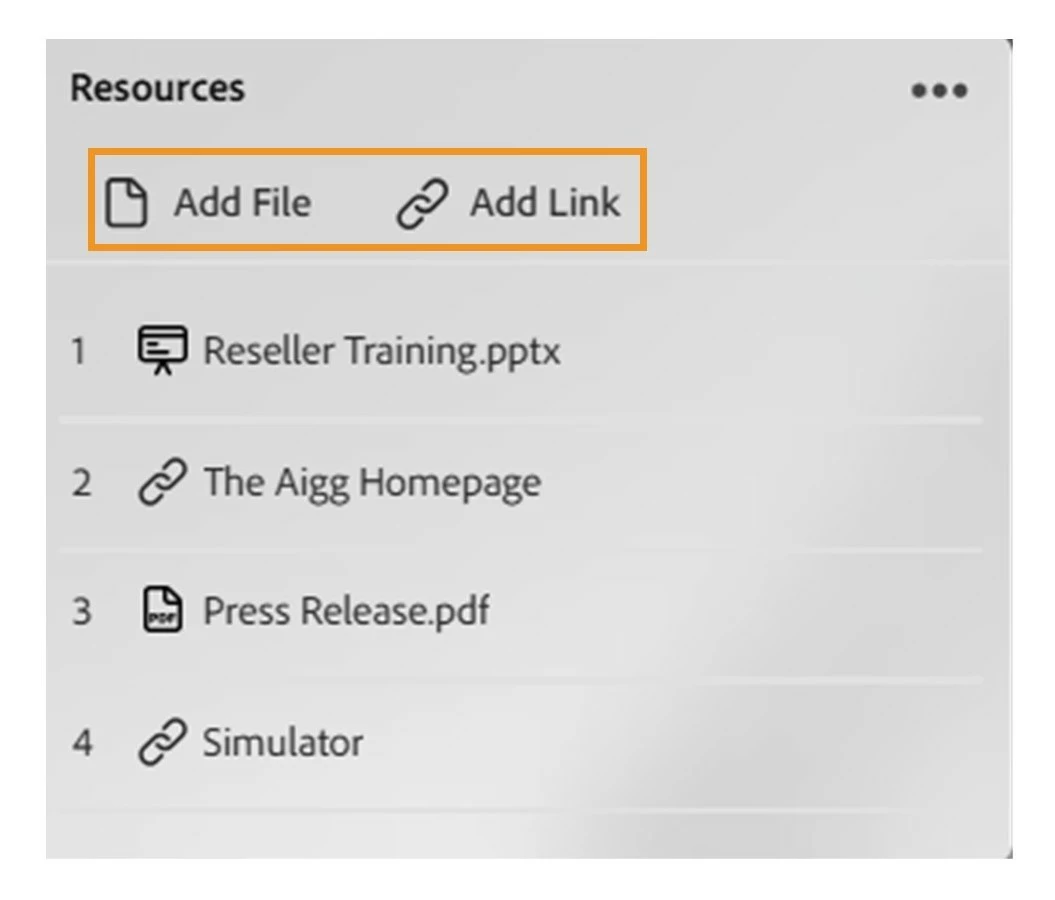
Sharing content during live sessions just got simpler. With Adobe Connect 12.11, the new Resources pod combines files and web links into a single, unified experience, making it easier for hosts to share, manage, and organize session materials.
A simpler way to share resources
Previously, hosts relied on separate Files and Web Links pods to share documents and URLs. Managing multiple pods often added unnecessary complexity and clutter to layouts. The new Resources pod replaces both, providing a single central place to share everything participants need during a session.
Hosts can now upload documents, presentations, and other files, or add relevant web links, all within the same pod. Participants can quickly access shared materials from one organized list, improving clarity and collaboration.
Key highlights
- Centralized sharing: Share documents, files, and web links from a single pod.
- Flexible organization: Reorder files and links to control the sequence in which resources appear.
- Consistent reporting: Downloads and link clicks continue to be tracked separately, just as before.
- Cleaner layouts: Reduce on-screen clutter by replacing multiple pods with one streamlined experience.
Explore the Resources pod and simplify content sharing here: Resources pod
 AdChoices