
Participant
May 29, 2014
Question

Not Authorized Problem with Adobe Connect
  • May 29, 2014
  • 2 replies
  • 5240 views

This is my Admin page one Rep can do recording and that recording will be available for him as well as Admin also.

The problem is Rep can see the recording but when admin want to see the recarding he is not able to see he is getting "Not Authorized" Error page that is mention bellow
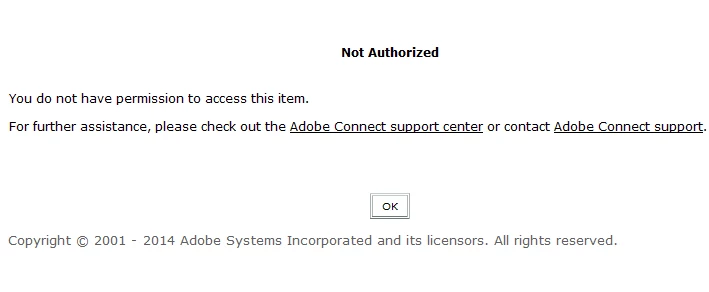
Please help me out i home it is related to any permission problem with Adobe connect. i have to set that but i don't know exactly.

This topic has been closed for replies.

2 replies

Jorma_at_Knox
Legend
May 29, 2014

If the recording is still within the Recordings section of the meeting room, then the issue likely resides around the admin not having a predefined roll in the room. If the recording is set to private, then it only allows those with a predefined roll of Host, Presenter or Participant to access the recording. You can either assign a roll to the Admin for the room or make the recording publicly viewable (no user name or password is required to view it).

Alternatively, you can move the recordings into the Content Library and manage them the same as any other content object. Admins should have the ability to view them there, no matter the permissions assigned to the content.

hans-g.
Legend
May 29, 2014

Hello,

this here is for Adobe Connect 8: http://help.adobe.com/en_US/connect/8.0/using/WSE4CB72B9-4147-412a-BAB9-815F51AB94A5.html

Maybe it's for your version(?) too.

Hans-Günter