
Presenter 11 HTML 5 Quiz results to small
Hello,
We are using Preseneter 11 with PowerPoint 365 Version 16 - 64ibt.
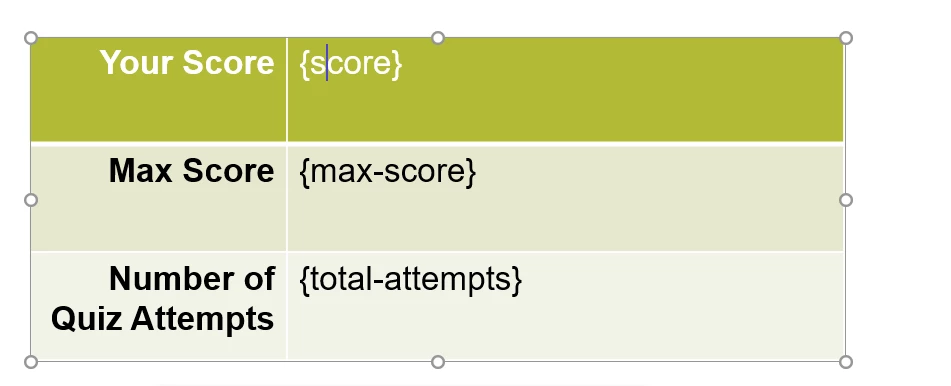
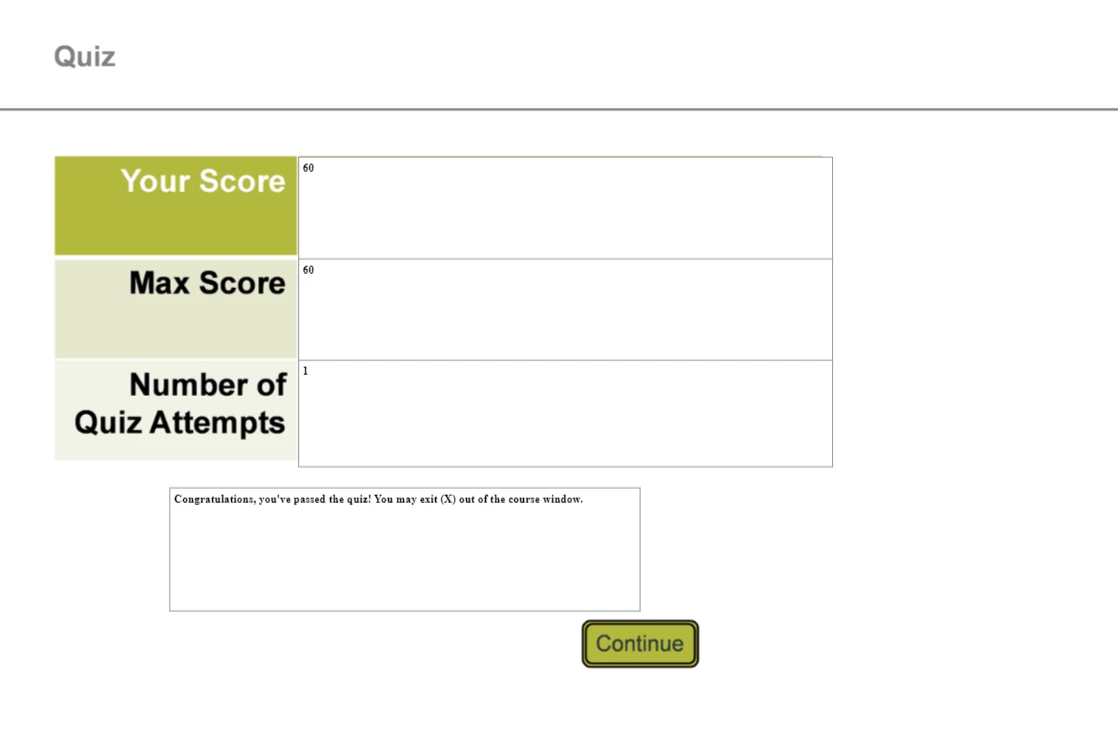
When publishing to HTML 5 the results on the Quiz page not the labels are small. We have tried recreating the page but continue to have the results that are reported being shown extrememly small. I am attachng two captures. The first is from PowerPoint showing the font size as it appears in PowerPoint. The second is the published version show the small text.
Inspecting the HTML the font-size is showing as 29px. If we edit this and change it to 3 times the size, 87px, then the font is showing at the same size as the labels.
The questions themselves do not have this problem and they show at the correct size.
Can anybody direct us to how to resolve this issue?
Edit: We tried increasing the fontsize for the variables in PowerPoint and there was no change to the size in the Published verison. How can we change the size that the variables are being shown at?


 AdChoices