
Participant
June 1, 2010
Question

Update menu bar icon and error install message

  • June 1, 2010
  • 1 reply
  • 1154 views

Hi, two questions.

The CS5 software update now puts an icon in the menu bar. Every time I mouse over it I get the spinning beach ball in Mac OSX 10.6.3. I even went into the update preferences and turned it off and it is still there. Maybe I need to restart my Mac. Still it is annoying. Any one else have this issue

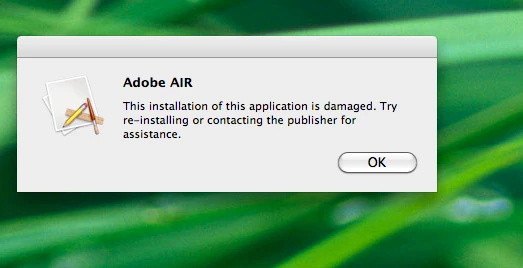
Second, After I installed CS5 I went into Applications> Adobe Folder> and there was an adobe "Help" icon when I clicked on it (not sure if I should have done that) it said this (see image):

After that the icon became a generic icon asa seen in the error message. Any help would be appreciated.

Paul W.
    This topic has been closed for replies.

    1 reply

    Participant
    August 10, 2010

    Hi Paul 9,

    Were you able to fix this?

    I have same issue with this annoying spinning ball always running there when I mouse over. I am running on Mac OSX 10.6.4.

    I've tried to force quit the finder, no result, I've tried also an update (with illustrator update menu) and I did uncheck the "notify me of new updates..." in the Adobe application manager" and I also did uncheck the "Send reports to Adobe on success or failure of update installation" with no results.

    I'm kind of clueless with this, anyone has same issue or solution to this?

    Thanks for any help.

    Dudedesigner