
Whiteboard is lagging so bad it us unusable
The whiteboard on Adobe Connect has been having some issues with the smoothing feature that is fairly recent (last year or so). I have a attached a screen capture of portions of a tutoring session that was done today on my computer. We have tested this out and it is consistent, but what is most unusual is that when we have a tablet with the Adobe Connect app (installed about a year ago) on it, the images come through quite well. To me that means that the trace of the mouse is being captured and sent to the server correctly but is having issues when sent back…or something like that. In talking with another instructor, this wasn't a problem when he put the app on the tablet.
The attached video demonstrates the issues we are experiencing.
The following pictures further illustrate the issue of lines not drawing correctly for the tablet and computer connected to the same session.
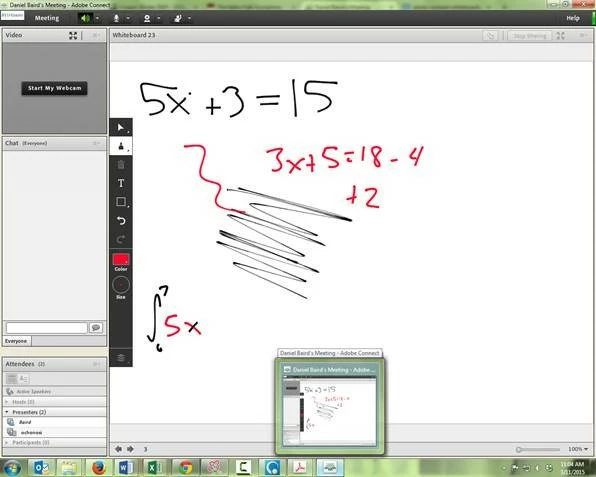 Laptop screenshot
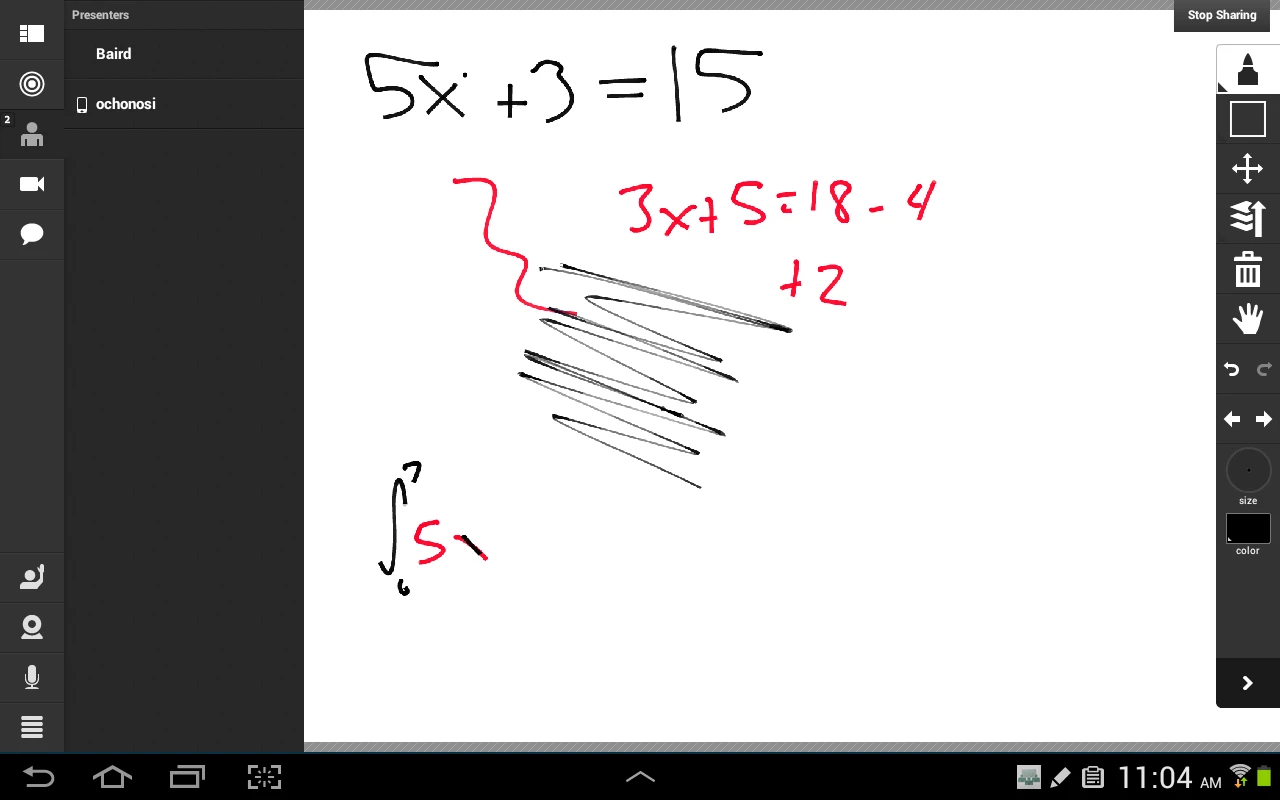 Tablet screenshot.
Notice that the black line on the x in the lower left corner of the screen is drawn differently on the different devices.
Any help in diagnosing the problem and finding a solution would be wonderful! Thanks.


 AdChoices