


Participant
October 28, 2025
Question

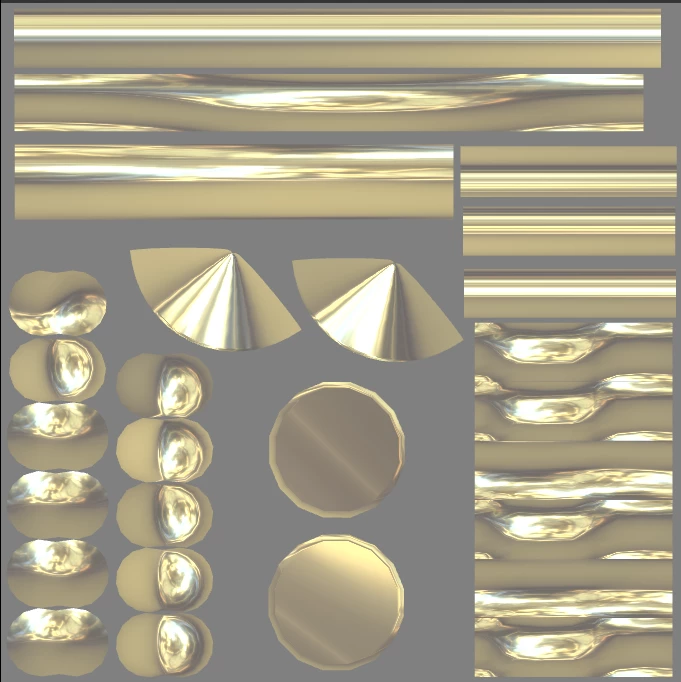
2d view show me only front side

  • October 28, 2025
  • 1 reply
  • 104 views

First time using substance painter , a old version of substance painter and this is what i see in 2d view it show me only the front side and a color in the back side like the picture

Are all versions of substance painter similar ,Should I use a new version to see both sides or is something comon in substance painter , i have to export this texture to second life , any help will be appreciated
1 reply

Cyril Dellenbach
Community Manager
Community Manager
October 29, 2025

Hi @salma32554452v8u4,


When you're talking about the "front side" I guess you're talking about the reflection on your object? There are two things to know. First, the reflection on the 2D view is based on the reflection in the 3D view. As instance, if you're rotating the environment map (SHIFT + RMB) you'll see that it also affects the 2D view. Therefore, depending on the HDRI map you're using, the dark parts in your reflections could simply be the floor of the environment.


The second thing is there are limitations to the reflections in 2D view. If you take a single face cube as instance, you'll see that the reflections are blurry/undefined and it's due to the viewer limitation. In your situation, I don't think that's the issue.


That being said, what's your problem exactly and what are you trying to do? The solution could be somewhere else.


Let me know.


Cyril Dellenbach (Micro) | QA Support Artist | Adobe
Participant
October 29, 2025

Hello Cyril Dellenbach

thank you for the help ,i'm talking about why can't we see material applied in back side as front side in 2d view

Cyril Dellenbach
Community Manager
Community Manager
October 30, 2025

After a discussion with one of our dev, I think the problem comes from your version of Painter. With past versions (before 2018) we handled specular reflections in the 2D view very differently than nowadays, resulting with half of the UVs without precise "light reflections" information.


Therefore, if you have a version prior to 2018, I'd say that's where the issue comes from.


Best regards,


Cyril Dellenbach (Micro) | QA Support Artist | Adobe