Inspiring
May 22, 2025
Answered

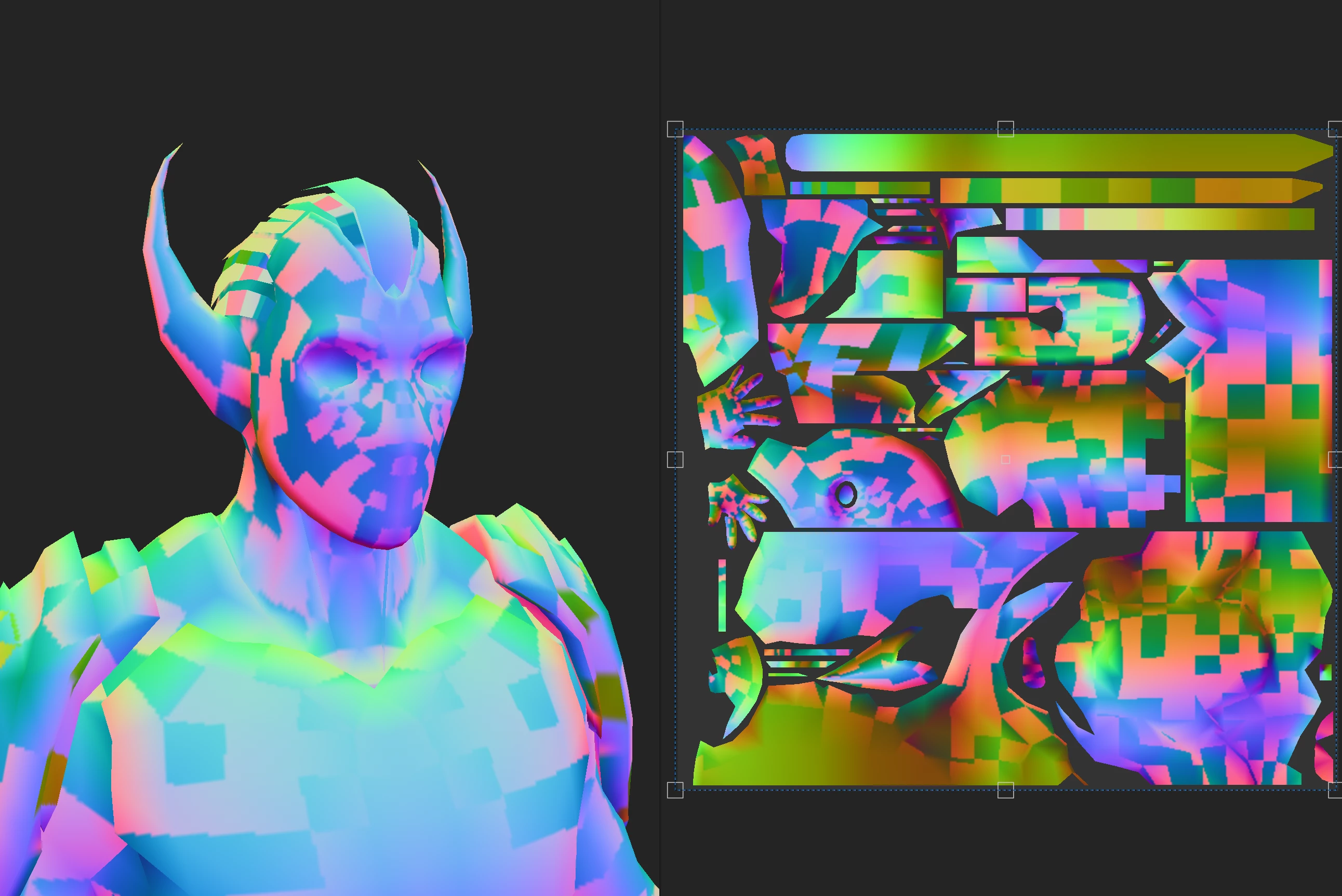
2D View showing Weird Artifacts

  • May 22, 2025
  • 1 reply
  • 539 views

I want to export 2D view image for optimization purpose. So when i export PBR textures. There is no artifacts in the Basecolor, but when i export the 2D view i see these weird artifacts in both exported and 2D View. What is the reason for this and how to solve this?
thanks in advance....

Correct answer Talha Goldfinch

Thank you for the project.


The issue comes from your workflow. You're overlapping UVs and as the 2D view in Material mode is also showcasing lights, you'll have two different parts of your mesh with two different kind of lighting at the same place. Therefore, Substance Painter doesn't know which one to display and it ends up with artifacts.


In fact, the same thing goes for some of the baked maps.


An overlapping UVs workflow isn't completly impossible in Substance Painter, but there's a lot of constraints you'll have to be aware of. In general, we advise artists to avoid working with overlapping in Painter.


anyone who is facing this issue... i fixed it by deleting the half vertices and then applying the mirror modifier then export fbx, after this there is no artifacts on the character.


 

1 reply

Cyril Dellenbach
Community Manager
Community Manager
May 23, 2025

Hi @Talha Goldfinch,


Thank you for the message and the screenshot.


Could you send me the .SPP project with a link to this thread at cdellenbach@adobe.com ? I'll take a closer look.


Best regards,


Cyril Dellenbach (Micro) | QA Support Artist | Adobe
Inspiring
May 23, 2025

Thank you for the response. I sent the other project  file which has the same issue. kindly check the email if possible.

Cyril Dellenbach
Community Manager
Community Manager
May 23, 2025

Thank you for the project.


The issue comes from your workflow. You're overlapping UVs and as the 2D view in Material mode is also showcasing lights, you'll have two different parts of your mesh with two different kind of lighting at the same place. Therefore, Substance Painter doesn't know which one to display and it ends up with artifacts.


In fact, the same thing goes for some of the baked maps.


An overlapping UVs workflow isn't completly impossible in Substance Painter, but there's a lot of constraints you'll have to be aware of. In general, we advise artists to avoid working with overlapping in Painter.


Cyril Dellenbach (Micro) | QA Support Artist | Adobe
