


Participant
February 21, 2024
Answered

Anisotropic feature not being exported on 2d view

  • February 21, 2024
  • 1 reply
  • 136 views

Hi, I've been trying to figure this out but failed.
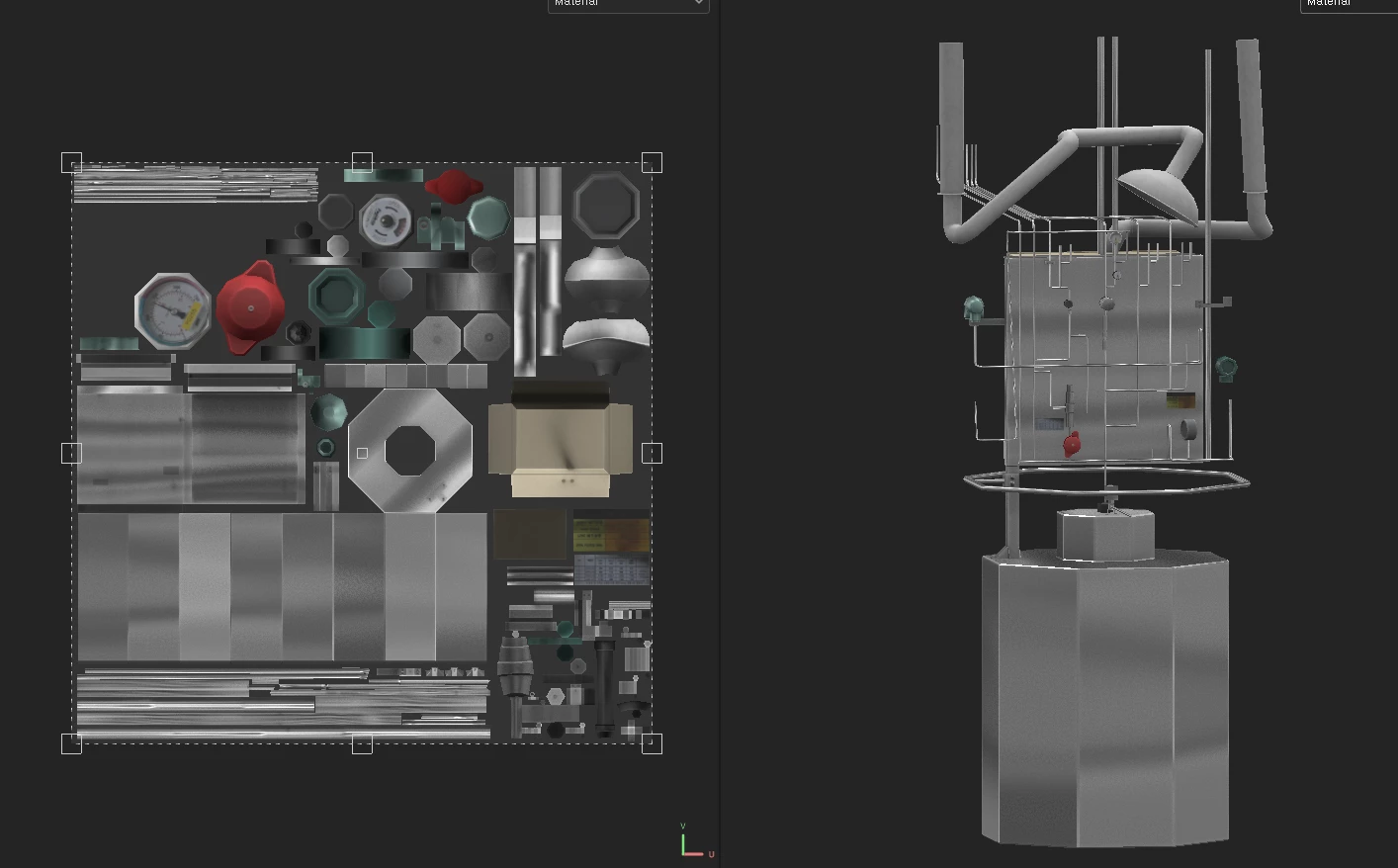
 

I'm making a simple non-pbr, only diffuse-powered machine model. (needs to be extremely light)


Problem is, the anisotropy would show on the viewport but it wouldn't export it on 2d view.
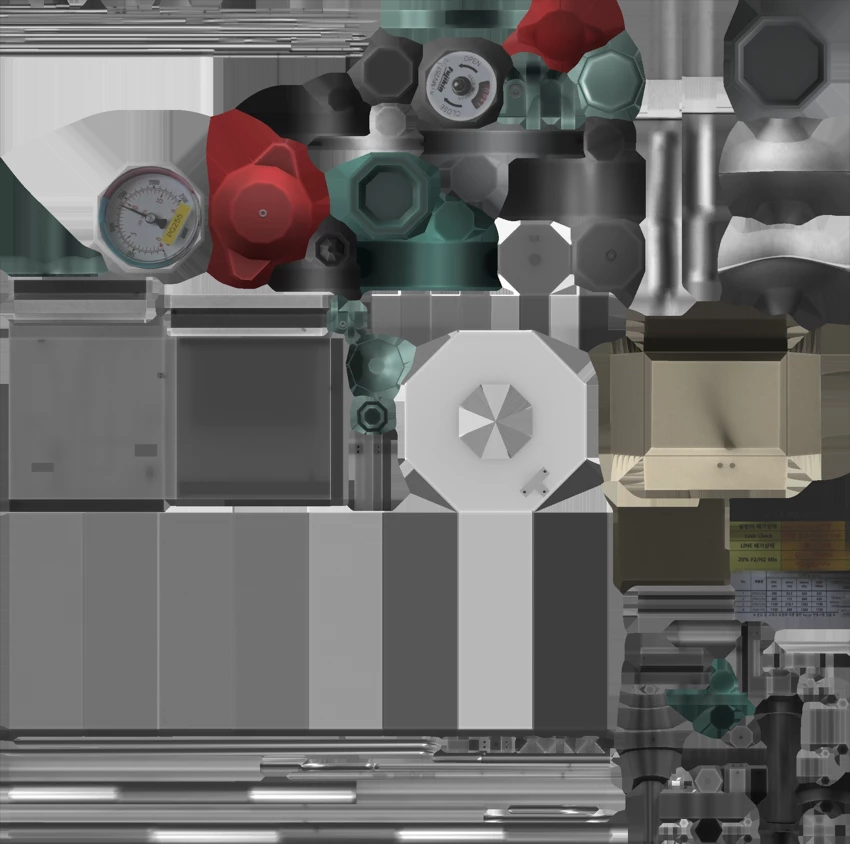


I've selected pbr-metal-rough-anisotropy-angle as shader, and added anisotropy angle and level channels.


Also added Baked Lighting Stylized  on top of it so it would turn out exactly as it's seen on the viewport.


This had worked for me previously and I didn't have any issues back then.


Maybe it has something to do with the shader? Perhaps I might have missed some steps that I don't recall.


Everything looks fine on the viewport, I don't get why it wouldn't export as it's supposed to.


A helping hand would be much appreciated. Thank you.
This topic has been closed for replies.
Correct answer 해린291101612aar

I solved it, well technically my boss did. In case for anyone facing the same issue I'll write it down.

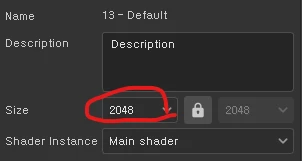
It was a freaking size problem. Make sure the size of the exported map matches the size in general properties.

Can't believe I had to fight 2 hours looking for THIS, but that's just the way softwares work.

Anyways, hope y'all well.

1 reply

해린291101612aarAuthorCorrect answer
Participant
February 21, 2024

I solved it, well technically my boss did. In case for anyone facing the same issue I'll write it down.

It was a freaking size problem. Make sure the size of the exported map matches the size in general properties.

Can't believe I had to fight 2 hours looking for THIS, but that's just the way softwares work.

Anyways, hope y'all well.