
Inspiring
August 31, 2023
Answered

Any way to set custom display settings at start?

  • August 31, 2023
  • 1 reply
  • 892 views

Hi everyone,
Nooby question here, i should have asked a long time ago: i recently realized that with most of the assets i work on, if not all of them, i use to set some custom display settings before starting to work: simple stuff like activating tone mapping and custom color profile. I got used to do it, it doesn't take that many seconds, still it's kinda tedious to have to do that every single time. Is there any way to set custom display settings that don't reset everytime i open Substance Painter?
Thanks to anyone that might reply back 🙂
This topic has been closed for replies.
Correct answer Cyril Dellenbach

Hi @Mark - Da_Drood,


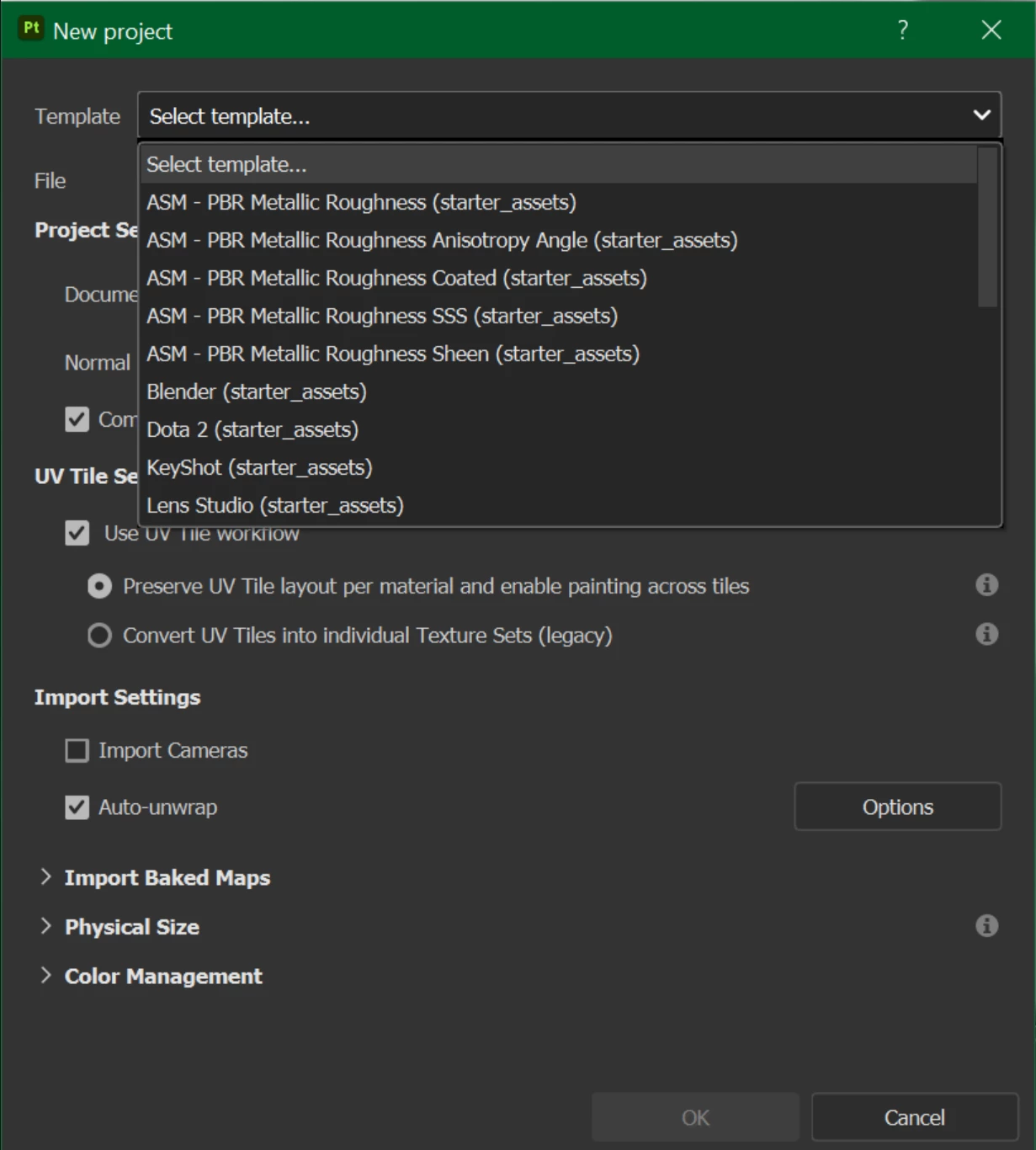
This is indeed possible. You can set all the details you want in your current project, and then save as Template (File > More save options > Save as template...)


Now, when creating a new project, you can select the newly created template.


Best regards,


1 reply

Cyril Dellenbach
Community Manager
Cyril DellenbachCommunity ManagerCorrect answer
Community Manager
September 6, 2023

Hi @Mark - Da_Drood,


This is indeed possible. You can set all the details you want in your current project, and then save as Template (File > More save options > Save as template...)


Now, when creating a new project, you can select the newly created template.


Best regards,


Cyril Dellenbach (Micro) | QA Support Artist | Adobe
Inspiring
September 6, 2023

That's great! Thank you so much Cyril for your kindness and availability as always. 🙂