Participant
October 18, 2023
Question

Bake and Texture Shade For Modular Character

  • October 18, 2023
  • 1 reply
  • 147 views

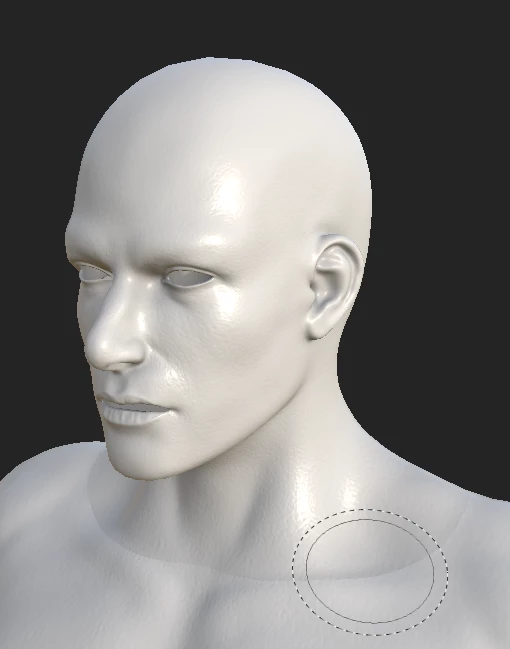
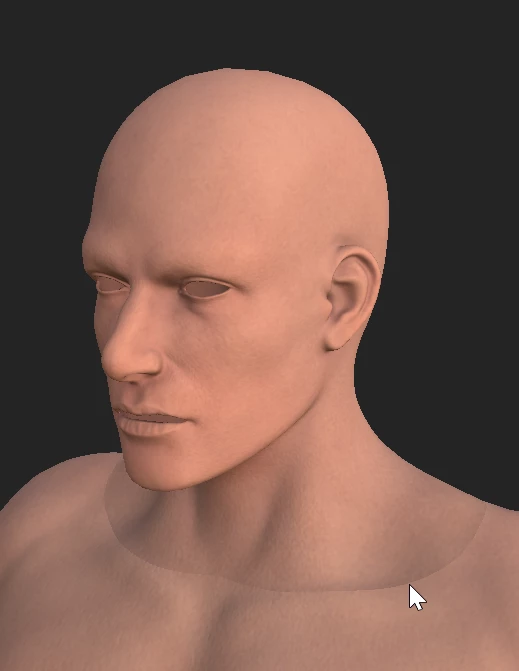
I'm making my first modular character, who is currently nude and made up of 5 objects (Head, Torso, Hands, Legs, and Feet) and all share the same material.


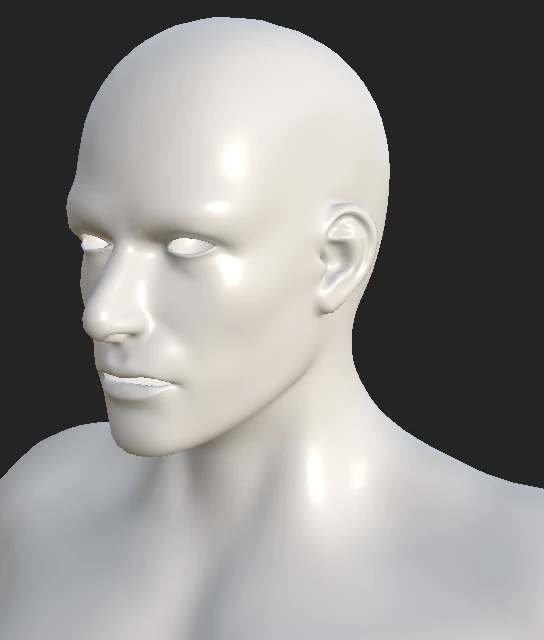
When importing the low-poly mesh into substance the head was a different shade to the rest of the body, this was also the case in Maya but after some research I found the issue to be related to the vertex normals. After averaging the normals this resolved the shader issue in Maya and in substance, at least for the low poly.


I then baked the details onto the low-poly model and noticed the shader issue has appeared again, but only after baking and again only on the head.


I'm really not sure what the issue is here, I'm hazzarding a guess it has something to do with the normal of the high-poly but I'm not sure the best way to go about resolving this.


Any help and advise would be much appreciated.


This topic has been closed for replies.

1 reply

Cyril Dellenbach
Community Manager
Community Manager
October 19, 2023

Hello @Nuntis,


The baking is a process to "print" the info from a High polygons (HP) model onto a Low polygons (LP) model. Therefore, if your HP was built the same way as the LP, the Normal issue will be printed anyway at baking.


Therefore, I advise you to reproduce the workflow you did on the LP, but on the HP.


Let me know if this helps.


Best regards,


Cyril Dellenbach (Micro) | QA Support Artist | Adobe
NuntisAuthor
Participant
October 19, 2023

Hi Cyril,


Thanks for replying.


As you suggested I tried averaging the vertex normals of the high poly object edges in Maya, but unfortuneately I'm still getting the same result.


It's just strange that it's only the head that's being affected. All the other objects are blending in pretty well.