
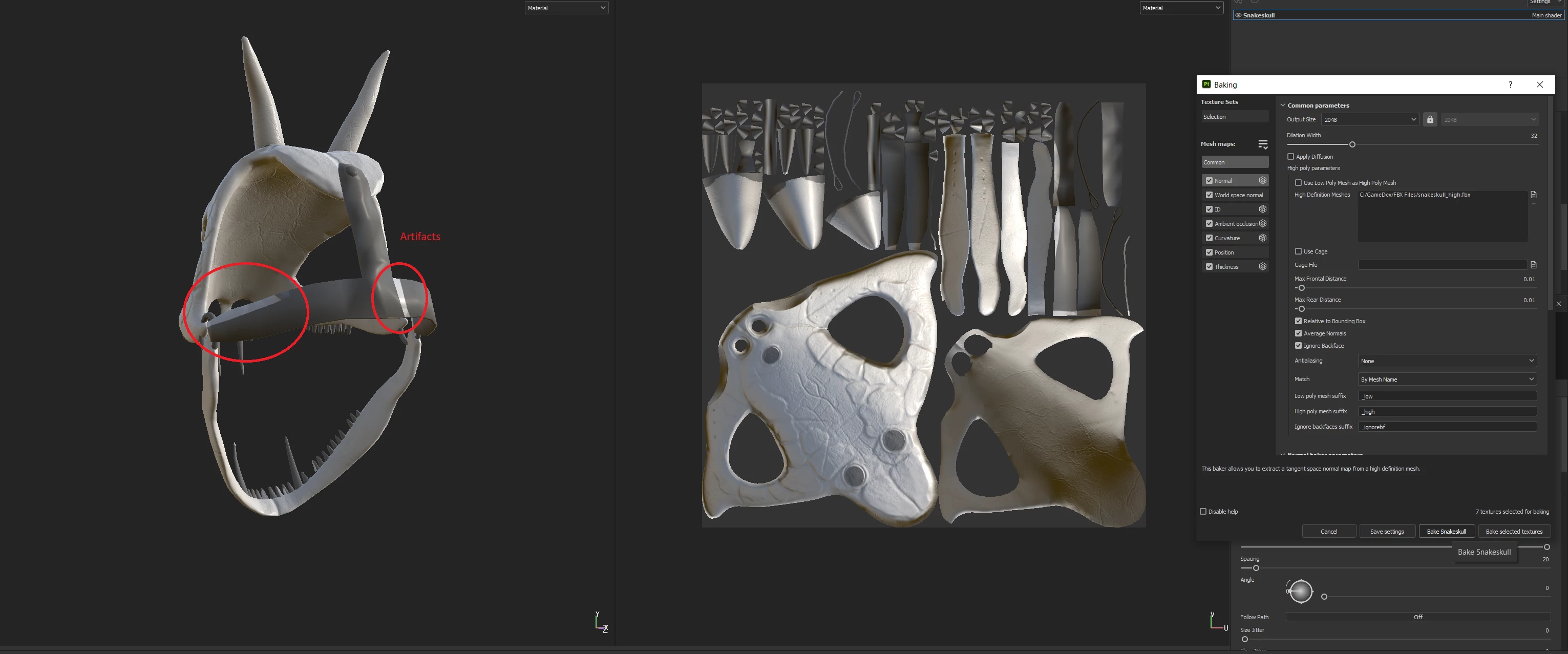
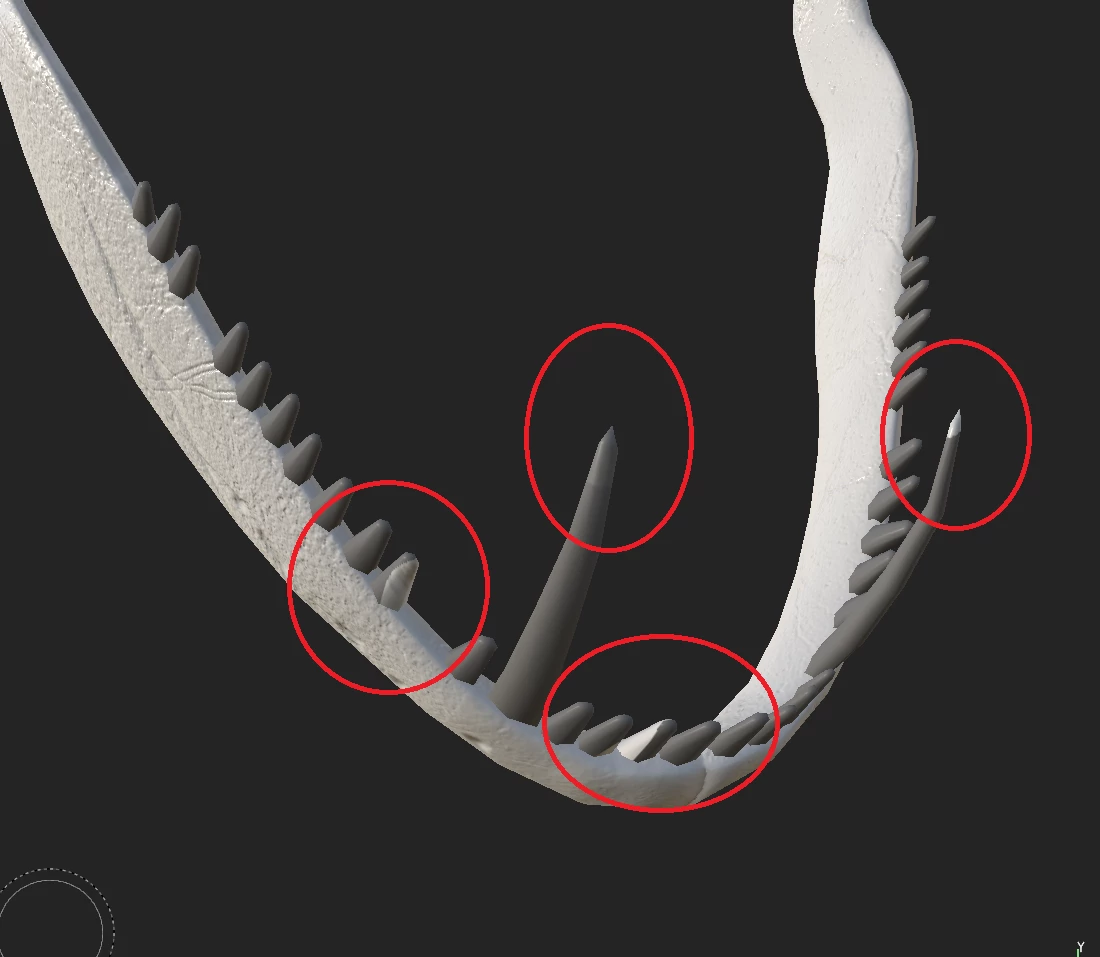
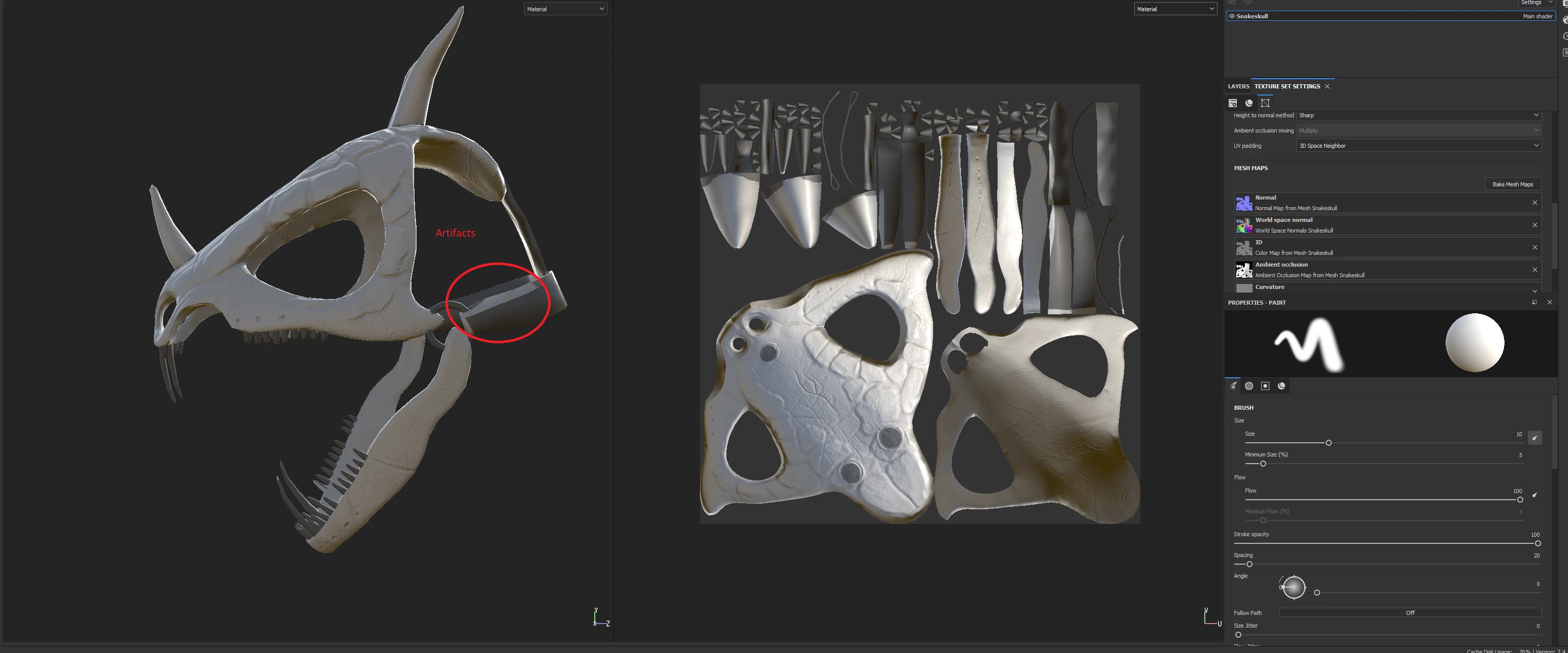
Baking by Mesh name doesn't work. Unwanted artifacts on part of mesh that should not be baked.
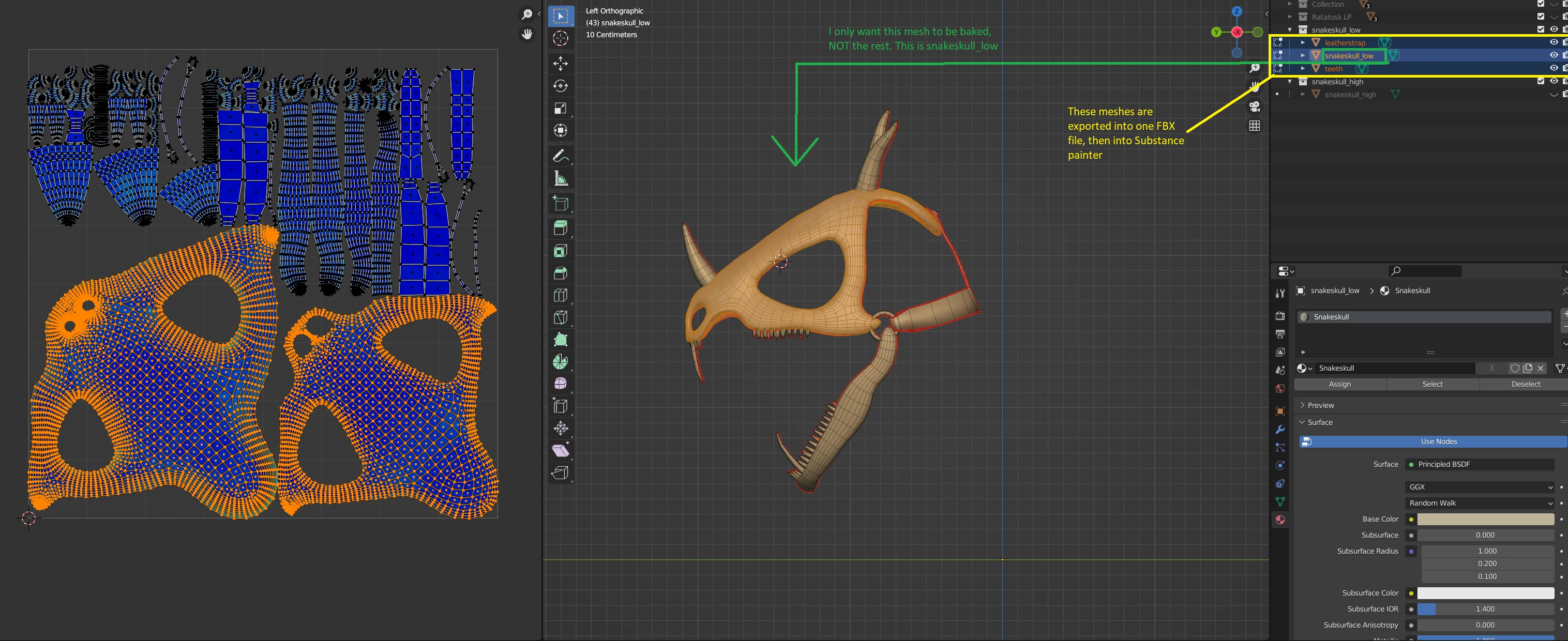
I'm using a low poly mesh from blender that is correctly UVED ( No overlapping UV's as seen in the picture)
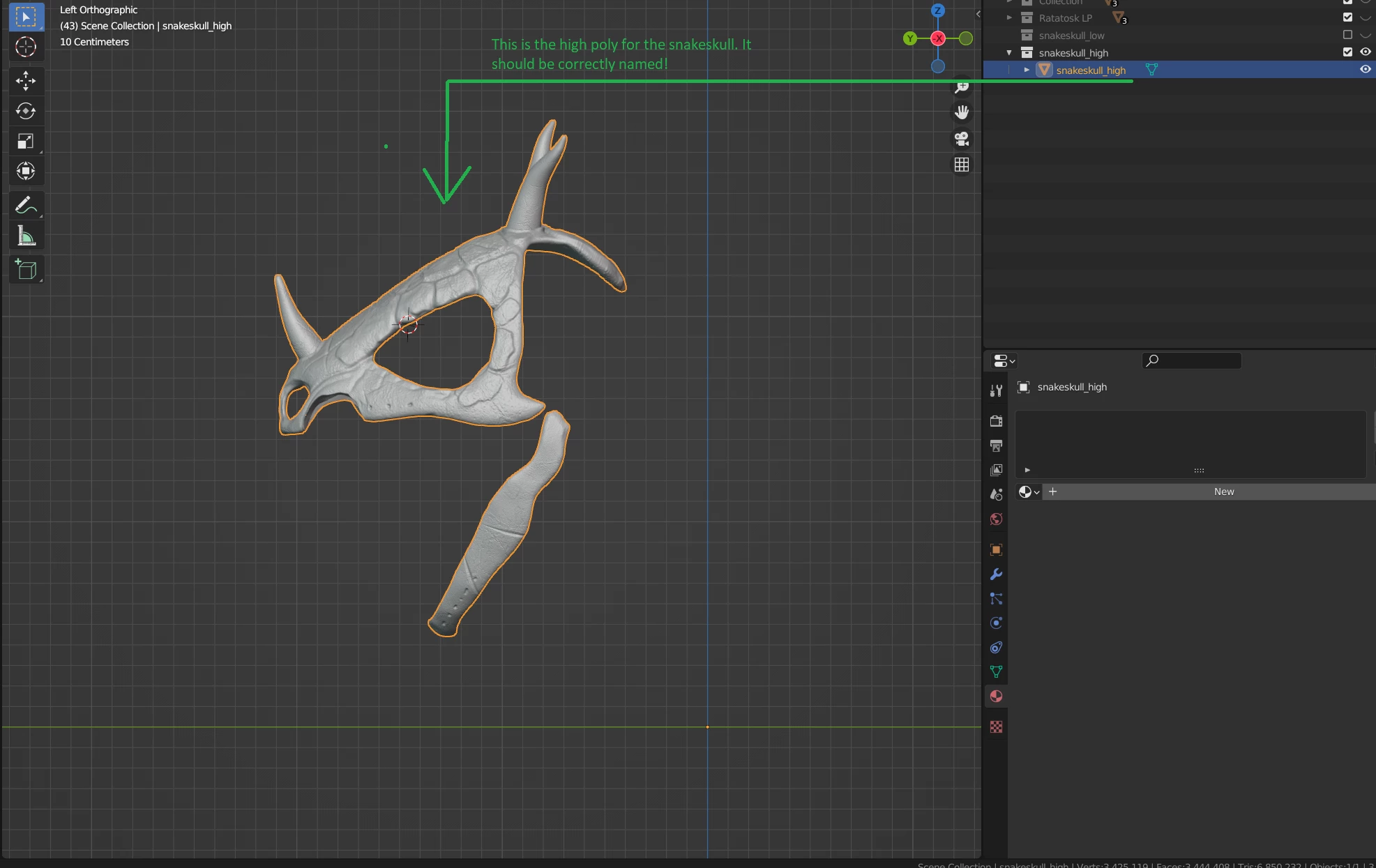
I have separated the main mesh into three meshes. I only want ONE of those meshes to be baked by another, high poly mesh.
I only want the main skull to be baked as seen in the image. I DONT want the teeth or the " leather" straps, ( the flat strap-like mesh on the back) to be baked.
I export those three meshes together to a FBX file and then into Substance painter.
I then select my high poly mesh in substance and check " By mesh name" in the baking options.
However when baking there are artifacts all over the place. I thought this method was literally designed to circumvent this? I can't understand what I've done wrong. I've paid attention to the case sensitive suffixed _low and _high. Only the spesific mesh I want to bake has the suffix. And only the specific mesh i want to bake has a high poly variant. The two other meshes has no suffix and no high poly variant. They're completey isolated. So why does substance insist on baking OVER these meshes with artifacts?


 AdChoices