Inspiring
March 9, 2024
Answered

Baking - Planar Projection?

  • March 9, 2024
  • 1 reply
  • 473 views

When using the baking feature with a high-poly asset, I can't seem to get a clean front projection.

The example below shows the baking result:


The screenshot below shows the Blender Mesh. Basically a cube plus cylindrical primitives.
When baking, I load the cube as my main mesh, and for the high-fidelity mesh, I load the plane plus the cylindrical bumpers.
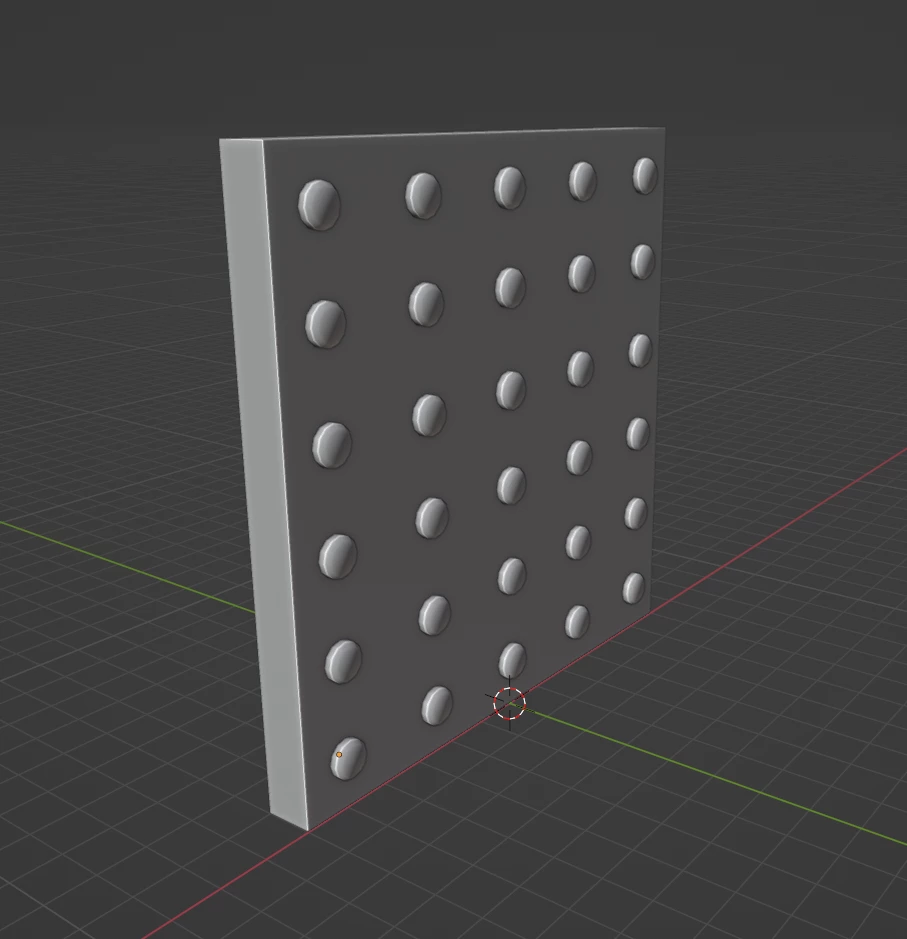
 

I am just wondering if it's not possible to get a straight, front planar projection when baking with the high-fidelity mesh. The mesh maps show cleary a perspective distortion.

probably best to see in the curvature map below:


  • Hmmm... I wonder, if there is no way to not see this "lens distortion"?
  • Isn't it possible to have a 100% planar bake?
  • Any settings I am missing here?

    Thx a bunch for any ideas!

This topic has been closed for replies.
Correct answer Cyril Dellenbach

Hello @PixelFun,


Thanks for the interesting topic.


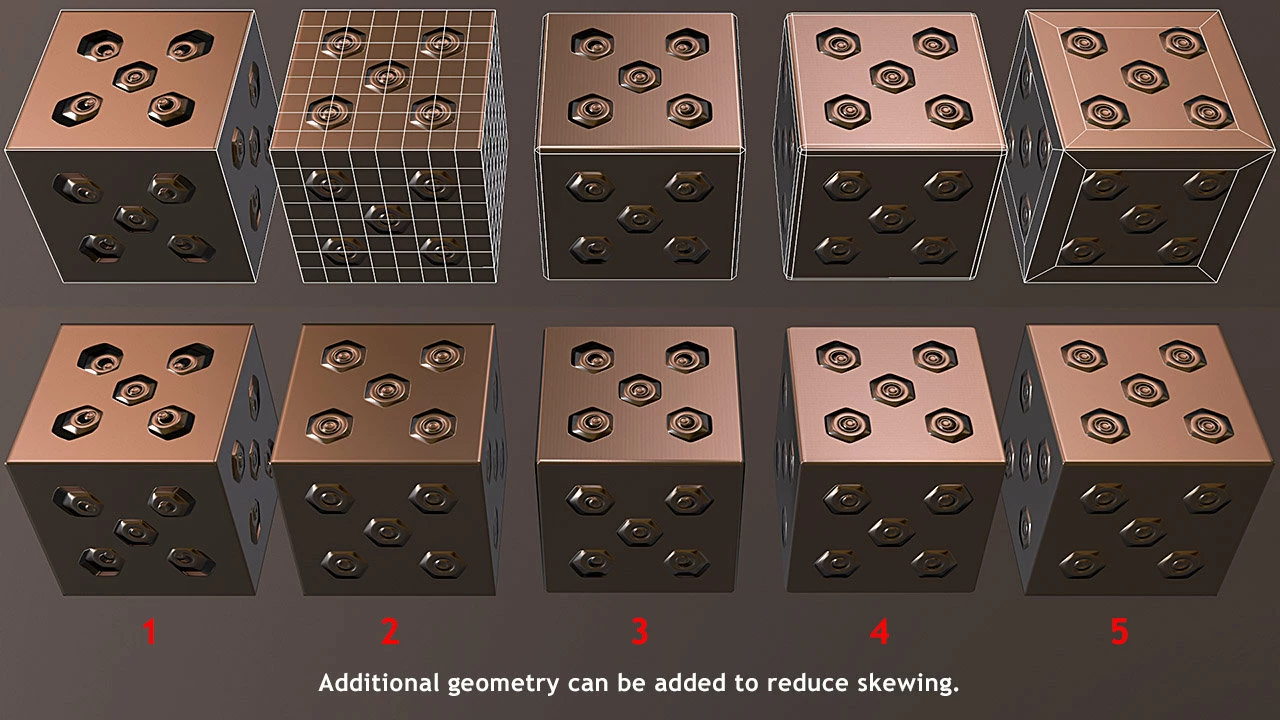
This effect is what we usually call Skewing, and if you want to learn more on the subject, here's a great Polycount thread on the subject.

Just so you know, Substance Painter's baker doesn't have an option to edit the Skew map directly, so this is something to work on before the baking step.


Sweking is due to the Normal's orientation. Therefore, editing the topology can be a solution for a "straight baking". In your shared example, a simple inset on the cube's face would insure straight normals, and solve the problem.


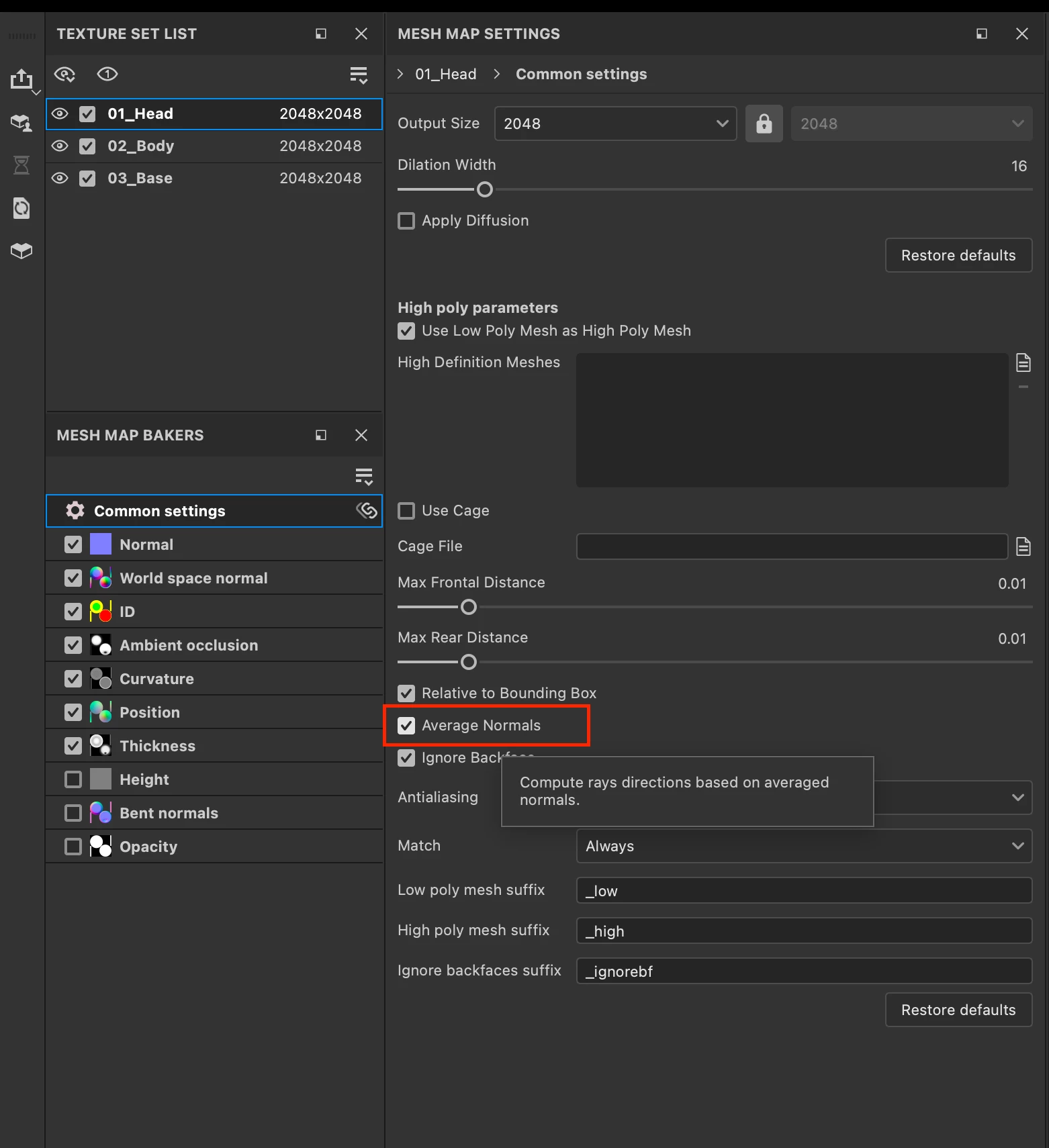
 Alternatively, you can disable the Average Normals option in the baking panel.


This will force Substance Painter to use the mesh's normal instead of an Average Normal. Depending on the mesh, it can help with skewing, but it also might create gaps in the map.


Lastly, there are softwares that can edit skew maps manually after baking for localized changes.


Regards,

1 reply

Cyril Dellenbach
Community Manager
Cyril DellenbachCommunity ManagerCorrect answer
Community Manager
March 11, 2024

Hello @PixelFun,


Thanks for the interesting topic.


This effect is what we usually call Skewing, and if you want to learn more on the subject, here's a great Polycount thread on the subject.

Just so you know, Substance Painter's baker doesn't have an option to edit the Skew map directly, so this is something to work on before the baking step.


Sweking is due to the Normal's orientation. Therefore, editing the topology can be a solution for a "straight baking". In your shared example, a simple inset on the cube's face would insure straight normals, and solve the problem.


 Alternatively, you can disable the Average Normals option in the baking panel.


This will force Substance Painter to use the mesh's normal instead of an Average Normal. Depending on the mesh, it can help with skewing, but it also might create gaps in the map.


Lastly, there are softwares that can edit skew maps manually after baking for localized changes.


Regards,

Cyril Dellenbach (Micro) | QA Support Artist | Adobe
PixelFunAuthor
Inspiring
March 11, 2024

Hi Cyril,


this is fantastic and exactly what I was looking for. The skewing. Perfect.

I just added one extra inset and the "skewing" in the bake is gone, see below the bake of the curvature map.


Wonderful, you are simply the best.
Thank you so much for your help and explanation on this topic.
Spot on!

Appreciate it and keep rocking!
cheers