SnowSultan
Known Participant
October 12, 2023
Answered

Can Painter's brush alphas and shape alphas be exported to Photoshop?

  • October 12, 2023
  • 1 reply
  • 1131 views

I know we can import .abr Photoshop brushes into Painter, but can the default brush alphas and the shapes in the Alphas category be exported from Painter in a file type that Photoshop can use (like .png, .psd, etc)? I assume not, as using Export Resource only copies the native Substance files to another folder, and dragging them into Photoshop directly doesn't work either.


Thanks in advance for any information.

This topic has been closed for replies.
Correct answer Cyril Dellenbach

Hi @SnowSultan,


Thanks for your question.


The compatibility between our applications is an important subject for us, but from what I know, it's not directly possible to send a resource from Painter to Photoshop.


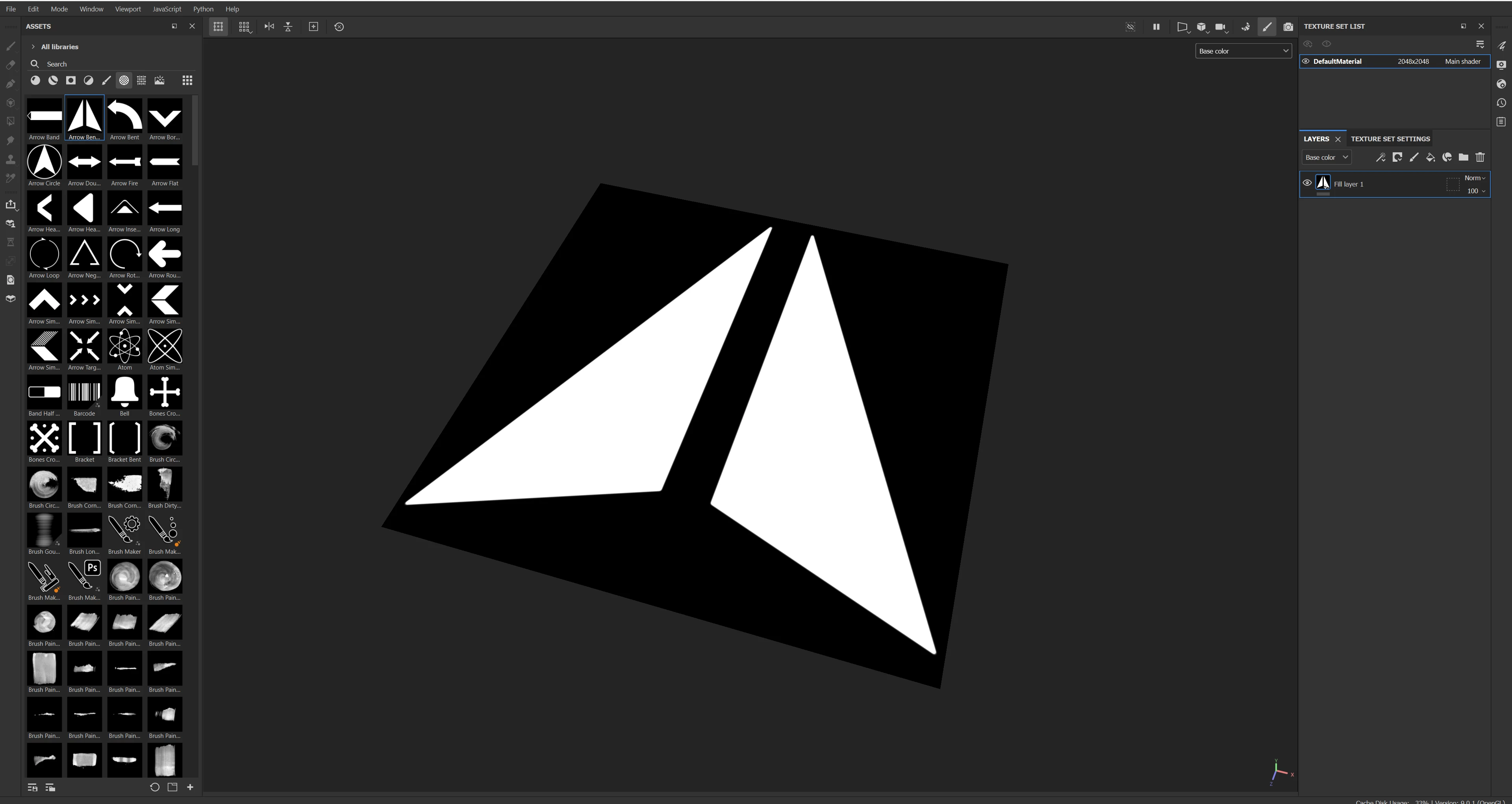
A workaround would be to create a scene with a simple plane, and build the Alpha directly in Painter.


This way, when you export it as a texture, you can use it as a .PNG alpha. I agree this is not ideal, but this should at least work properly.


Best regards,


1 reply

Cyril Dellenbach
Community Manager
Cyril DellenbachCommunity ManagerCorrect answer
Community Manager
October 13, 2023

Hi @SnowSultan,


Thanks for your question.


The compatibility between our applications is an important subject for us, but from what I know, it's not directly possible to send a resource from Painter to Photoshop.


A workaround would be to create a scene with a simple plane, and build the Alpha directly in Painter.


This way, when you export it as a texture, you can use it as a .PNG alpha. I agree this is not ideal, but this should at least work properly.


Best regards,


Cyril Dellenbach (Micro) | QA Support Artist | Adobe
SnowSultan
Known Participant
October 13, 2023

Thank you for confirming, it's appreciated.