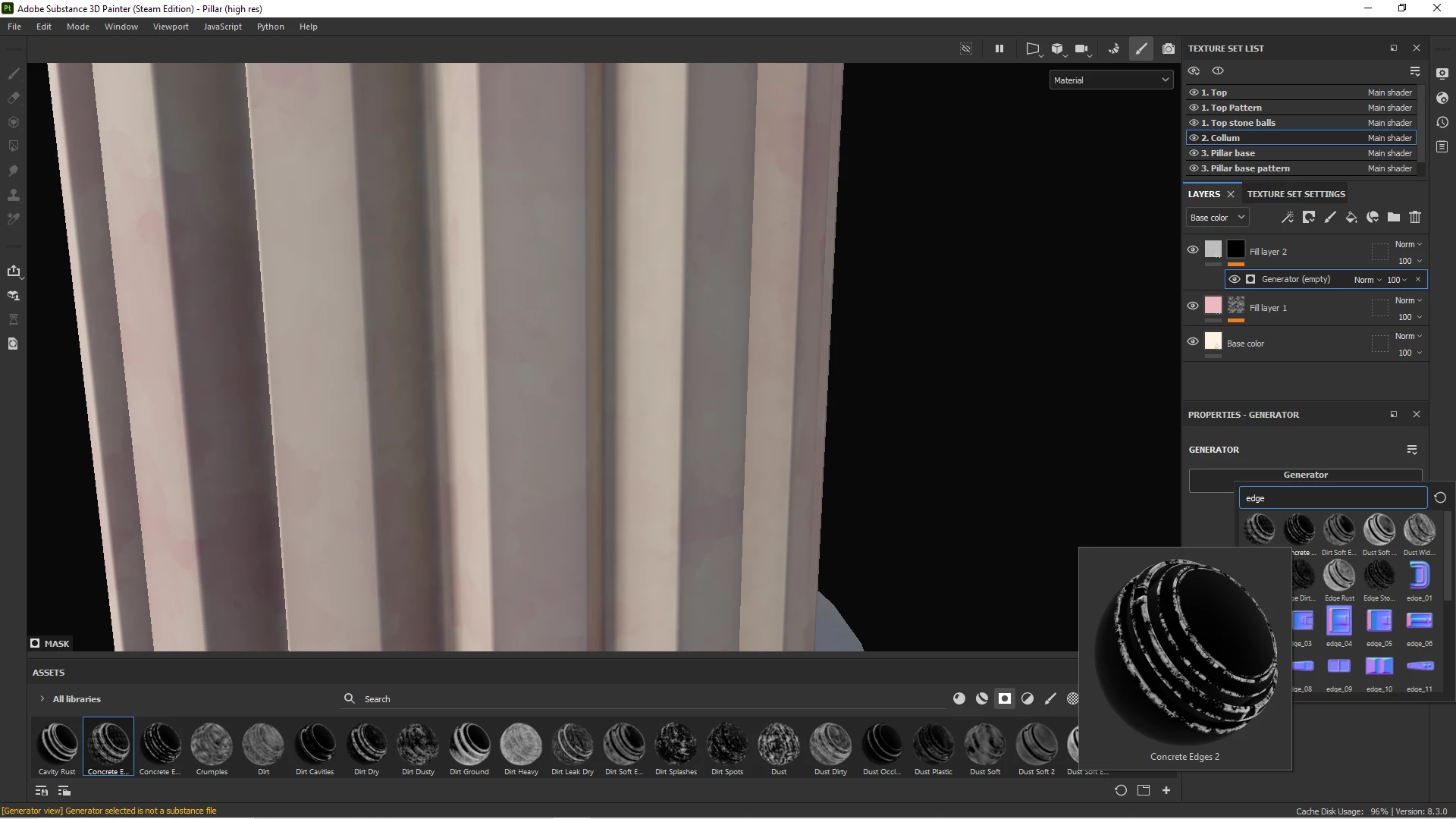
Here is an example:
I click on the "concrete edges 2" but it does not get applied to my generator. The generator slot stays empty.
Strangely if I search for another generator like "curvature". I can apply that.
But for some reason clicking on "concrete edges 2" or any of the other edge generators does nothing. Is there some additional criteria needed to apply this generator? It gives no error message or warning. Just closes the window and does nothing
Hi @Vincent29312308ac63,
Thanks for the visual and the precision, it's always very helpful to troubleshoot.
For your specific case, it's due to the fact that the concrete edge 2 isn't a generator, but a smart mask. I admit it, this is kind of confusing, because the smart masks have the same icon as the generators, but they aren't the same thing. In fact, you can even see a warning in your log.
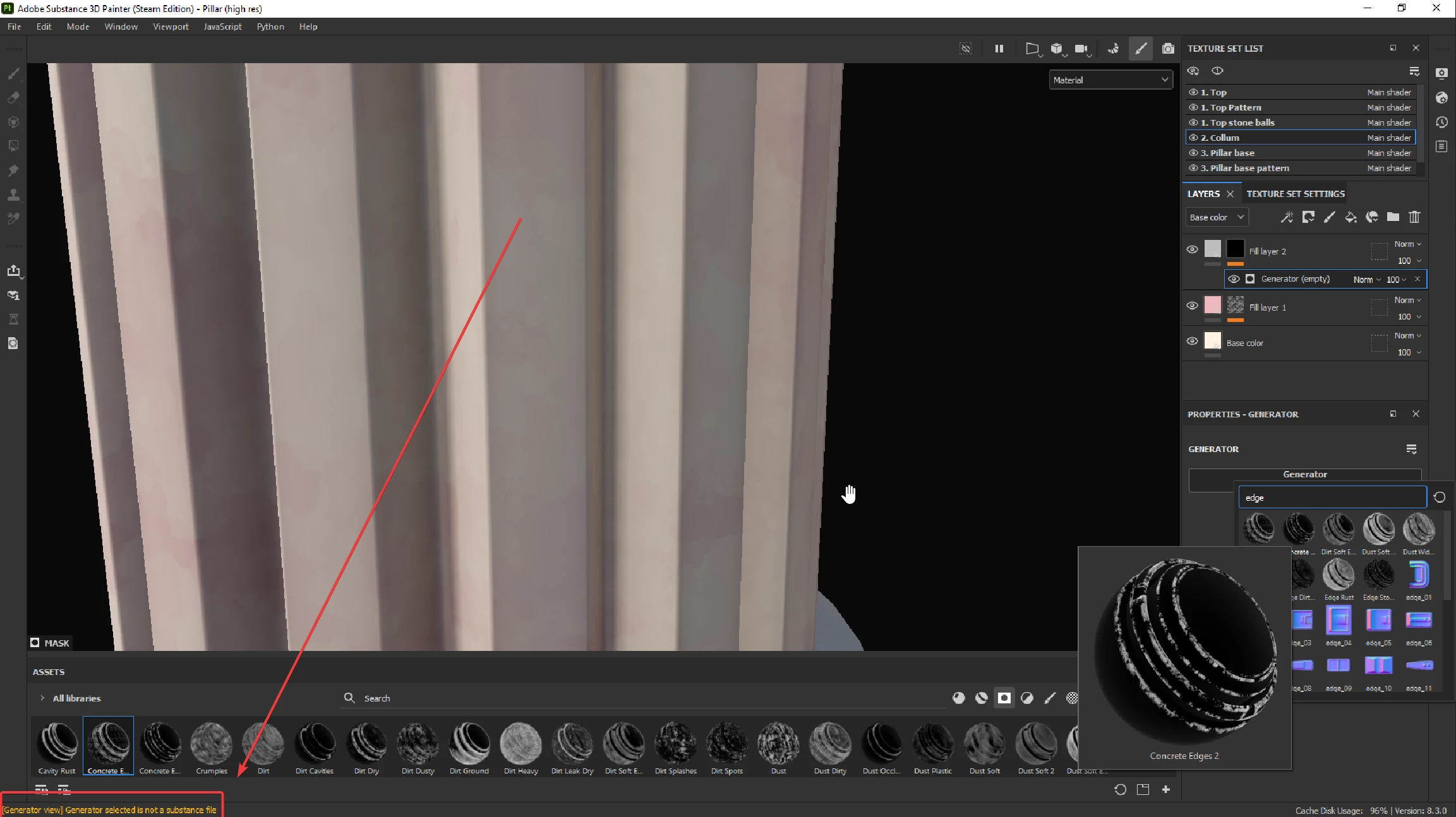
If you want to only display the generators in the mini shelf, you can add the text u:generator before your search. And if you want to add a smart mask to your layer, you can drag and drop it from the library.
Best regards,




 AdChoices