Participant
February 27, 2023
Answered

confused about mesh projection
  • February 27, 2023
  • 1 reply
  • 511 views

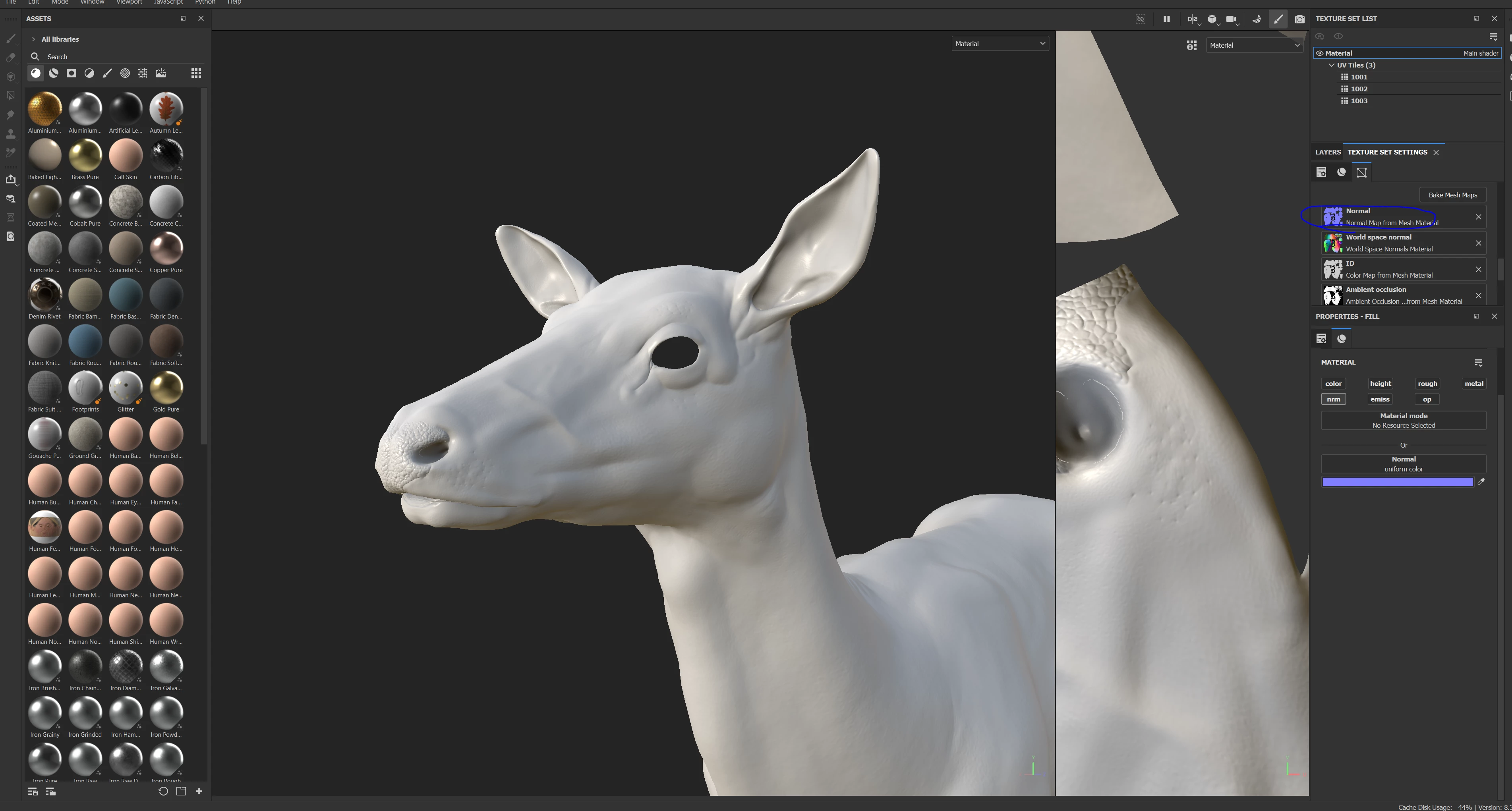
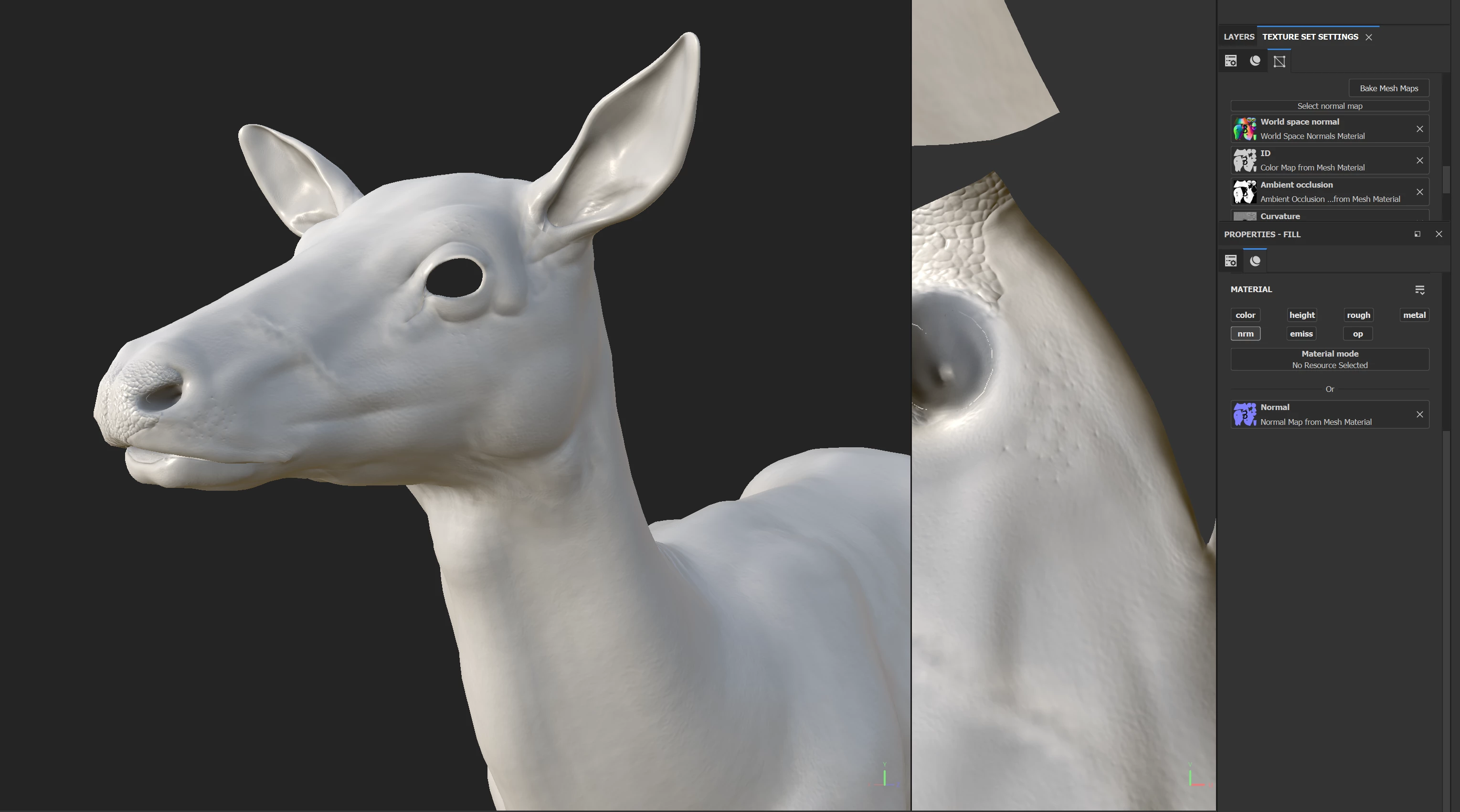
hello, I baked my high poly mesh on to my low poly mesh. There was a few issues with the normal map that I wanted to fix manually but I know i can't directly edit the normal from the mesh projection. So when i make a fill layer and projected the normal from there it looks distorted and weird. So, how can I fix, or is there a reason why it looks different. thank you

 

This topic has been closed for replies.
Correct answer Cyril Dellenbach

Hello Angelo,


Thanks for the message, this is an interesting topic.


I would advise to follow the documentation instruction when painting over the baked normal, the result might be different.


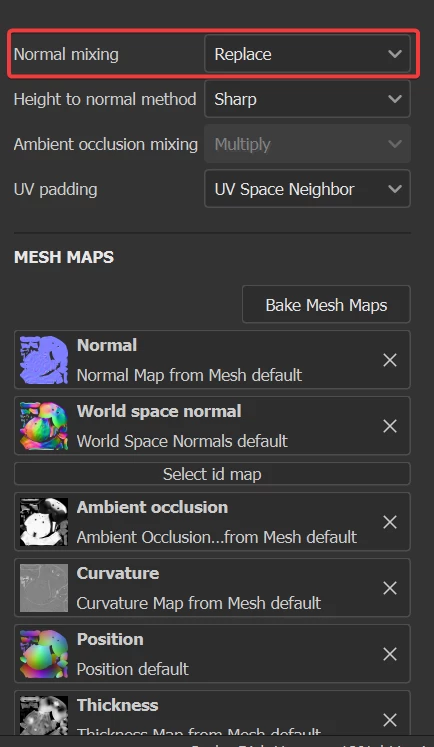
First of all, no need to delete the normal map in the bake channels. Simply switch the normal mixing option to Replace.


For the rest, it's pretty much the same workflow as you already did. Add a fill layer with only the normal channel and link your normal map to it, but instead of using the by default NMdt blending mode, switch it to Normal.


Keep the blending mode to Normal for all your further layers and it should be okay.


With that being said, the issue could come from something else, so keep me posted.


Best regards,


1 reply

Participant
February 27, 2023

hello, I baked my high poly mesh on to my low poly mesh. There was a few issues with the normal map that I wanted to fix manually but I know i can't directly edit the normal from the mesh projection. So when i make a fill layer and projected the normal from there it looks distorted and weird. So, how can I fix, or is there a reason why it looks different. thank you


Cyril Dellenbach
Community Manager
Cyril DellenbachCommunity ManagerCorrect answer
Community Manager
February 27, 2023

Hello Angelo,


Thanks for the message, this is an interesting topic.


I would advise to follow the documentation instruction when painting over the baked normal, the result might be different.


First of all, no need to delete the normal map in the bake channels. Simply switch the normal mixing option to Replace.


For the rest, it's pretty much the same workflow as you already did. Add a fill layer with only the normal channel and link your normal map to it, but instead of using the by default NMdt blending mode, switch it to Normal.


Keep the blending mode to Normal for all your further layers and it should be okay.


With that being said, the issue could come from something else, so keep me posted.


Best regards,


Cyril Dellenbach (Micro) | QA Support Artist | Adobe