


Participant
February 16, 2025
Question

Crazy path tangents

  • February 16, 2025
  • 2 replies
  • 425 views

Hello, 


I feel like I'm missing something basic. I'm drawing a path on a super simple straight surface, and instead of being a straight path, it's bending all over the place. I tried toggling corner/smooth, which does *something*, but certainly doesn't make the path straight:
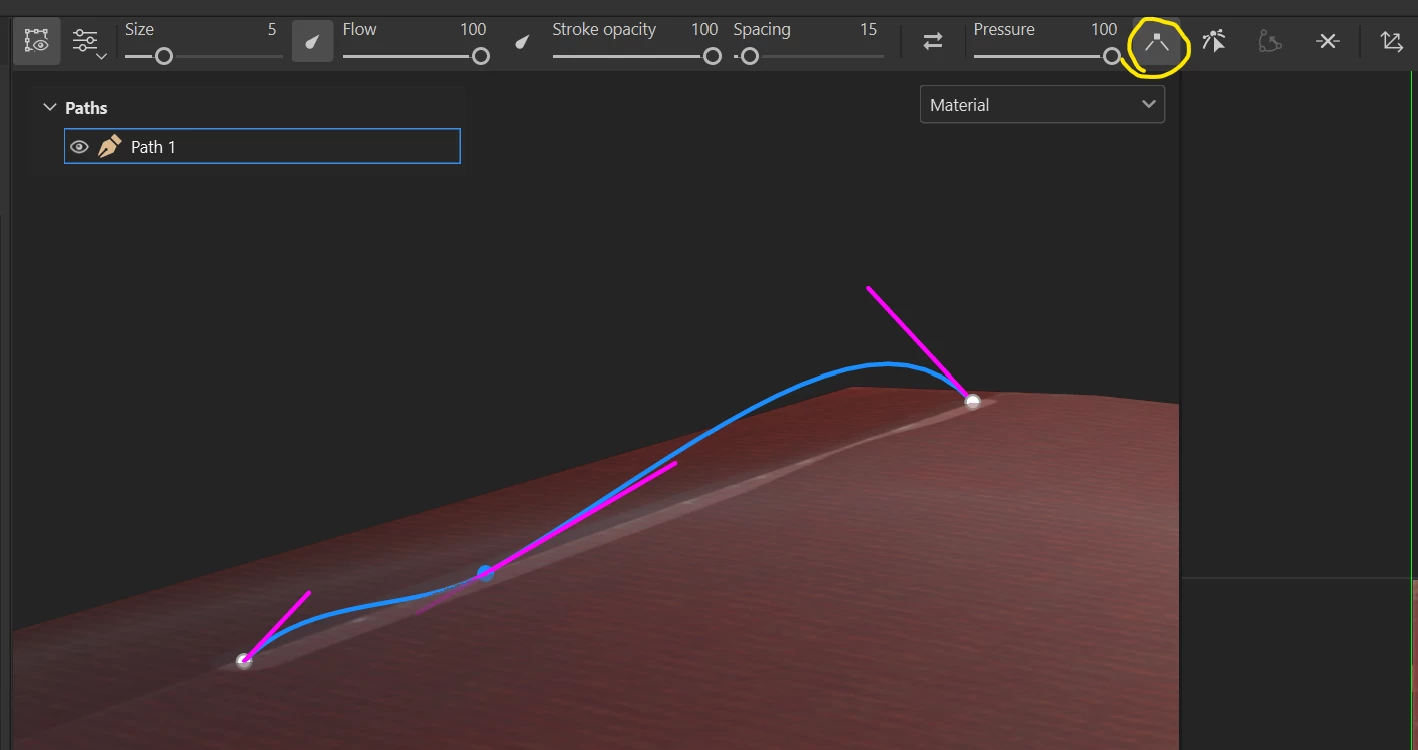
What is happening? How do I create a straight path? 


Substance 3D Painter, version 10.1.2
Build 4105 - 5ac1e5465eedb521dd6c13c1a61a8eca1ecc27d0

2 replies

Participant
May 8, 2025

I have this same issue,  was there ever a solution for this?   Check my screenshot, I have 2 points, but the line between them doesn't go between them correctly it doesnt align to the mesh surface


Participant
May 8, 2025

No solution, they ignored my reply when I pointed out that their suggestion didn't work. 


As far as I can tell, it's due to the normals on the surface, so one thing you can try is to create a version of the geometry that has cusped normals, and use that to draw lines on. 

Cyril Dellenbach
Community Manager
Community Manager
February 17, 2025

Hello @shakingearthdigital,


Thank you for the message.


From your screenshot, it doesn't look like a perfectly straight surface (but I could be wrong). Our Path system doesn't work like it would in a 2D software and the vertices are really "attached" to the 3D surface. Therefore, a Path can look straight from a point of view, but the tangent is in fact curved.


 I advise you to deactivate the custom tangent (the pink handles) and keep the "Corner" mode active.


Best regards,

Cyril Dellenbach (Micro) | QA Support Artist | Adobe
Participant
February 17, 2025

Hi Cyril, 


thanks for the reply. I'm not using custom tangents. The pink handles are from the 'Display' option. Turning that off doesn't change anything. 


I'm attaching a video, which hopefully demonstrates the issue better. Corner mode just doesn't seem to work.