


Designer to Painter - Material Looks Wrong
I've made a material in Designer that I planned to use on a mesh in Painter. The texture looks great in Designer, and I've followed a tutorial from Adobe on exporting it as an SBAR to import into Painter for use. Unfortunately, when in Painter, the texture looks all wrong.
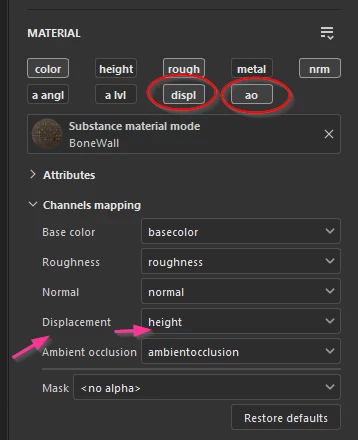
I've checked with some experts in other forums. The issue doesn't seem to be with Designer, but with Painter. Tried switching normals from DirectX to Open GL. The issue still persists. The issue keeps leading back to something with the ambient occlusion map of the texture, but we don't know what or how to fix it. Not sure if this is a user error thing or a bug. Other materials work fine. Any ideas?
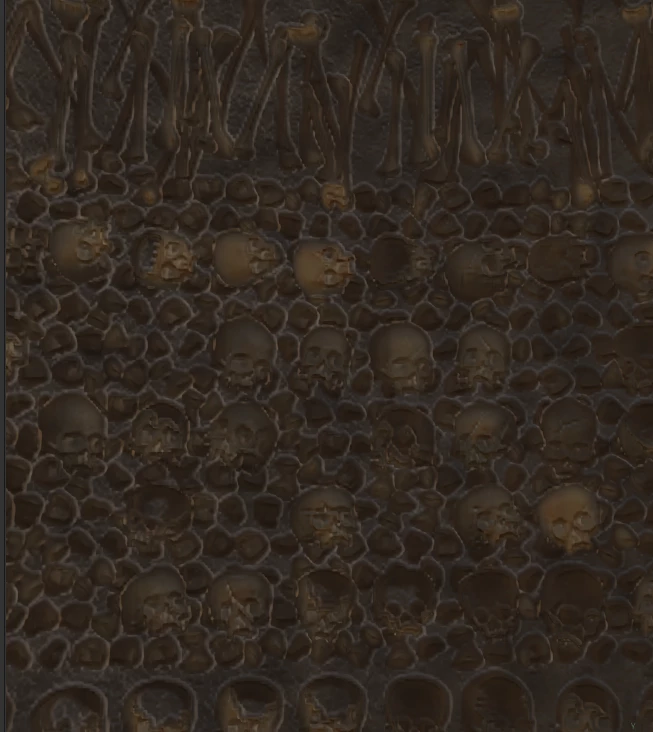
Below is how the material looks in Painter.
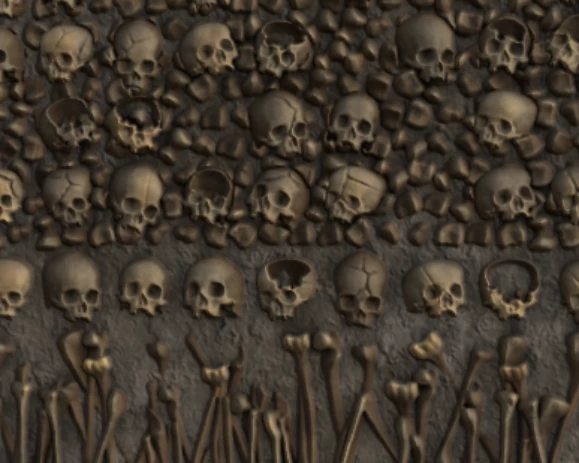
Above is how the material looks in Designer.
 AdChoices