

Answered
Distortion when rotating texture
I'm wondering if anyone might be able to share their insight and shed some light on why the lines are distorted when I rotate. I've provided some screen shots of before and after. Thank you! 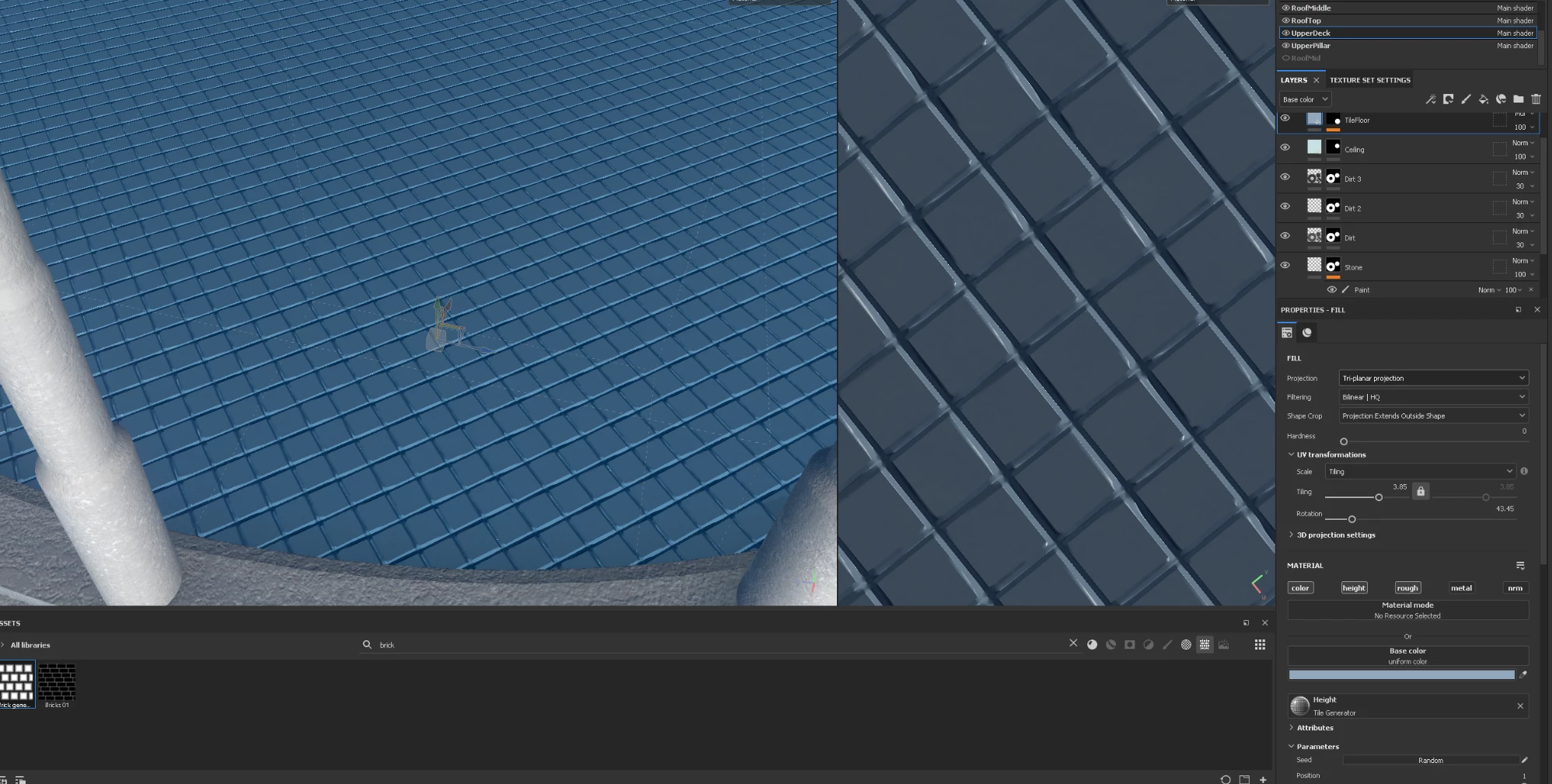
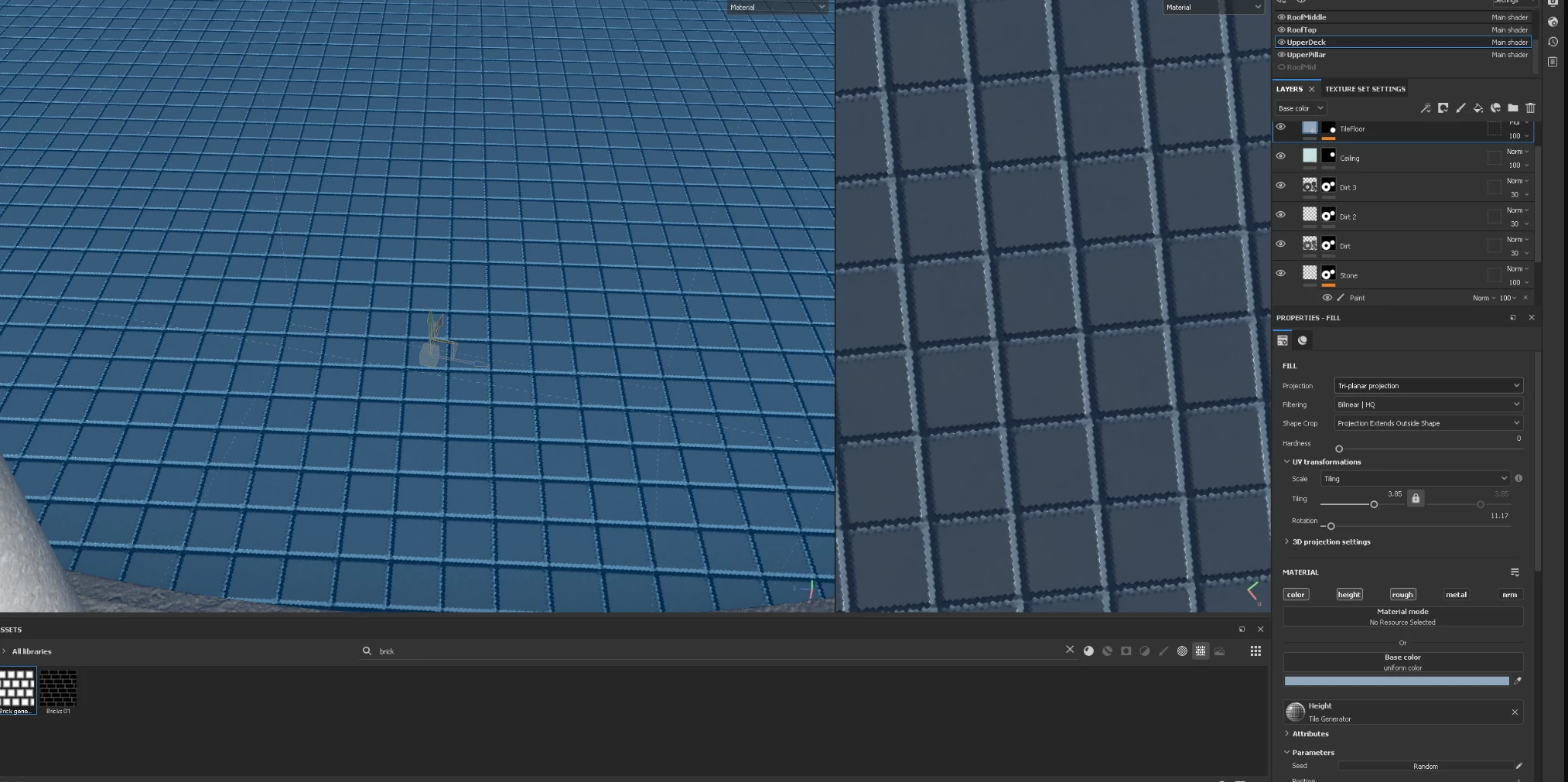

I'm wondering if anyone might be able to share their insight and shed some light on why the lines are distorted when I rotate. I've provided some screen shots of before and after. Thank you!
Already have an account? Login
Enter your E-mail address. We'll send you an e-mail with instructions to reset your password.

 AdChoices