Participating Frequently
July 24, 2023
Answered

Edge Wear not working for Polygon selection?

  • July 24, 2023
  • 1 reply
  • 429 views

Edge Wear works for an Edge but not along a line from Polygon Fill. Is there any way to trick it?

This topic has been closed for replies.
Correct answer Cyril Dellenbach

Hi @espr3ss0,


Like almost all the generators, Edge Wear works with the Mesh Maps.
If you want to mask parts of your generator with the Polygon Fill tool, you can add a Paint Effect, use the Polygon Fill to build your mask, then add the Edge Wear generator and set its blending mode to multiple.
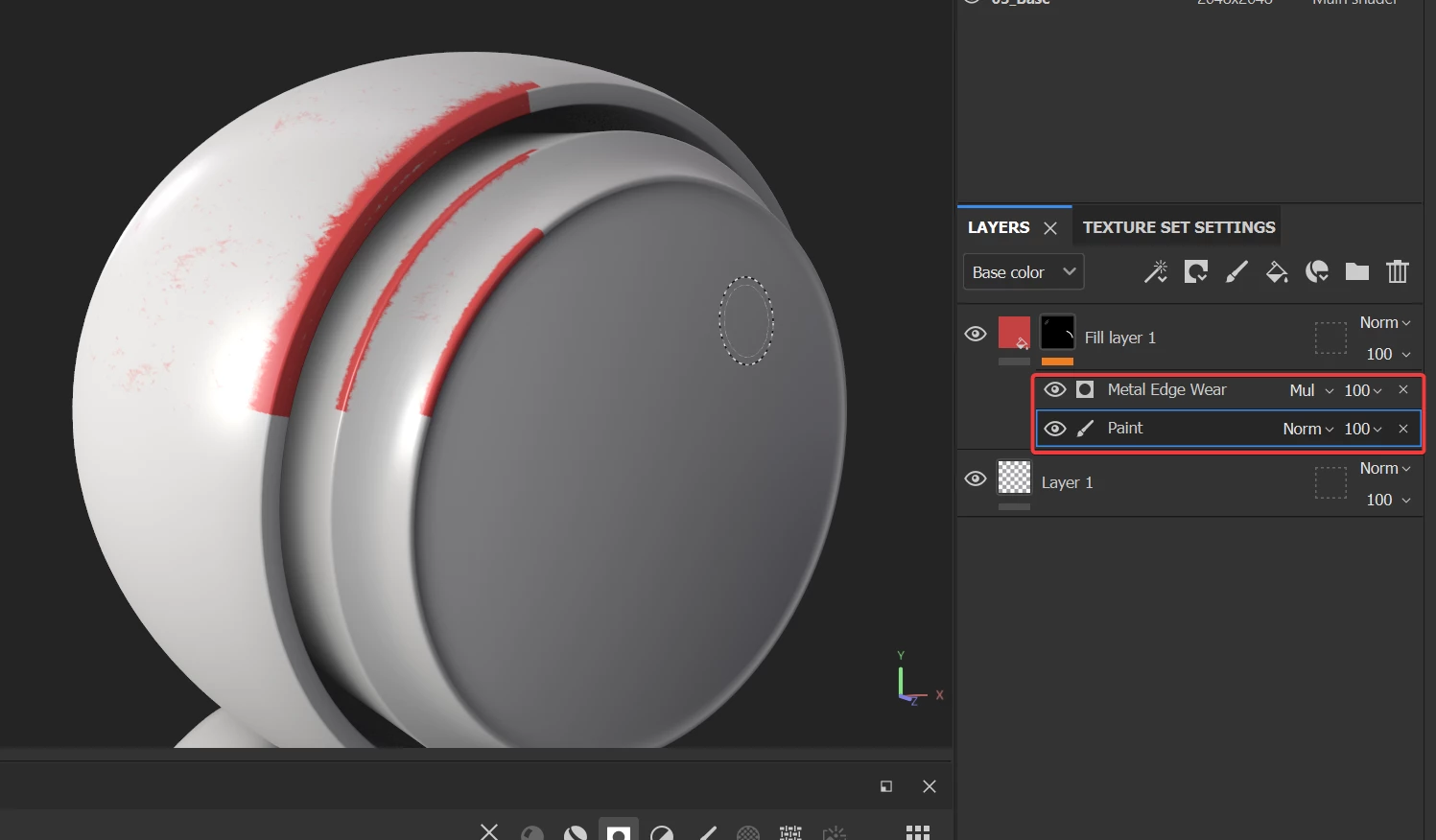


But if you want to apply the Edge Wear around a mask you created yourself, you'll have to use the Anchor point.


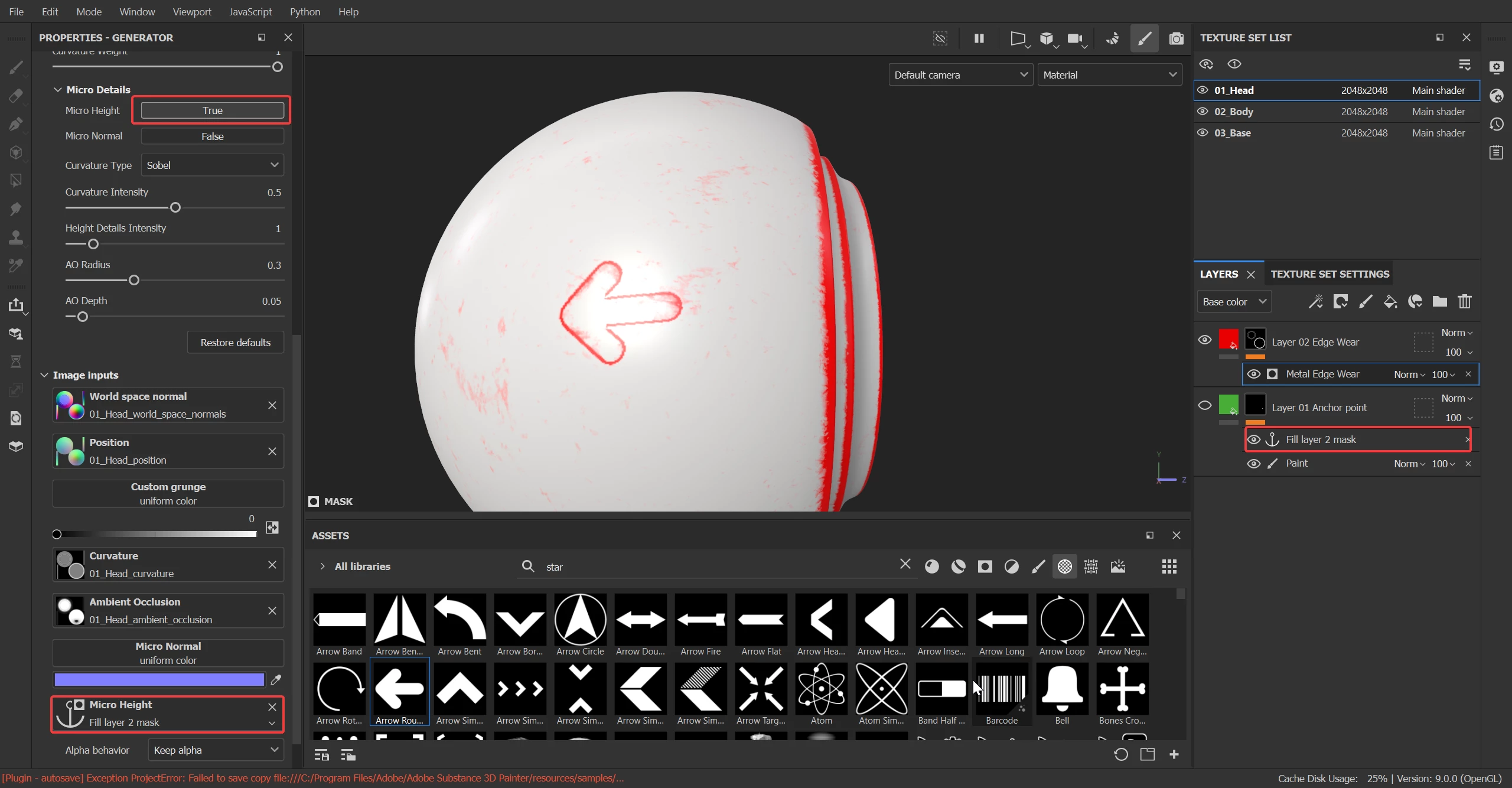
1. Create a Fill Layer with a mask containing the Polygon Fill painting and add an Anchor Point on top of it.

2. Add a new Fill Layer and the Generator in a mask. Under the Micro Details parameters, turn on the Micro Height and finally select the previously made Anchor point in the Micro Height Channel


Tell me if it helps or if I'm missing your point.


Best regards,

 

1 reply

Cyril Dellenbach
Community Manager
Cyril DellenbachCommunity ManagerCorrect answer
Community Manager
July 25, 2023

Hi @espr3ss0,


Like almost all the generators, Edge Wear works with the Mesh Maps.
If you want to mask parts of your generator with the Polygon Fill tool, you can add a Paint Effect, use the Polygon Fill to build your mask, then add the Edge Wear generator and set its blending mode to multiple.


But if you want to apply the Edge Wear around a mask you created yourself, you'll have to use the Anchor point.


1. Create a Fill Layer with a mask containing the Polygon Fill painting and add an Anchor Point on top of it.

2. Add a new Fill Layer and the Generator in a mask. Under the Micro Details parameters, turn on the Micro Height and finally select the previously made Anchor point in the Micro Height Channel


Tell me if it helps or if I'm missing your point.


Best regards,

 

Cyril Dellenbach (Micro) | QA Support Artist | Adobe
espr3ss0Author
Participating Frequently
July 25, 2023

Thanks.

