


asalaw
Participant
March 31, 2023
Question

Embroidery Decal Imported to Painter Shows Material Beneath

  • March 31, 2023
  • 1 reply
  • 300 views

Hi,


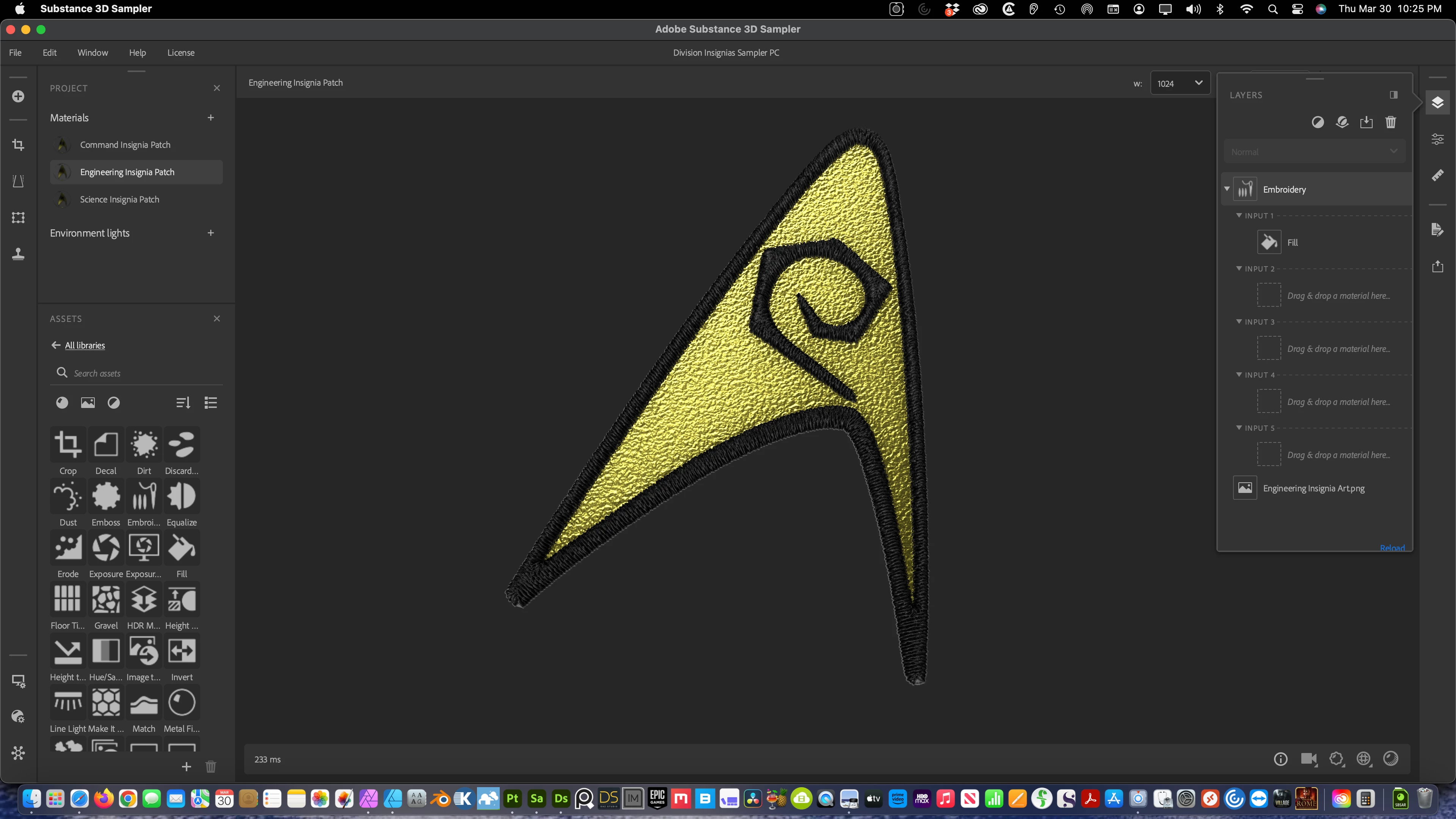
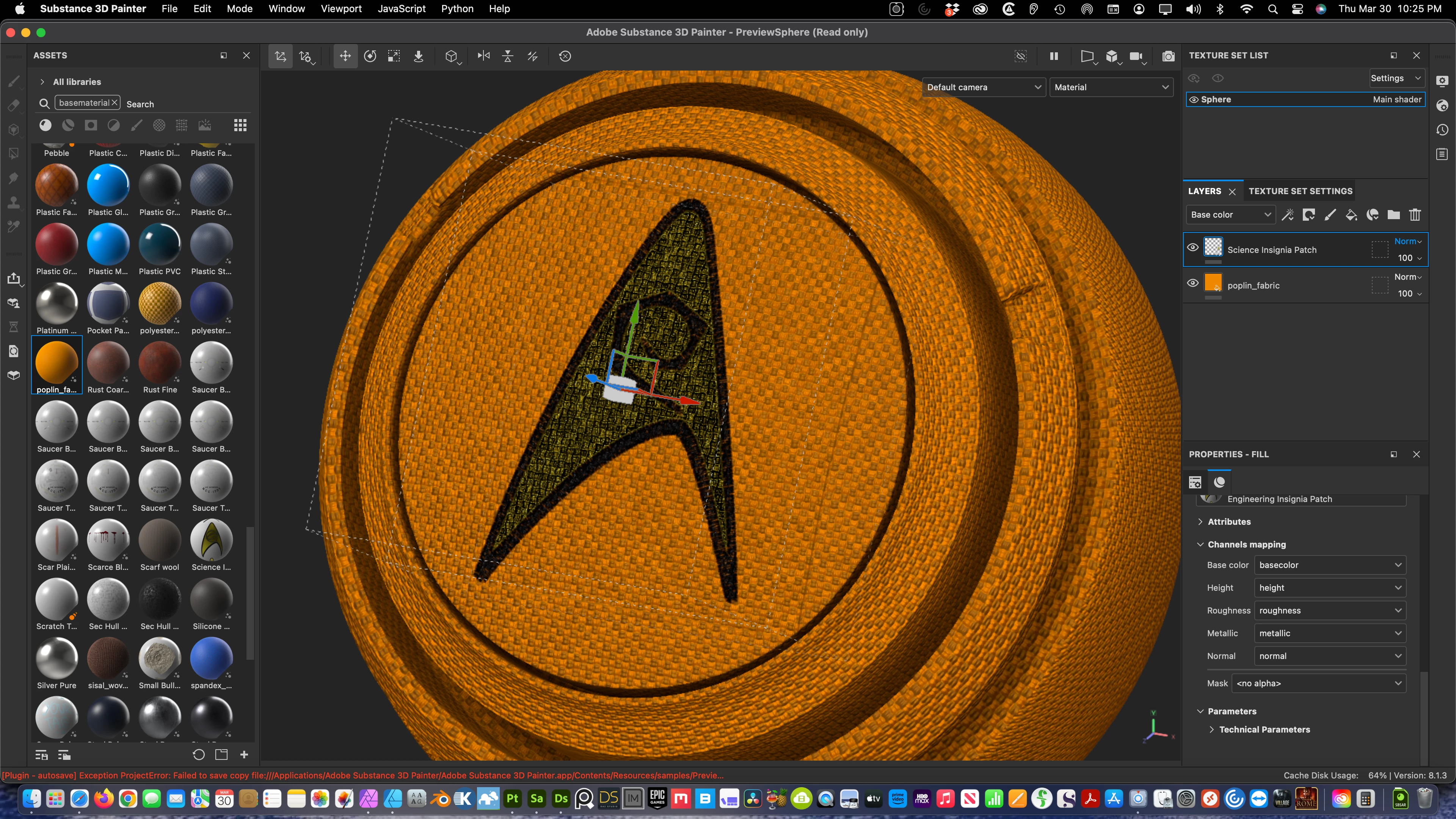
I've made some embroidery patches with the embroidery filter in Sampler per the tutorials on YouTube. They look fabulous in Sampler, but when I test them in Painter they're completely flat and they take on the properties of the material in the layer beneath. 


The first screenshot shows the embroidery in Sampler, the second shows the result in Painter. The Sampler file is attached. (The rendered view in Painter looks the same.)


This is on Mac OS X Ventura 13.2.1 (M1 Ultra). I've tried this on my Windows 10 (Ryzen + 3070) machine as well and the result is even worse, but it's a whole different problem I'll deal with another time. I'd appreciate any help. Thanks!
This topic has been closed for replies.

1 reply

Cyril Dellenbach
Community Manager
Community Manager
March 31, 2023

Hi @asalaw,


Thanks for the message.


To prevent the Layer from taking properties from layers below, you'll need to switch the Blending mode. In your case, I'd advise you to set it to Normal and to apply it for all the channels (right click on the blending mode>Apply to all channels).


Also, if your patch seems too flat, you can tweak the Height of the layer. Add a filter to the layer and select the Height adjustement.


And for the visual variation between Mac and Windows, it probably comes from the Normal format. Mac OS uses the OpenGL format and Windows commonly uses DirectX, but I don't think it's directly linked to your issue.


Tell me if you need more guidance.


Cyril Dellenbach (Micro) | QA Support Artist | Adobe